Upgrades
When a Bambu Lab firmware update gets stuck
The percentage it stops at is not a diagnosis. What matters is which route you used to push the update, and whether the SD card can take it.
By Michael W. · Published October 6, 2026
The short answer
A firmware update that hangs is usually a delivery problem rather than a printer fault, and the percentage it stops at — 25, 32, 48 — tells you almost nothing. Try the three routes in this order:
- Update from the printer's own control panel, not from Bambu Studio and not from the phone app. This is the most widely reported fix for an update that fails from the other two routes.
- Check the SD card. A nearly full card is a reported cause. Format it through the printer interface, or try a different card.
- Restart both the printer and the software, then retry from the control panel again.
Do not pull power mid-write if you can avoid it. Let a hung update sit for several minutes before intervening — some reported cases completed after appearing stalled.
Why the percentage is not a diagnosis
Community reports have updates failing at 25%, 32%, 36% and 48%, on different models, with different outcomes. If the number meant something specific, those would cluster. They do not, which points at the transfer rather than at a particular stage of the write.
There are three separate routes a Bambu firmware update can take: the desktop application, the phone app, and the printer's own control panel. Each one moves the file differently, and the single most consistent report across the threads is that an update that failed through the desktop app and failed again through the phone app then succeeded from the printer itself.
That is worth internalizing, because the instinct is to retry the route that just failed. Change the route instead.
The order to try things
| Step | What to do | Why it is this high up the list |
|---|---|---|
| 1 | Wait several minutes before intervening | Some reported cases completed after appearing stalled; pulling power mid-write is the one genuinely risky move |
| 2 | Update from the printer's control panel instead | The most consistently reported fix when the desktop and phone routes both failed |
| 3 | Check whether the SD card is nearly full | Reported directly as a cause; the update needs somewhere to land |
| 4 | Format the SD card through the printer's own interface | Reported as resolving it, including with a card the printer formatted itself |
| 5 | Try a different SD card | Cards fail quietly, and a printer SD card lives hot and gets written constantly |
| 6 | Restart printer and software, then retry | Cheap, and reported as necessary before a retry would take |
| 7 | Contact Bambu Lab support | A machine that will not boot or will not print after an update is a support case, not a forum project |
Should you update at all?
A fair question, and the honest answer is that it depends on what you are running and why you would update.
Reasons to update
Bug fixes you are actually hitting, support for hardware you have just bought (a new AMS variant or a new plate type), and slicer compatibility — a Bambu Studio version can expect a firmware level, and a mismatch produces problems that look like something else entirely.
Reasons to wait
A machine that is printing reliably and a release that is days old. Community threads regularly carry reports of printing problems that appeared after an update, and downgrade paths are not always available. If your printer works and the release notes do not mention anything you need, there is no prize for being early.
If you run third-party hardware
This is where updating gets genuinely risky rather than merely annoying. A third-party screen, hotend controller or AMS accessory sits in the stack and can lag behind a Bambu firmware release. Check the accessory vendor's compatibility note before you update, not after.
If the printer will not print after an update
That is a different problem from a stuck update and it deserves a different response. Before assuming the firmware is at fault, rule out the three things that cause most post-update print failures and have nothing to do with firmware:
- A plate mismatch. An update can reset or change plate selection behavior, and the printer will refuse or warn — the mismatch error page covers it.
- A profile that no longer matches. Re-slice rather than re-sending an old file.
- Something that was already failing. Wet filament and a contaminated plate do not care about firmware, and an update is a convenient thing to blame. The fault list is the faster route.
If the machine genuinely will not boot, will not connect or will not print and you have ruled those out, it is a Bambu Lab support case. Nothing on this page is a substitute for that, and there is no third-party part that fixes a failed firmware write.
What this page is based on
Everything above about failure percentages, the control-panel route and the SD card is drawn from the Bambu Lab community forum threads listed in the sources, retrieved on 6 October 2026. The ordering of the steps is our editorial judgment about what is cheapest and safest to try first. We have not reproduced any of these failures on a bench — there is no test lab behind this site, and how we review says so.
What to buy
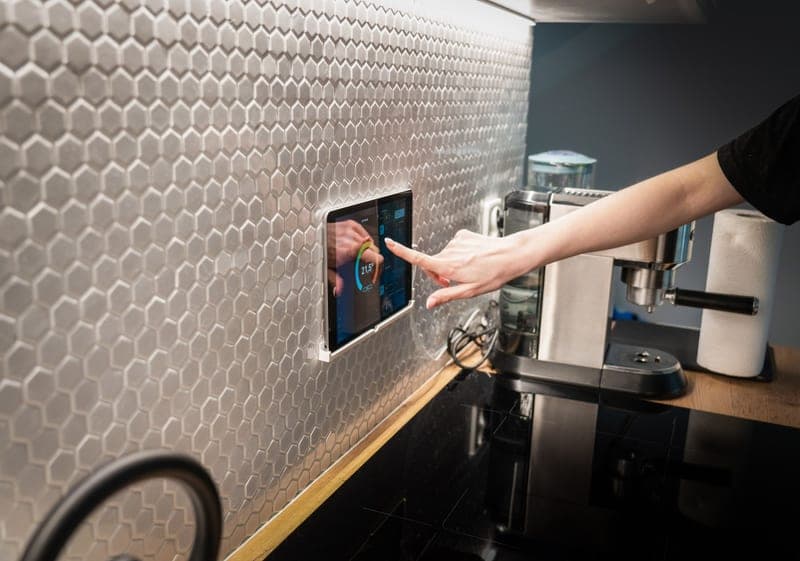
Stock photograph of this product class, not of this specific unit.
#ad We earn a commission · live price shown on Amazon
1. If you want a real screen to update from
BIQU Panda Touch
A screenless P1P or P1S is harder to recover from than a machine with a panel - and third-party firmware is a trade, not a free win.
This is on the page with a caveat attached rather than as a straightforward recommendation. The single most reported fix for a stuck update is to run it from the printer's own control panel rather than from the desktop app or the phone, and a P1P or P1S control surface is a small display and a knob.
A third-party touchscreen gives you a real interface on the machine, and the vendor states that installing it does not void the printer warranty. It is powered from the printer's USB port, and one unit can control up to ten printers.
The honest counterweight: third-party firmware sitting between you and the printer can lag behind a Bambu firmware update, which means you have added a component that can itself be a reason an update goes wrong. If your only problem is updates, this is not the fix — the SD card almost certainly is. The full review is honest about it.
What it gets right
- This is the feature people buy a P2S for, at a fraction of a new printer
- Powered from the printer's own USB port, with a bracket that fits the P1P/P1S screen cutout
- Controlling up to 10 printers from one screen makes it the cheapest print-farm console there is
What it does not
- It is a control surface, not a capability — it changes nothing about print quality
- Third-party firmware sitting between you and the printer can lag behind a Bambu firmware update
- If you genuinely never wanted a screen, skip it; the app does the same job
| Screen | 5-inch touchscreen |
|---|---|
| Fits | Bambu Lab P1P and P1S; also interfaces with X1 and A1 series |
| Power | The printer's built-in USB port |
| Multi-printer | Controls up to 10 Bambu printers from one unit |
| Warranty | Vendor states installation does not void the printer warranty |
Stock photograph of this product class, not of this specific unit.
#ad We earn a commission · live price shown on Amazon
2. The current-generation version of the same thing
BIGTREETECH Panda Touch 5
If you are buying a Panda display today, this is the one getting firmware attention.
Same proposition as the original: a real screen on a machine that does not have one. Being the current generation matters specifically in a firmware context, because third-party firmware attention goes to the current product rather than the previous one.
Worth pricing against the original before you commit, since both are on sale and the original has accumulated far more long-term user reports.
Check the compatibility list against your exact printer first. And it remains a quality-of-life purchase rather than a print-quality one — nothing about a screen changes what comes off the bed.
What it gets right
- The current generation, so firmware attention is going here rather than to the original
- Same core proposition as the original Panda Touch: a real screen on a screenless machine
- Worth comparing against the original before buying, since both are on sale
What it does not
- Check the compatibility list against your exact printer before ordering — the Panda line spans several generations
- Still a quality-of-life upgrade, not a print-quality one
- Newer means fewer long-term user reports than the original has accumulated
| Type | Display for Bambu Lab printers |
|---|---|
| Line | Panda Touch, second generation |
Questions people actually ask
Why is my Bambu Lab firmware update stuck?
Most often the delivery route rather than the printer. The most consistently reported fix is to run the update from the printer's own control panel instead of from Bambu Studio or the phone app. After that, check whether the SD card is nearly full, format it through the printer's interface, or try a different card.
My firmware update is stuck at 32% - what does that mean?
Nothing specific. Community reports have updates failing at 25%, 32%, 36% and 48% across different models, which means the number is not pointing at a particular stage of the write. Treat it as a transfer problem: change the update route, then look at the SD card.
Should I pull the power on a stuck firmware update?
Not as a first move. Wait several minutes - some reported cases completed after appearing stalled - because interrupting a firmware write is the one genuinely risky action in this whole process. If you do have to power-cycle, retry the update from the printer's control panel rather than from the route that just failed.
Should I update my P1S firmware?
Update if you are hitting a bug the release notes fix, if you have just bought hardware that needs newer firmware, or if your slicer expects a newer level. Wait if the machine is printing reliably and the release is only days old - community threads regularly report printing problems appearing after an update, and a downgrade path is not always available.
Can a firmware update break third-party upgrades?
Yes, and this is the main reason to be cautious. A third-party screen, hotend controller or AMS accessory can lag behind a Bambu firmware release, so check the accessory vendor's compatibility note before updating rather than afterwards.
My printer will not print after a firmware update - is the firmware at fault?
Check three things first. A build plate mismatch warning, a profile that needs re-slicing, and something that was already failing before the update - wet filament and a contaminated plate do not care about firmware. If the machine genuinely will not boot or connect after ruling those out, it is a Bambu Lab support case.
Sources
- Firmware update failures and the reported workarounds - updating from the printer's own control panel, SD card capacity and formatting - Bambu Lab community forum threads, retrieved 2026-10-06
- Further reported firmware update failures at specific percentages, and post-update printing problems - Bambu Lab community forum
- BIQU Panda hotends, plates, fans, extruder parts and fitment lists - OpenELAB upgrade guide
Read this next
- Print quality triageThe central symptom-to-cause table for the whole site, with the two free checks that resolve most problems before any purchase.
- Maintenance that actually mattersThe five maintenance jobs that change print quality, in priority order, plus the consumables worth stocking before you need them.
- BIQU Panda TouchWhat the Panda Touch adds to a P1P or P1S, the ten-printer capability nobody mentions, and the honest trade of third-party firmware.
- The Bambu Lab build plate mismatch errorWhy "the current build plate is not the same as in G-code" appears, the five things that cause it, and the one case where the warning is right and you are wrong.
- Spare parts worth having before you need themWhich spares to stock before a failure and which to order after, judged by how long the machine sits idle waiting.