Best overall upgrade
The best Bambu Lab upgrades
Upgrades ranked by the problem each one solves, with the popular ones that fix nothing clearly marked as such.
Check price on Amazon
#ad We earn a commission · live price shown on Amazon
Most upgrade lists are shopping lists. This one is organized by the problem each part solves, because about half the popular upgrades fix nothing you have.
By Michael W. · Published October 5, 2026
There are two kinds of 3D printer upgrade. One fixes a limitation you are actually hitting. The other is interesting. Both get recommended with the same enthusiasm in most roundups, and the result is a drawer of parts that made no difference.
The filter I use is simple and it is worth stealing: name the print that failed, or the task that annoyed you, before you name the part. If you cannot name one, the upgrade is entertainment. There is nothing wrong with entertainment, but it should not be sold as print quality.
In order of how often they are the right answer:
These are all good parts, and all of them are wrong purchases without the matching symptom:
The highest-return hour you can spend on a Bambu printer costs nothing. Clean and re-grease the rails, check belt tension, clear the extruder of debris, wash the plate properly, and inspect the PTFE path. A machine that has had that done prints better than the same machine with an armful of parts bolted on and two years of dust in the rails.
What to keep on the shelf covers the consumables worth stocking before you need them — which, in practice, is the difference between a thirty-minute fix and a week of downtime. Keeping a short list of spare parts is the same argument.
Almost everything in this category is model-specific, and the Panda line in particular spans several generations of fitment. A part listed for the P1 and X1 series will not fit an A1, and parts for the A-series are a separate catalog. Verify your exact model against the listing every time, including when you are buying a second one of something you already own on a different printer.
The per-machine lists are P1S mods and A1 mods, and both are ordered by what the part fixes rather than by how popular it is.
If something is wrong right now, print quality triage is the page to open — it sorts symptoms into causes across all six sections of this site, which is usually faster than guessing at a part. If you are shopping, the upgrades roundup and the accessories roundup both rank picks by what they fix, and the cheap end of the catalog is where the surprisingly good value is.
Best overall upgrade
Upgrades ranked by the problem each one solves, with the popular ones that fix nothing clearly marked as such.
#ad We earn a commission · live price shown on Amazon
Best accessory
The accessories that actually earn shelf space - spares, storage and the parts that prevent downtime rather than add capability.
#ad We earn a commission · live price shown on Amazon
Best cheap upgrade
Where the value actually is in the cheap end of the catalog, and the three free fixes that beat anything you can buy there.
#ad We earn a commission · live price shown on Amazon
Best gift
Gift picks for someone who already owns the printer, by budget, with the compatibility question you have to answer first.
#ad We earn a commission · live price shown on Amazon
The rule that decides printed versus bought, the PLA-in-a-warm-chamber trap, and which parts must never be printed.
#ad We earn a commission · live price shown on Amazon
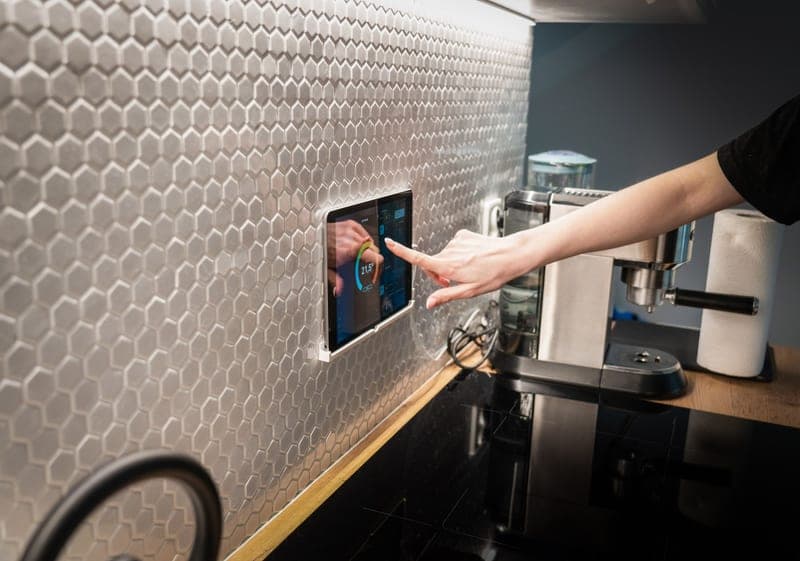
What the Panda Touch adds to a P1P or P1S, the ten-printer capability nobody mentions, and the honest trade of third-party firmware.
#ad We earn a commission · live price shown on Amazon
What the stock camera cannot do, which upgrades address it, and the one question that decides whether you should buy one.
#ad We earn a commission · live price shown on Amazon
P1S modifications ordered by the problem each solves, with the popular ones that change nothing clearly marked.
#ad We earn a commission · live price shown on Amazon
A-series mods ordered by the problem each solves, why P-series parts do not fit, and the two problems specific to an open machine.
#ad We earn a commission · live price shown on Amazon
The five maintenance jobs that change print quality, in priority order, plus the consumables worth stocking before you need them.
#ad We earn a commission · live price shown on Amazon
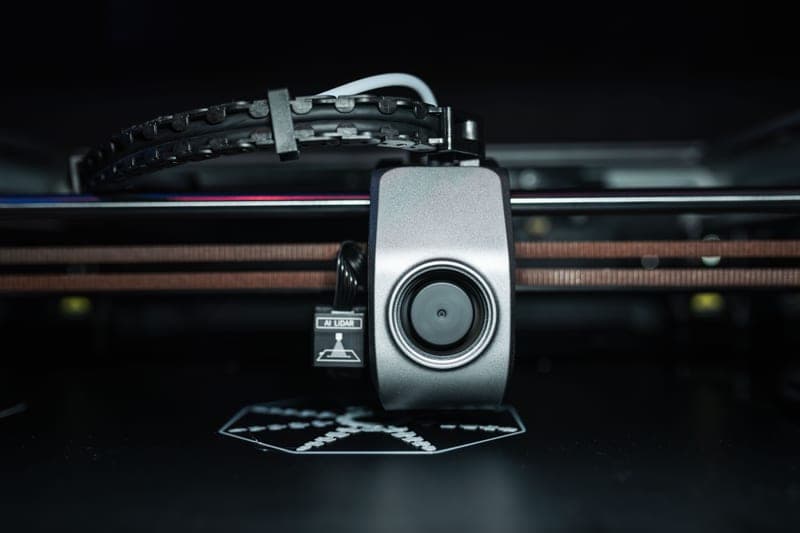
Which spares to stock before a failure and which to order after, judged by how long the machine sits idle waiting.
#ad We earn a commission · live price shown on Amazon
The central symptom-to-cause table for the whole site, with the two free checks that resolve most problems before any purchase.
#ad We earn a commission · live price shown on Amazon
It depends on what is bothering you, and that is not a dodge - the P1S is a well-sorted machine with no single glaring flaw. If you print filled or abrasive filament, a hardened hotend. If you print more than one color or anything hygroscopic, an AMS 2 Pro. If running prints from an app annoys you, a touchscreen. If your prints keep failing, a second build plate and an hour of maintenance beat any of them.
The common ones - screens, plates, ducts, fans - are plug-and-play and widely used, and some vendors state explicitly that installation does not void the printer warranty. The things to weigh are that third-party firmware sitting between you and the printer can lag behind a Bambu firmware update, and that a support conversation gets harder once a part is not original. Deeper mechanical swaps like an extruder housing are a different level of commitment.
Organizational ones: spool holders, tool racks, cable guides, filament guides, mounts. The useful rule is that anything structural or heat-exposed should be bought, and anything organizational can be printed - a PLA part sitting inside a warm chamber will eventually sag, which is the one trap.
For PLA overhangs and bridges, yes - directing more air around the nozzle is a genuine geometry fix that slicer settings alone often cannot achieve. For ABS and ASA it makes things worse, because those materials split when cooled aggressively. If your overhangs are already clean, extra cooling changes nothing.
Treat it by hours printed rather than by calendar: clean and re-grease the rails, check belt tension, clear the extruder and wash the plate at regular intervals, and inspect the PTFE path when you notice any feed hesitation. Follow the maintenance schedule in the printer's own documentation for exact intervals - a well-maintained machine out-prints the same machine with upgrades bolted onto neglected rails.