Upgrades
Maintenance that actually matters
The highest-return hour you can spend on a Bambu printer costs nothing. A maintained machine out-prints the same machine with parts bolted onto neglected rails.
By Michael W. · Published October 5, 2026
Some links here are Amazon affiliate links, so a purchase may earn this site a commission at no cost to you. It does not change what gets recommended or the order it appears in — how that works.
The five jobs that matter, in order
- Wash the build plate with dish soap and hot water, not alcohol. Skin oils are the leading cause of adhesion failures.
- Clean and re-grease the linear rails. Dry rails are noisy, they wear, and they cause positional artefacts.
- Clean the extruder gears. Packed debris reduces grip and causes under-extrusion that imitates several other faults.
- Check belt tension per your printer's documentation. Loose belts produce dimensional error and ringing.
- Inspect the PTFE filament path for loose connectors and scored tubing.
All five are free. Together they take about an hour and they outperform most parts you could buy.
Why maintenance beats upgrades
Because the faults it fixes are the ones people buy parts to solve. Dry rails cause ringing that gets blamed on toolhead mass. A contaminated plate causes first-layer failures that get blamed on the plate's quality. Packed extruder gears cause under-extrusion that gets blamed on a nozzle.
In each case the part gets bought, fitted, and the fault persists or partly improves, and the conclusion drawn is that the upgrade was mediocre. The upgrade was irrelevant.
This is why the order matters, and why every roundup on this site puts maintenance before the first purchase.
How often
By hours printed rather than by calendar, which is the honest framing for a machine that might run constantly or sit for a month. Follow the maintenance schedule in your printer's own documentation for specific intervals — this site does not invent numbers, and Bambu publishes them.
What is reliable are the triggers:
| You notice | Do this |
|---|---|
| The machine has got louder over months | Clean and re-grease the rails; check for a failing fan bearing and loose panels |
| First layers failing on a plate that used to work | Wash the plate with dish soap and hot water |
| Extrusion thinning through a print | Open and clean the extruder gears |
| Ringing or ghosting on vertical surfaces | Check belt tension; clean the rails |
| Dimensions drifting slightly on everything | Belt tension, then flow calibration |
| Occasional feed hesitation | Inspect every PTFE connector is fully seated |
| Prints suddenly worse with no change | Dry the filament before anything else |
What to keep on the shelf
Nearly all of it is cheap and dull, and all of it is the difference between a thirty-minute fix and a week of waiting for a part:
- A second build plate. Top of the list.
- A spare hotend assembly. Converts a clog into a swap.
- Nozzle cleaning needles. They bend and get lost.
- A hotend silicone sock. They tear and get plastic-welded to blobs. Cheap.
- Rail grease of the type your documentation specifies.
- A plastic scraper. Metal tools gouge PEI permanently.
- Rechargeable desiccant and airtight tubs. Filament maintenance.
- A cheap hygrometer. Desiccant saturates silently.
- A brass brush and a pick for extruder gears.
The full spares argument, including which parts are worth having before a failure rather than after.
What not to do
- Do not clean rails with solvent and leave them dry. Clean then re-grease; a dry rail wears faster than a dirty one.
- Do not use alcohol as your main plate cleaner. It redistributes skin oils as it evaporates.
- Do not use a metal scraper on PEI. The coating is the plate.
- Do not over-tension belts. Too tight wears bearings and distorts geometry. Follow the documented procedure.
- Do not grease linear rails with the wrong lubricant. Use what the documentation specifies.
Where to go next
Spare parts worth stocking, print quality triage if something is wrong now, and upgrades once maintenance is done.
What to buy
Stock photograph of this product class, not of this specific unit.
#ad We earn a commission · live price shown on Amazon
1. The consumable to stock first
Bambu Lab Textured PEI Plate
A second plate means a contaminated one costs 30 seconds instead of an evening.
Plates are consumables, and the one on your machine will eventually stop holding prints no matter how carefully you treat it. Powder-coated textured PEI on a 0.5 mm stainless base, forgiving about Z offset.
The maintenance argument for a second plate: washing and drying one takes time during which the machine is idle.
What it gets right
- Powder-coated texture grips hard without glue stick and releases when cool, which is the whole job
- The 0.5 mm steel base is stiff enough that it does not lift at the corners under a hot bed
- Hides first-layer imperfections, so a slightly off Z offset is forgiving rather than a failure
What it does not
- The texture transfers to your first layer — wrong plate for anything whose bottom face is a show surface
- PEI surfaces are consumable; skin oils and over-aggressive scraping both shorten their life
- TPU can grip hard enough on textured PEI to tear the surface on removal
| Surface | Powder-coated textured PEI |
|---|---|
| Base | 0.5 mm stainless steel with enhanced magnetic adhesion |
| Stated strength | Resists warping on large models in ABS, PC and nylon |
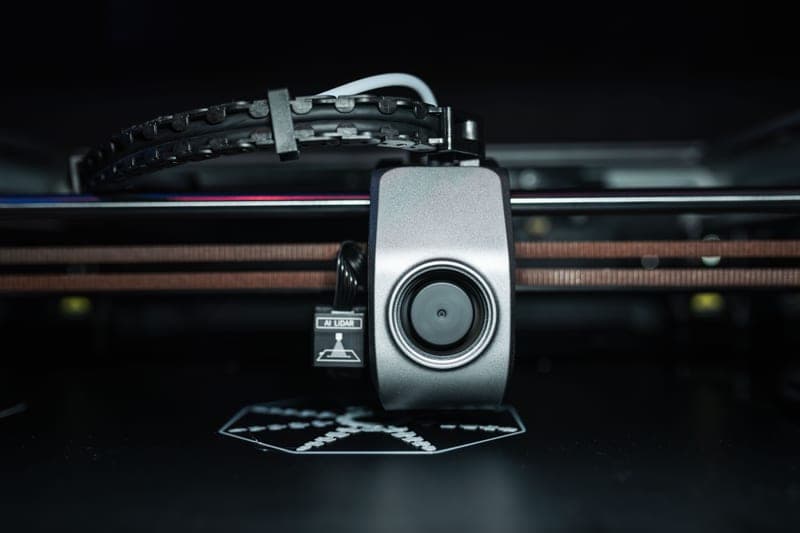
Stock photograph of this product class, not of this specific unit.
#ad We earn a commission · live price shown on Amazon
2. The spare that saves an evening
Bambu Lab Hotend with Hardened Steel Nozzle, 0.4 mm
Complete assembly, so a clog becomes a module swap rather than a cleaning session.
Because Bambu supplies hotends as complete assemblies, a spare on the shelf converts a stubborn clog or a worn nozzle into a five-minute swap. You deal with the removed one later.
If you print any filled filament the hardened version is what you want anyway. HRA 74 hardened steel, 0.4 mm, for the P1P and P1S.
What it gets right
- Abrasive filament rounds a stainless nozzle fast — with the worst materials, a single print can do it
- Comes as a complete assembly, so the swap is a module change rather than a nozzle extraction
- 0.4 mm keeps your existing print profiles valid
What it does not
- Hardened steel conducts heat slightly worse than stainless, so very high-flow PLA needs a small temperature bump
- Pointless if you only ever print plain PLA and PETG — stainless lasts for years on those
- P1P and P1S only; the A-series and H-series need their own part
| Nozzle | Hardened steel, 0.4 mm |
|---|---|
| Fits | P1P and P1S (model FAH001-N-1) |
| Hardness reference | Hardened steel is cited at HRA 74 |
| Supplied as | Complete hotend assembly |

Stock photograph of this product class, not of this specific unit.
#ad We earn a commission · live price shown on Amazon
3. The wear part to replace when it is worn
BIQU Panda Claw Extruder Gear Set
Hardened coated gears, for the under-extrusion that imitates six other faults.
Extruder gears are a maintenance item that people treat as permanent. Worn or debris-packed teeth cause progressive under-extrusion that looks like a partial clog or wet filament.
Golden nano-coated hardened steel gears for the X1, P1 and A1 series, with stated support for PLA, PETG, TPU and ABS.
Clean first. A brass brush and a pick cost almost nothing.
What it gets right
- Extruder gears are a wear item, and a worn set causes under-extrusion that looks like six other faults
- Hardened and coated gears grip TPU better than the stock set, which is the common TPU-slipping complaint
- Fits X1, P1 and A1 — one part number for most of the lineup
What it does not
- This is a repair for a real symptom, not an upgrade to buy preemptively
- An extruder teardown is the most intimidating job on the machine for a first-timer
- If your gears are not worn, new gears will change nothing
| Material | Golden nano-coated hardened steel gears |
|---|---|
| Fits | Bambu X1, P1 and A1 series |
| Materials supported | PLA, PETG, TPU, ABS |
| Stated benefit | Improved grip, fewer jams |
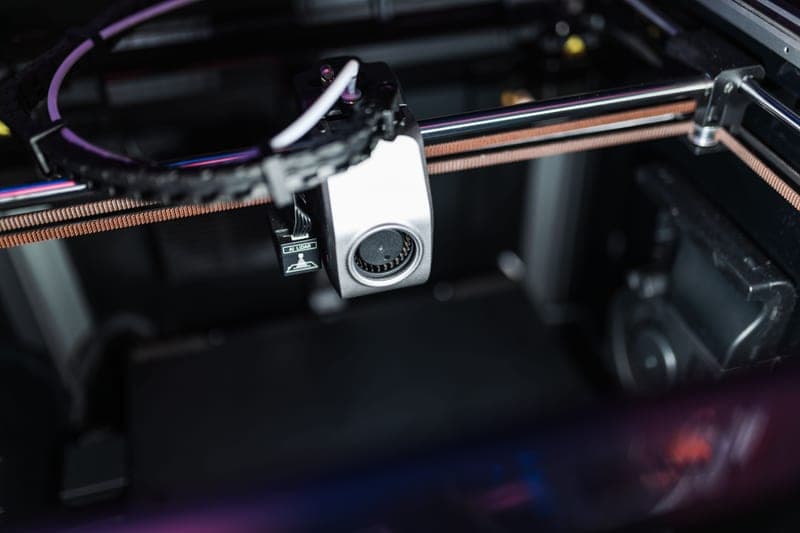
Stock photograph of this product class, not of this specific unit.
#ad We earn a commission · live price shown on Amazon
4. Maintenance for the filament, not the printer
Polymaker PolyDryer
Sealed storage at a cited 10-20% RH, which is maintenance of a consumable most people neglect.
Filament is a consumable with a storage requirement, and treating it as maintenance rather than as a purchase is the shift that prevents a category of fault.
Passive sealed storage plus active drying, cited as reaching 10-20% RH, bought one box at a time. Airtight tubs with rechargeable desiccant do the storage half for less.
What it gets right
- The modular box system means every spool lives sealed, which prevents the problem instead of fixing it
- A cited 10-20% RH is the number that matters, and it is a good one
- Cheap to start with one box and add more, instead of one large purchase
What it does not
- Buying enough boxes for a full filament shelf adds up past the price of a four-spool dryer
- Standard-temperature drying — not an engineering-filament answer
- Per-box storage takes more total shelf area than a stacked rack
| Approach (cited) | Passive sealed storage plus active drying |
|---|---|
| Humidity reached (cited) | 10-20% RH |
| Entry point (cited) | From a per-box price, boxes bought individually |
Questions people actually ask
What maintenance does a Bambu Lab printer need?
Five things, all free: wash the build plate with dish soap and hot water, clean and re-grease the linear rails, clean the extruder gears, check belt tension, and inspect the PTFE filament path for loose connectors. Together that takes about an hour and outperforms most parts you could buy.
How often should I do maintenance?
By hours printed rather than by calendar, following the schedule in your printer's own documentation for specific intervals. More useful are the triggers: a machine that has got louder needs rail attention, first layers failing on a plate that used to work needs washing, and extrusion thinning through a print means the extruder gears.
What spare parts should I keep for a Bambu Lab printer?
A second build plate first, then a spare hotend assembly, nozzle cleaning needles, a silicone sock, rail grease, a plastic scraper, rechargeable desiccant with airtight tubs, and a cheap hygrometer. All cheap, all dull, and all the difference between a thirty-minute fix and a week of waiting.
Should I clean my build plate with alcohol?
Not as the main method. Isopropyl dissolves skin oils and then redeposits them as a thinner film across a wider area as it evaporates, which can leave the plate worse. Dish soap and hot water removes oil properly; alcohol is useful for a specific spot of residue.
Why has my printer got louder over time?
Usually dry or contaminated linear rails, which is free to fix - clean and re-grease them. A fan bearing starting to fail and a panel that has worked loose are the other two common causes, and both are cheap. It is maintenance rather than wear-out.
Sources
Read this next
- Spare parts worth having before you need themWhich spares to stock before a failure and which to order after, judged by how long the machine sits idle waiting.
- Print quality triageThe central symptom-to-cause table for the whole site, with the two free checks that resolve most problems before any purchase.
- When prints will not stick to the plateAdhesion failures in diagnostic order, starting with the free fix that resolves most of them, and the material-specific exceptions.
- Clearing a clogged nozzleThe procedure for clearing a clog, plus the four causes behind it - because clearing without diagnosing gets you a repeat.
- The best Bambu Lab upgradesUpgrades ranked by the problem each one solves, with the popular ones that fix nothing clearly marked as such.
- Making a Bambu Lab printer quieterNoise reduction in order of effectiveness: the surface first, damping second, enclosure third - and why the usual order is backwards.