Upgrades
The best Bambu Lab upgrades
Name the print that failed or the task that annoyed you before you name the part. If you cannot, the upgrade is entertainment.
By Michael W. · Published October 5, 2026
Some links here are Amazon affiliate links, so a purchase may earn this site a commission at no cost to you. It does not change what gets recommended or the order it appears in — how that works.
Quick picks
Tap any row to jump to the full write-up. Prices and stock live on Amazon, never here.
| # | Product | Best for | Price |
|---|---|---|---|
| 1 | 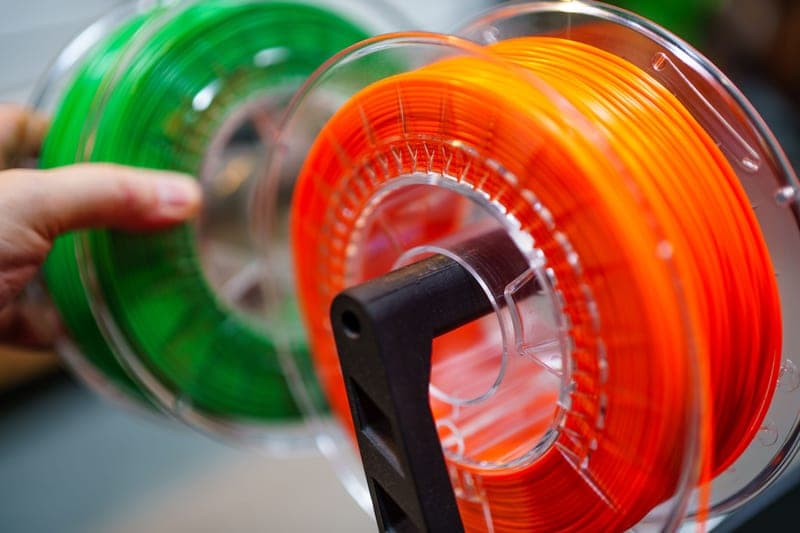 Bambu Lab AMS 2 Pro The most capability per dollar in the whole catalog, and the reason most P1S owners should not buy a printer. | Best overall upgrade The single best upgrade for a P1S or X1C owner who is tempted by a new printer | Check price on Amazon #ad We earn a commission · live price shown on Amazon |
| 2 | 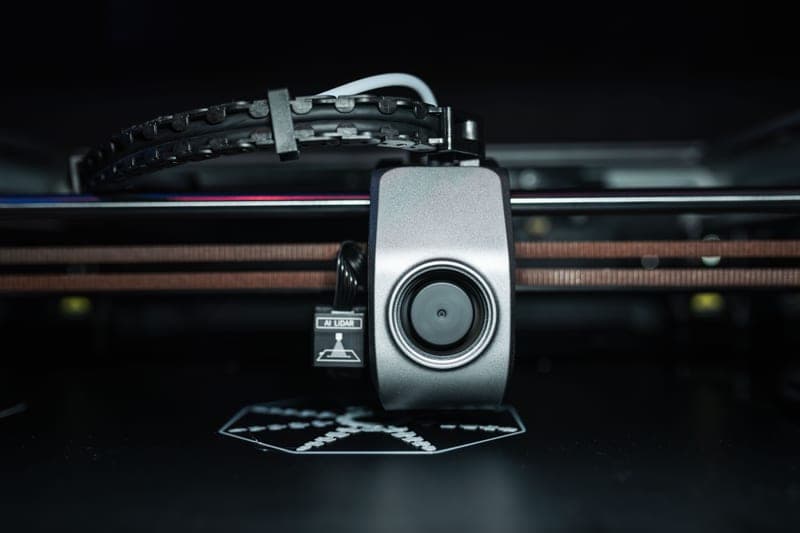 Bambu Lab Hotend with Hardened Steel Nozzle, 0.4 mm Not an upgrade for those materials - a prerequisite. HRA 74 hardened steel, complete assembly. | Best if you print filled filament The one purchase that has to happen before your first spool of anything carbon-filled | Check price on Amazon #ad We earn a commission · live price shown on Amazon |
| 3 |  Bambu Lab Textured PEI Plate A second plate is what keeps a machine printing, and almost nobody treats it as an upgrade. | Best boring upgrade The default plate for almost everything, and the one to replace first when adhesion goes | Check price on Amazon #ad We earn a commission · live price shown on Amazon |
| 4 | 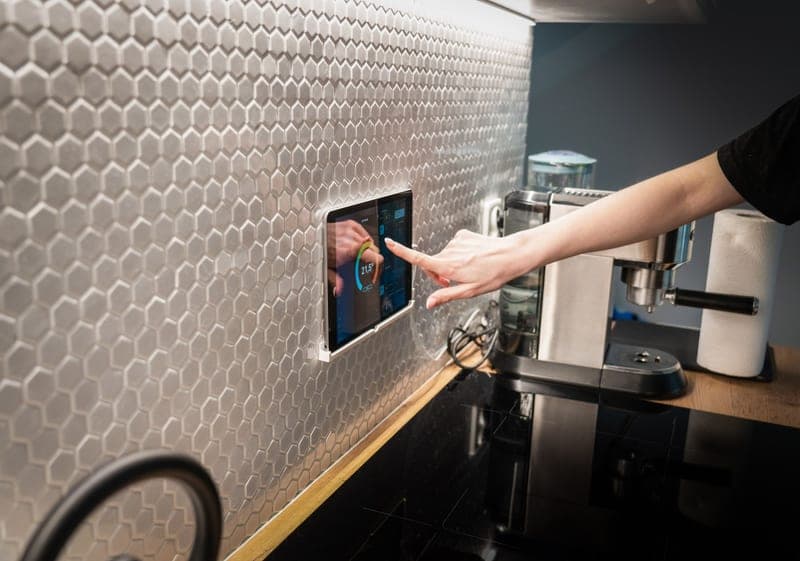 BIQU Panda Touch A 5-inch touchscreen on a machine that never had one, powered from the printer's own USB port. | Best quality-of-life upgrade Giving a P1P or P1S the touchscreen it never had | Check price on Amazon #ad We earn a commission · live price shown on Amazon |
| 5 | 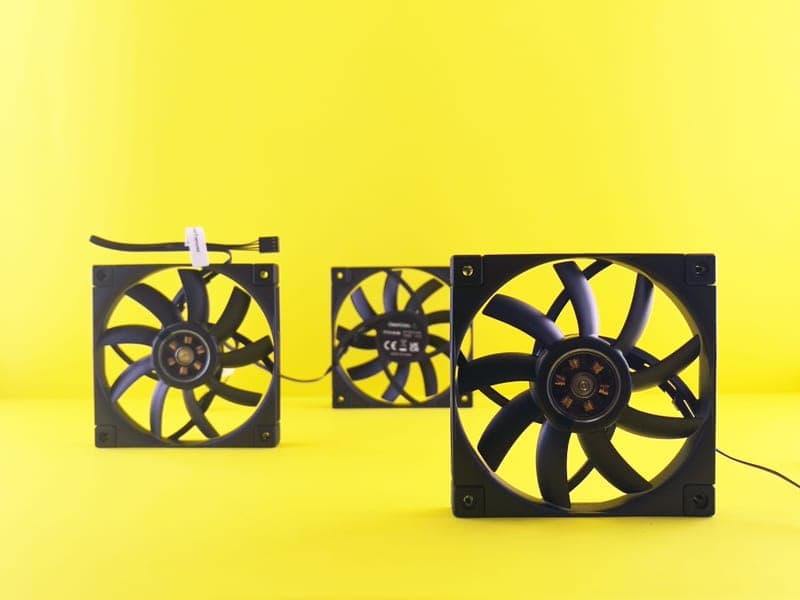 BIQU Panda Jet Cooling Fan Duct Omni-directional airflow in MJF nylon, which is a geometry fix slicer settings cannot make. | Best fix for curling overhangs Overhangs and bridges that curl no matter what you do in the slicer | Check price on Amazon #ad We earn a commission · live price shown on Amazon |
| 6 |  BIQU Panda Claw Extruder Gear Set Hardened coated gears, for under-extrusion that convincingly imitates six other faults. | Best repair disguised as an upgrade Worn extruder gears that are chewing filament instead of pushing it | Check price on Amazon #ad We earn a commission · live price shown on Amazon |
| 7 |  BIQU Panda Door PC Upgrade Panel Polycarbonate instead of acrylic on the part of a P1S that degrades fastest. | Best cheap cosmetic fix Replacing a scratched or hazy P1S door with something that takes chamber heat better | Check price on Amazon #ad We earn a commission · live price shown on Amazon |
The short answer, by complaint
| Complaint | Fix |
|---|---|
| I want more colors, or my PETG strings | An AMS 2 Pro (enclosed machines) or a dryer (A-series) |
| I want to print carbon fiber or glow filament | A hardened steel hotend. Not optional. |
| My prints keep failing on the first layer | Wash the plate, then buy a second plate |
| I hate starting prints from the app | A third-party touchscreen |
| My overhangs curl | A better cooling duct — and turn it down again for ABS |
| Extrusion is thinning out over a print | Inspect the extruder gears; clean, then replace |
| My ABS warps | Nothing on this page. Pre-heat the chamber and turn cooling down. |
| My printer is noisy | Move it onto something dense first. See noise reduction. |
How this page is ranked
By the problem each part solves, not by popularity. The test I apply, which is worth stealing: name the print that failed or the task that annoyed you before you name the part. If you cannot name one, the upgrade is entertainment — which is fine, and should not be sold as print quality.
The criteria:
- Does it fix something you are actually hitting? Most upgrade lists fail this test entirely.
- Does it fit your exact machine? The Panda line spans several generations and P-series parts do not fit A-series printers.
- What does it cost beyond money? Third-party firmware in the stack, a harder support conversation, re-tuned profiles.
- Who is it wrong for? On every entry, without exception.
The upgrades that fix nothing you have
All of these are good parts. All of them are the wrong purchase without the matching symptom, and they get recommended with the same enthusiasm as the ones above:
- Auxiliary cooling fans if your overhangs are already clean. A solution without a problem, and actively harmful for ABS.
- Extruder gear sets if your gears are not worn. Open it and look first.
- Lighter toolhead parts if you do not print fast. The gain is reduced ringing at high acceleration; at conservative speeds nothing changes, and the install is the deepest teardown available.
- Camera upgrades if you will not watch the stream. Be honest.
- Decorative build plates as a default plate. The pattern appears on every print whether you wanted it or not.
- RGB anything. A taste, not a feature.
The upgrade that costs nothing
Maintenance. Clean and re-grease the rails, check belt tension, clear the extruder of debris, wash the plate with soap and hot water, inspect the PTFE path. A machine that has had that hour spent on it out-prints the same machine with an armful of parts bolted onto neglected rails.
This is not a platitude, it is the order of operations. Do it before buying anything on this page. What to keep on hand.
Fitment, because it is where money gets wasted
Almost everything here is model-specific, and the Panda line in particular spans several generations. A part listed for the P1 and X1 series will not fit an A1; A-series parts are a separate catalog; the H-series is different again.
Verify your exact model against the listing every time — including when buying a second one of something you already own on a different printer. Per-machine lists: P1S mods and A1 mods.
What I have and have not done
I own and use Bambu hardware and my judgment about what is worth fitting comes from that. I have not installed every part on this page, and there is no test rig behind this site — no measured airflow, no decibel figures, no wear tests. Every specification here is attributed to its source below, and where a figure could not be attributed it is absent rather than estimated. How this works.
Every pick in full
Stock photograph of this product class, not of this specific unit.
#ad We earn a commission · live price shown on Amazon
1. Best overall upgrade
Bambu Lab AMS 2 Pro
The most capability per dollar in the whole catalog, and the reason most P1S owners should not buy a printer.
It solves two separate problems with one purchase, which almost nothing else here does: four-color printing, and keeping filament dry while you print from it.
The drying half is the under-sold part. People buy it for color and keep it for the fact that their PETG stopped stringing. Because the spool you dried is the spool feeding the machine, there is no window where it reabsorbs moisture during a long print.
Honest costs: purge waste on every color change, and the vertical space it needs above the printer.
What it gets right
- Active drying means the spool you print from is the spool you dried — no transfer step, no re-absorption window
- Four colors on a machine you already own, for a fraction of a new printer
- RFID logging removes the single most common cause of a ruined multi-color print: the wrong material profile
What it does not
- Four-color printing wastes filament on every tool change; the purge tower is real and it is not small
- If you only print single-color PLA, you are buying a dryer with a filament changer attached
- Needs the space beside or above the printer that your shelf may not have
| Type | Four-spool automatic material system |
|---|---|
| Headline feature | Active filament drying |
| Inherits | Humidity monitoring and RFID logging from the original AMS |
Stock photograph of this product class, not of this specific unit.
#ad We earn a commission · live price shown on Amazon
2. Best if you print filled filament
Bambu Lab Hotend with Hardened Steel Nozzle, 0.4 mm
Not an upgrade for those materials - a prerequisite. HRA 74 hardened steel, complete assembly.
Carbon fiber, glass fiber, metal, wood, glow-in-the-dark and glitter silks all contain filler harder than stainless steel. With the worst of them, a single print does visible damage to the nozzle.
Supplied as a complete hotend assembly for the P1P and P1S, which makes fitting it a module swap rather than extracting a nozzle from a hot block. A-series machines take their own part.
Buy it before the first spool of filled filament, not after. The wear is cumulative and not reversible.
What it gets right
- Abrasive filament rounds a stainless nozzle fast — with the worst materials, a single print can do it
- Comes as a complete assembly, so the swap is a module change rather than a nozzle extraction
- 0.4 mm keeps your existing print profiles valid
What it does not
- Hardened steel conducts heat slightly worse than stainless, so very high-flow PLA needs a small temperature bump
- Pointless if you only ever print plain PLA and PETG — stainless lasts for years on those
- P1P and P1S only; the A-series and H-series need their own part
| Nozzle | Hardened steel, 0.4 mm |
|---|---|
| Fits | P1P and P1S (model FAH001-N-1) |
| Hardness reference | Hardened steel is cited at HRA 74 |
| Supplied as | Complete hotend assembly |
Stock photograph of this product class, not of this specific unit.
#ad We earn a commission · live price shown on Amazon
3. Best boring upgrade
Bambu Lab Textured PEI Plate
A second plate is what keeps a machine printing, and almost nobody treats it as an upgrade.
The least exciting item on this page and the one I would buy first after maintenance. A contaminated or gouged plate stops the queue until you deal with it; a spare turns that into a 30-second swap.
Powder-coated textured PEI on a 0.5 mm stainless base, cited as resisting warping on large models in ABS, PC and nylon. Forgiving about Z offset, which prevents more failed prints than extra adhesion would.
A cheaper third-party textured plate is the sensible second if you want two for less.
What it gets right
- Powder-coated texture grips hard without glue stick and releases when cool, which is the whole job
- The 0.5 mm steel base is stiff enough that it does not lift at the corners under a hot bed
- Hides first-layer imperfections, so a slightly off Z offset is forgiving rather than a failure
What it does not
- The texture transfers to your first layer — wrong plate for anything whose bottom face is a show surface
- PEI surfaces are consumable; skin oils and over-aggressive scraping both shorten their life
- TPU can grip hard enough on textured PEI to tear the surface on removal
| Surface | Powder-coated textured PEI |
|---|---|
| Base | 0.5 mm stainless steel with enhanced magnetic adhesion |
| Stated strength | Resists warping on large models in ABS, PC and nylon |
Stock photograph of this product class, not of this specific unit.
#ad We earn a commission · live price shown on Amazon
4. Best quality-of-life upgrade
BIQU Panda Touch
A 5-inch touchscreen on a machine that never had one, powered from the printer's own USB port.
This is the feature people buy a P2S for, at a fraction of a new printer. A 5-inch touchscreen for the P1P and P1S, with a bracket that fits the existing screen cutout, powered from the printer's built-in USB port. The vendor states installation does not void the printer warranty.
One unit controls up to ten Bambu printers, which quietly makes it the cheapest print-farm console available. It also interfaces with the X1 and A1 series.
Be honest with yourself about whether you want it. It is a control surface, not a capability.
What it gets right
- This is the feature people buy a P2S for, at a fraction of a new printer
- Powered from the printer's own USB port, with a bracket that fits the P1P/P1S screen cutout
- Controlling up to 10 printers from one screen makes it the cheapest print-farm console there is
What it does not
- It is a control surface, not a capability — it changes nothing about print quality
- Third-party firmware sitting between you and the printer can lag behind a Bambu firmware update
- If you genuinely never wanted a screen, skip it; the app does the same job
| Screen | 5-inch touchscreen |
|---|---|
| Fits | Bambu Lab P1P and P1S; also interfaces with X1 and A1 series |
| Power | The printer's built-in USB port |
| Multi-printer | Controls up to 10 Bambu printers from one unit |
| Warranty | Vendor states installation does not void the printer warranty |
Stock photograph of this product class, not of this specific unit.
#ad We earn a commission · live price shown on Amazon
5. Best fix for curling overhangs
BIQU Panda Jet Cooling Fan Duct
Omni-directional airflow in MJF nylon, which is a geometry fix slicer settings cannot make.
Directing air all the way around the nozzle rather than from one side is a genuine improvement for overhangs and bridges — the kind of fix slicer settings alone often cannot achieve.
MJF nylon construction, which matters: a printed PLA duct inside a warm chamber will sag. Fits the Bambu X1/P1 hotends and the Panda Revo series.
Re-test your overhangs after fitting. Changing airflow invalidates tuned profiles, and for ABS you will want it turned down rather than up.
What it gets right
- Directing air all the way around the nozzle is a real geometry fix for curling overhangs
- MJF nylon tolerates chamber heat far better than a printed PLA duct would
- Cheap, and it addresses a fault that slicer settings alone often cannot
What it does not
- More cooling on ABS and ASA causes layer splitting — this helps PLA and PETG, and can hurt the others
- Changing airflow invalidates your tuned profiles; re-test overhangs after fitting
- X1/P1 and Panda Revo fitment only
| Type | Omni-directional cooling duct |
|---|---|
| Material | MJF nylon |
| Fits | Bambu Lab X1/P1 hotends and the Panda Revo series |
| Targets | Nozzle-area airflow, bridges, overhangs |
Stock photograph of this product class, not of this specific unit.
#ad We earn a commission · live price shown on Amazon
6. Best repair disguised as an upgrade
BIQU Panda Claw Extruder Gear Set
Hardened coated gears, for under-extrusion that convincingly imitates six other faults.
Extruder gears are a wear item. A worn set causes progressive under-extrusion that looks exactly like a partial clog, a bad flow calibration or wet filament — so people replace nozzles and even printers over it.
Golden nano-coated hardened steel gears for the X1, P1 and A1 series, with stated support for PLA, PETG, TPU and ABS. The improved grip helps most with TPU, which slips on a worn set first.
Diagnose before buying: open the extruder and look. Rounded teeth or packed debris are both visible, and cleaning them is free.
What it gets right
- Extruder gears are a wear item, and a worn set causes under-extrusion that looks like six other faults
- Hardened and coated gears grip TPU better than the stock set, which is the common TPU-slipping complaint
- Fits X1, P1 and A1 — one part number for most of the lineup
What it does not
- This is a repair for a real symptom, not an upgrade to buy preemptively
- An extruder teardown is the most intimidating job on the machine for a first-timer
- If your gears are not worn, new gears will change nothing
| Material | Golden nano-coated hardened steel gears |
|---|---|
| Fits | Bambu X1, P1 and A1 series |
| Materials supported | PLA, PETG, TPU, ABS |
| Stated benefit | Improved grip, fewer jams |
Stock photograph of this product class, not of this specific unit.
#ad We earn a commission · live price shown on Amazon
7. Best cheap cosmetic fix
BIQU Panda Door PC Upgrade Panel
Polycarbonate instead of acrylic on the part of a P1S that degrades fastest.
The P1S door is the component that gets scratched and hazy fastest. Polycarbonate tolerates chamber heat better than the acrylic it replaces, so it stays clear longer on a machine that runs warm.
Cheap, visible, and completely honest about what it is. P1 and X1 series only.
What it gets right
- Polycarbonate tolerates chamber heat better than the acrylic it replaces, which matters if you run ABS
- Fixes the one cosmetic part of a P1S that gets ruined fastest
- A genuinely cheap upgrade with a visible result
What it does not
- This is a door, not a chamber heater — it changes nothing about what you can print
- Pure quality-of-life on a machine that already works
- P1 and X1 series only
| Material | Polycarbonate |
|---|---|
| Fits | Bambu Lab P1 and X1 series |
| Stated benefit | Improved visibility and enclosure protection |
Questions people actually ask
What is the best upgrade for a Bambu Lab printer?
It depends on your complaint, and that is not a dodge - these are well-sorted machines with no single glaring flaw. For more colors or hygroscopic filament, an AMS 2 Pro. For filled or abrasive filament, a hardened hotend. For failed first layers, a washed plate and then a spare one. For workflow irritation, a touchscreen.
Will a cooling fan upgrade improve my prints?
For PLA overhangs and bridges, yes - directing more air around the nozzle is a genuine geometry fix that slicer settings often cannot achieve. For ABS and ASA it makes things worse, because those split when each layer is chilled before the next bonds to it. If your overhangs are already clean, it changes nothing.
Are third-party Bambu upgrades safe?
The common ones - screens, plates, ducts, fans - are plug-and-play and widely used, and some vendors state explicitly that installation does not void the printer warranty. The real trades are that third-party firmware between you and the printer can lag behind a Bambu update, and that a support conversation gets harder once a part is not original.
What should I upgrade first?
Nothing - spend an hour on maintenance first. Clean and re-grease the rails, check belt tension, clear the extruder and wash the plate with soap and hot water. A maintained machine out-prints the same machine with parts bolted onto neglected rails, and it costs nothing to find out.
Will P1S upgrades fit my A1?
Generally no. P-series and A-series parts are different catalogs, and the H-series is different again. The BIQU Panda line in particular spans several generations and machines, so verify your exact model against the listing rather than assuming by brand.
Sources
- BIQU Panda product range - plates, hotends, fans, extruder parts, storage - with fitment and materials - OpenELAB upgrade guide
- BIQU Panda Touch - 5-inch screen, USB power, P1P/P1S bracket, 10-printer support, warranty statement - BIQU product page
- Textured and dual-texture PEI plate construction - PB Tech product listings
- Bambu Lab model descriptions and AMS capabilities - Wikipedia
Read this next
- The best Bambu Lab accessoriesThe accessories that actually earn shelf space - spares, storage and the parts that prevent downtime rather than add capability.
- Cheap Bambu Lab upgrades worth buyingWhere the value actually is in the cheap end of the catalog, and the three free fixes that beat anything you can buy there.
- P1S mods worth doingP1S modifications ordered by the problem each solves, with the popular ones that change nothing clearly marked.
- Maintenance that actually mattersThe five maintenance jobs that change print quality, in priority order, plus the consumables worth stocking before you need them.
- Bambu Lab AMS 2 ProWhy active drying makes the AMS 2 Pro a different product from the original AMS, and the case for buying it instead of a new printer.
- The best nozzles and hotends for a Bambu LabHardened steel, quick-change or a second diameter - which nozzle upgrade matches your filament and your machine, with who each is wrong for.