Nozzles & Plates
Clearing a clogged nozzle
Clearing the clog is the easy half. If you do not find the cause, you get a second one within a week.
By Michael W. · Published October 5, 2026
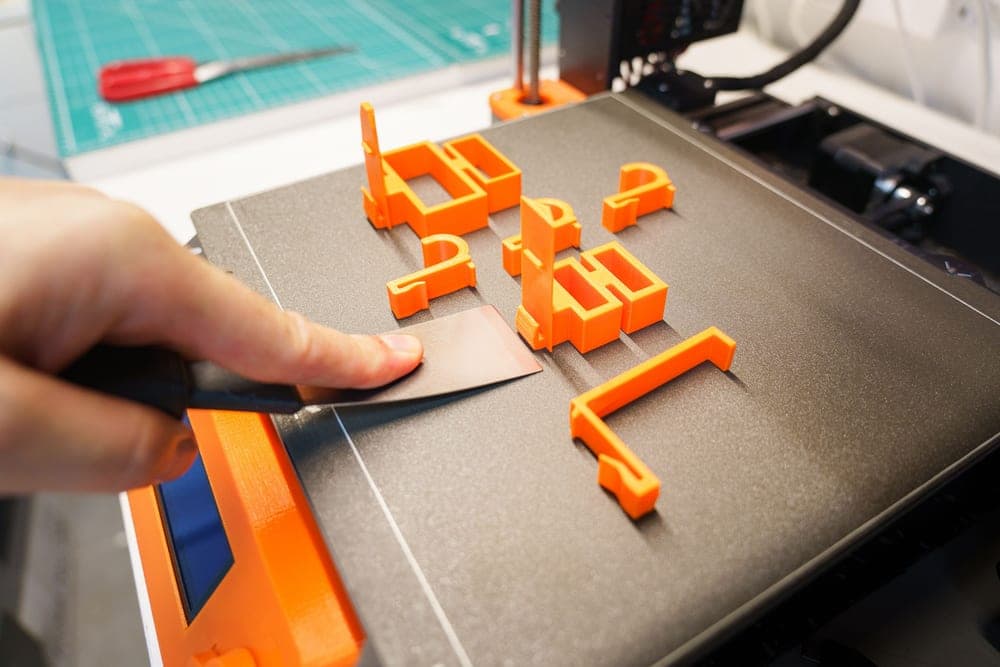
Clearing the clog
- Heat the hotend to the print temperature of the material currently in it, not of the material you want to print next.
- Unload and inspect the tip of the withdrawn filament. A thin spindly tip means a partial blockage; a melted blob means heat creep further up.
- Push the cleaning needle through the nozzle from below while hot, gently and repeatedly. Do not force it — a bent needle inside a nozzle is worse than the clog.
- Cold pull if the needle fails: load filament, heat, then cool to the point where the filament is soft but grips, and pull firmly. Debris comes out embedded in the tip.
- Purge generously with the material you intend to print, until extrusion is clean and consistent.
- If it will not clear, swap the hotend and deal with the clogged one off the machine. This is what a spare is for.
Now find the cause, or it comes back
1. Moisture, which is the leading cause
Wet filament boils in the hotend. The steam creates bubbles and voids, and the repeated wet-dry cycling cooks residue onto the inside of the nozzle. This is the single most common clog cause and almost nobody connects it, because the symptom appears at the nozzle and the cause is on the shelf.
Tell: popping or hissing during printing, filament that snaps when bent, stringing that worsens through a print. Full symptom list.
2. Heat creep
Heat traveling up from the hot zone into the cold zone, softening filament where it should still be rigid. The soft filament swells, grips the walls and jams. The symptom is a clog that happens partway into a print rather than at the start, and often after a long print.
Tell: the withdrawn filament has a swollen blob some distance above the tip. Causes: a hotend fan not running properly, high ambient temperature, or very slow extrusion over a long period.
3. Material residue from a higher-temperature filament
Printing PLA after ABS or PC, without purging thoroughly, leaves residue that chars at the lower temperature and then never leaves. Always purge at the higher material's temperature when changing down.
4. Debris, including from the plate
Dust, bits of previous prints, glue residue, and sometimes a fragment of PTFE tube. Less common, and worth checking if nothing else fits — PTFE tube condition.
Clog or feed problem? They look identical
| Observation | Clog | Feed problem |
|---|---|---|
| Extruder gears clicking or grinding | Possible — filament has nowhere to go | Likely — gears slipping |
| Nothing extrudes at all | Likely | Possible |
| Thin or inconsistent extrusion | Partial clog | Worn gears or drag in the path |
| Problem started mid-print | Heat creep | Spool binding or a snapped end |
| Problem is immediate at every print start | Full clog | Loose PTFE tube |
| Manual extrusion by hand feels blocked | Clog confirmed | Rules a feed problem out |
The useful test is the last row. Heat the hotend and push filament through by hand. If it will not go, the blockage is downstream and it is a clog. If it goes easily, the problem is upstream — feed diagnosis.
What not to do
- Do not push a needle through cold. You will bend the needle or damage the orifice. Hot only.
- Do not drill it out with a metal bit. You will widen the bore permanently, which turns a clog into a dead nozzle.
- Do not replace the nozzle before finding the cause. A new nozzle clogs just as fast in the same conditions.
- Do not raise the temperature indefinitely. Over-temperature printing cooks residue onto the inside, which is itself a clog cause.
Where to go next
Worn or clogged? if quality has degraded rather than stopped. Hotend replacement if you are swapping rather than clearing. And print quality triage if you are not sure the nozzle is involved at all.
What to buy
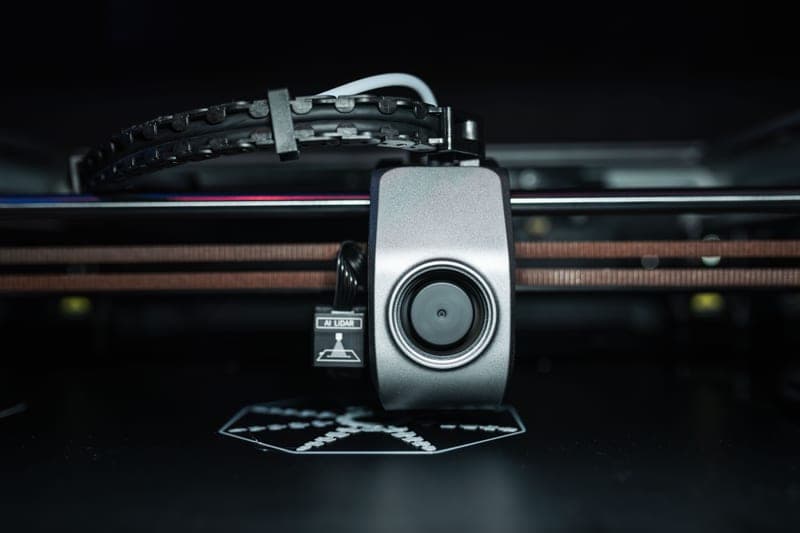
Stock photograph of this product class, not of this specific unit.
#ad We earn a commission · live price shown on Amazon
1. The spare that makes a clog a 5-minute job
Bambu Lab Hotend with Hardened Steel Nozzle, 0.4 mm
Supplied as a complete assembly, so a spare hotend turns a clog into a module swap.
The genuinely useful thing about Bambu supplying hotends as complete assemblies is that a spare on the shelf converts a stubborn clog from an evening of poking into a five-minute swap. Clear the clogged one later, at your leisure.
If you print abrasive filament, the hardened version is what you want anyway. If you do not, buy the stainless equivalent as a spare instead — the argument here is having two, not which material.
What it gets right
- Abrasive filament rounds a stainless nozzle fast — with the worst materials, a single print can do it
- Comes as a complete assembly, so the swap is a module change rather than a nozzle extraction
- 0.4 mm keeps your existing print profiles valid
What it does not
- Hardened steel conducts heat slightly worse than stainless, so very high-flow PLA needs a small temperature bump
- Pointless if you only ever print plain PLA and PETG — stainless lasts for years on those
- P1P and P1S only; the A-series and H-series need their own part
| Nozzle | Hardened steel, 0.4 mm |
|---|---|
| Fits | P1P and P1S (model FAH001-N-1) |
| Hardness reference | Hardened steel is cited at HRA 74 |
| Supplied as | Complete hotend assembly |
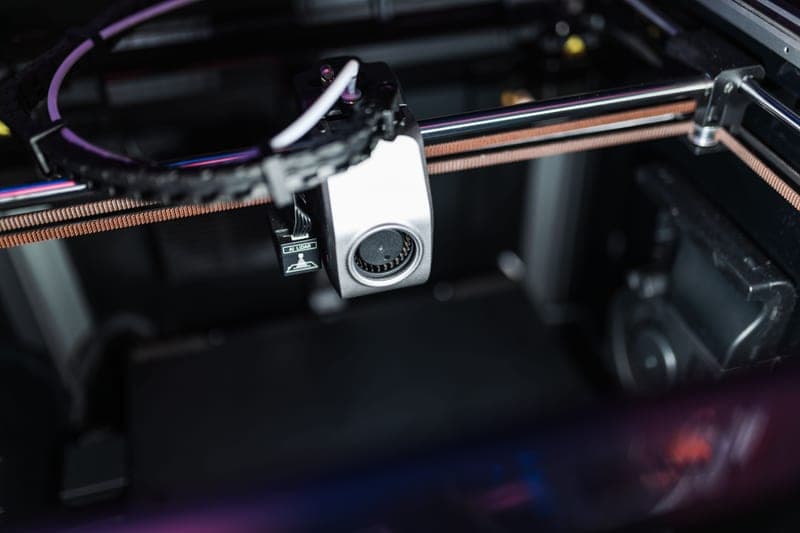
Stock photograph of this product class, not of this specific unit.
#ad We earn a commission · live price shown on Amazon
2. The fix for the most common cause
SUNLU FilaDryer S2
Wet filament steams and carbonizes in the hotend, and that is what most clogs are.
A cited 35-70 C range covers PLA, PETG and TPU, which is where most clogs in a hobby workshop originate. Noted as quiet enough to run overnight, and single-spool, which is the cheapest entry point that is a real dryer rather than a warm box.
Listed on a clog page deliberately: moisture is the leading cause of clogs and almost nobody treats a dryer as clog-prevention equipment.
What it gets right
- 35-70 C covers PLA, PETG and TPU, which is most of what actually goes wet in a hobby workshop
- Quiet enough to run overnight in a room you sleep in
- The cheapest entry point that is still a real dryer rather than a warm box
What it does not
- 70 C ceiling means nylon, PC and PA-CF are out of range
- One spool at a time, which does not fit a four-color job
- No printing from the unit, so a dried spool starts re-absorbing the moment it comes out
| Temperature range (cited) | 35-70 C |
|---|---|
| Capacity | One spool |
| Diameters | Supports all common filament diameters |
| Noted | Quiet enough for overnight drying |
Questions people actually ask
How do I unclog a Bambu Lab nozzle?
Heat the hotend to the print temperature of the material in it, unload and inspect the filament tip, then push the cleaning needle through from below while hot. If that fails, do a cold pull: load filament, heat, cool until it is soft but gripping, and pull firmly. If it still will not clear, swap the hotend and deal with it off the machine.
Why does my nozzle keep clogging?
Moisture is the leading cause - wet filament steams in the hotend and cooks residue onto the inside. Then heat creep, which softens filament above the hot zone so it swells and jams. Then residue from a higher-temperature material that was not purged properly. Clearing a clog without finding the cause gets you another one.
Can I drill out a clogged nozzle?
Not with a metal drill bit - you will widen the bore permanently and turn a clog into a dead nozzle. Use the supplied cleaning needle while the hotend is hot, or do a cold pull. If neither works, replacing the hotend is cheaper than ruining it.
Is my nozzle clogged or is it a feed problem?
Heat the hotend and push filament through by hand. If it will not go, the blockage is downstream and it is a clog. If it goes easily, the problem is upstream - a snapped filament end, a loose PTFE tube, a binding spool or worn extruder gears.
Does a hardened nozzle clog less?
No. Hardness addresses wear, not blockage. A hardened nozzle clogs exactly as readily as a stainless one in the same conditions, because clogs come from moisture, heat creep and residue rather than from the nozzle material.
Sources
Read this next
- How long a nozzle lasts, and how to tell when it is doneThe difference between a worn nozzle and a clogged one, what actually wears a nozzle, and when to replace rather than clean.
- Replacing a Bambu Lab hotendHow the complete-assembly hotend format works, the replacement procedure, what the silicone sock does, and the fitment rule to check first.
- AMS not loading filamentThe four real causes of an AMS feed failure in diagnostic order, three of which cost nothing and take minutes.
- How to tell if your filament is wetThe three near-conclusive signs of wet filament, the ambiguous ones, and the free test that settles it in one print.
- Print quality triageThe central symptom-to-cause table for the whole site, with the two free checks that resolve most problems before any purchase.