Printers
Upgrading from a P1S
This is the most important page on the site, and its conclusion is usually: keep the printer and fix the one weakness.
By Michael W. · Published October 5, 2026

Some links here are Amazon affiliate links, so a purchase may earn this site a commission at no cost to you. It does not change what gets recommended or the order it appears in — how that works.
The verdict
Keep the P1S. There are exactly two reasons to replace it, and everything else has a cheaper answer that bolts onto the machine you own:
Everything else — colors, materials, screens, nozzle changes, camera, noise — is a part or a technique.
Work out which complaint you actually have
| What frustrates you | The fix | A new printer? |
|---|---|---|
| I want more colors | An AMS 2 Pro | No — every enclosed Bambu takes one |
| My PETG strings, my TPU is brittle | An AMS 2 Pro or a dryer | No |
| I want to print carbon fiber | A hardened hotend | No |
| Starting prints from the app annoys me | A third-party touchscreen | No |
| Changing nozzles is a chore | A quick-change hotend | No |
| The camera is useless | A camera upgrade, or a network camera | No |
| My overhangs curl | A cooling duct | No |
| It's too noisy | Move it onto something dense; damping feet | No |
| My ABS keeps failing | Pre-heat the chamber, lower part cooling | No, usually |
| My prints do not fit | Nothing fixes this | YES — H2S or H2D |
| Tall ASA parts split no matter what | Nothing fully fixes this | YES — X2D |
Nine of eleven rows are parts or technique. That ratio is the entire argument of this page and it is why the site exists.
The arithmetic, stated plainly
A P2S adds a touchscreen and a quick-swap nozzle, and nothing else — reported build volume is the same 256 mm class and the chamber is still passive. A third-party screen plus a quick-change hotend deliver both features on the P1S for a fraction of the machine.
You end up with third-party firmware and hardware in the stack, which is a real trade rather than a trick. But it is a trade worth understanding before spending printer money on screen money. The full comparison.
Do this before buying anything at all
An hour of maintenance, which costs nothing: clean and re-grease the rails, check belt tension, clear the extruder of debris, wash the plate with dish soap and hot water, dry your filament.
A P1S that has had those five things done out-prints the same machine with an armful of parts bolted onto neglected rails. If your frustration is "it doesn't print as well as it used to", this is almost certainly the whole answer. Maintenance that matters.
The two cases where a printer is right
Size
If prints do not fit a 256 mm cube, no accessory changes that. The honest test: count the prints in the last six months that genuinely needed more. If it is two or three, splitting and gluing is free and this is not your upgrade. If it is constant, buy the H2S — nearly the H2D's reported bed for less, unless you specifically want soluble supports.
Chamber heat
If tall ASA parts split after you have pre-heated the chamber, dried the filament, cleaned the plate and turned cooling down, you have hit the passive-chamber ceiling. There is no modification path — taping vents traps heat around electronics and a chamber heater is not sanctioned on this machine.
The X2D is reported at 65 C actively heated. That is the upgrade. Why passive has a ceiling.
What I would do with a P1S today
In order: an hour of maintenance, a second build plate, then whichever single part matches the complaint that actually bothers me. If none of them does, keep the printer and spend nothing — which is a legitimate outcome and the one this page most often recommends.
It is also worse business for this site than recommending a new machine would be. That is the point. How we review.
What to buy
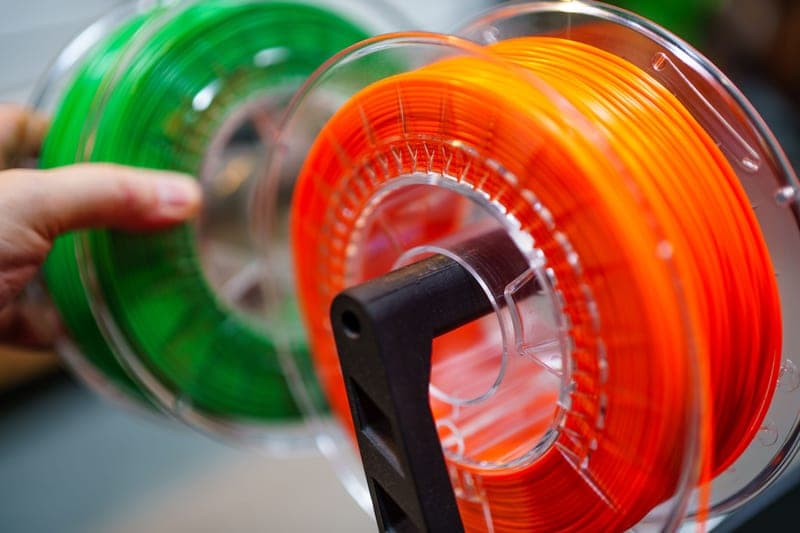
Stock photograph of this product class, not of this specific unit.
#ad We earn a commission · live price shown on Amazon
1. Buy this instead of a printer
Bambu Lab AMS 2 Pro
Four colors plus active drying, for a fraction of any machine on this page.
If your P1S frustration is "I want more colors" or "my PETG strings and my TPU is brittle", this is the purchase. Two separate problems, one part, a fraction of a new machine.
The reason it beats a printer here is that the P2S does not add multi-color — every enclosed Bambu machine already takes an AMS. You would be paying for a printer to get something your current printer supports.
What it gets right
- Active drying means the spool you print from is the spool you dried — no transfer step, no re-absorption window
- Four colors on a machine you already own, for a fraction of a new printer
- RFID logging removes the single most common cause of a ruined multi-color print: the wrong material profile
What it does not
- Four-color printing wastes filament on every tool change; the purge tower is real and it is not small
- If you only print single-color PLA, you are buying a dryer with a filament changer attached
- Needs the space beside or above the printer that your shelf may not have
| Type | Four-spool automatic material system |
|---|---|
| Headline feature | Active filament drying |
| Inherits | Humidity monitoring and RFID logging from the original AMS |
Stock photograph of this product class, not of this specific unit.
#ad We earn a commission · live price shown on Amazon
2. Buy this if filament is the limit
Bambu Lab Hotend with Hardened Steel Nozzle, 0.4 mm
HRA 74 hardened steel unlocks every filled filament on the machine you own.
"Can my P1S print carbon fiber" is really "do I have a hardened nozzle", and the answer is a modest part rather than a machine.
Complete hotend assembly, which makes fitting it a module swap. Keeps your profiles valid at 0.4 mm; go 0.6 mm for carbon fiber specifically.
What it gets right
- Abrasive filament rounds a stainless nozzle fast — with the worst materials, a single print can do it
- Comes as a complete assembly, so the swap is a module change rather than a nozzle extraction
- 0.4 mm keeps your existing print profiles valid
What it does not
- Hardened steel conducts heat slightly worse than stainless, so very high-flow PLA needs a small temperature bump
- Pointless if you only ever print plain PLA and PETG — stainless lasts for years on those
- P1P and P1S only; the A-series and H-series need their own part
| Nozzle | Hardened steel, 0.4 mm |
|---|---|
| Fits | P1P and P1S (model FAH001-N-1) |
| Hardness reference | Hardened steel is cited at HRA 74 |
| Supplied as | Complete hotend assembly |
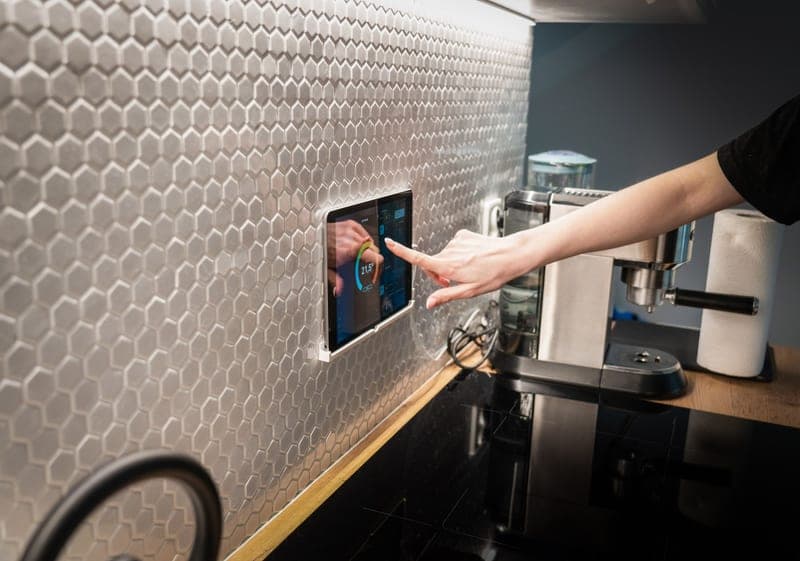
Stock photograph of this product class, not of this specific unit.
#ad We earn a commission · live price shown on Amazon
3. Buy this if the workflow is the limit
BIQU Panda Touch
A screen on the machine, which is one of the two things a P2S adds.
The P2S adds a touchscreen and a quick-swap nozzle. This is the first of those, at a fraction of the printer, mounting in the existing cutout and powering from the printer's USB port.
The vendor states installation does not void the warranty, and one unit controls up to ten printers.
What it gets right
- This is the feature people buy a P2S for, at a fraction of a new printer
- Powered from the printer's own USB port, with a bracket that fits the P1P/P1S screen cutout
- Controlling up to 10 printers from one screen makes it the cheapest print-farm console there is
What it does not
- It is a control surface, not a capability — it changes nothing about print quality
- Third-party firmware sitting between you and the printer can lag behind a Bambu firmware update
- If you genuinely never wanted a screen, skip it; the app does the same job
| Screen | 5-inch touchscreen |
|---|---|
| Fits | Bambu Lab P1P and P1S; also interfaces with X1 and A1 series |
| Power | The printer's built-in USB port |
| Multi-printer | Controls up to 10 Bambu printers from one unit |
| Warranty | Vendor states installation does not void the printer warranty |
Stock photograph of this product class, not of this specific unit.
#ad We earn a commission · live price shown on Amazon
4. Buy this if size is the limit
Bambu Lab H2S
A reported 325 x 320 x 325 mm, which is the one thing a P1S cannot be upgraded into.
Build volume is one of only two capabilities no part adds. If you have spent a year splitting models and gluing them, this is a genuine fix rather than a want.
The H2S rather than the H2D, because the reported beds are within 25 mm on the long axis and the second nozzle is usually the part that goes unused.
What it gets right
- The large-format build area is the only thing a P1S genuinely cannot give you
- Single nozzle means one hotend to maintain instead of two
- Costs less than the H2D for the same reported footprint and near-identical bed size
What it does not
- No dual nozzle, so no support material in a different polymer and no two-color single-head workflow
- Large-format machines want floor or shelf space, not desk space
- If your prints all fit in 256 mm, you are paying for air
| Released | August 26, 2025 |
|---|---|
| Type | Large-format enclosed, single nozzle |
| Build volume (reported) | 325 x 320 x 325 mm |
Stock photograph of this product class, not of this specific unit.
#ad We earn a commission · live price shown on Amazon
5. Buy this if the chamber is the limit
Bambu Lab X2D
A reported 65 C actively heated chamber - the other thing a P1S cannot become.
A P1S chamber is passive: the bed warms the air and the panels hold it. An actively heated chamber sets and holds a temperature, which is what tall ASA parts need to stop splitting.
There is no upgrade path from passive to active, which is what puts this on the page. I have not run one — this is specification and reasoning.
What it gets right
- Dual nozzle without stepping up to the H2 footprint — two materials on a desk-sized machine
- A reported 65 C heated chamber is a real capability jump over any passive P-series enclosure
- Newest filtration and thermal hardware in the smaller form factor
What it does not
- Released April 2026, so third-party part support is thin compared with the P1S
- Same reported 256 mm build volume as a P1S — this is a capability upgrade, not a size one
- I have not run one. What follows anywhere on this site about the X2D is specification and reasoning, not observation
| Released | April 14, 2026 |
|---|---|
| Type | Enclosed CoreXY, dual nozzle |
| Improvements cited | Air filtration, thermal management and speed |
| Build volume (reported) | 256 mm cube |
| Chamber (reported) | Heated to 65 C |
Questions people actually ask
Should I upgrade from a P1S?
Only for build volume or an actively heated chamber - those are the two capabilities no part adds. Colors, materials, screens, nozzle changes, camera quality, noise and overhang quality all have cheaper answers that fit the machine you own.
Is the P2S worth it coming from a P1S?
Only if the missing touchscreen or the hotend-level nozzle change has genuinely bothered you, because those are the only two things it adds. Reported build volume is the same 256 mm class and the chamber is still passive. A third-party screen plus a quick-change hotend deliver both features for far less.
What is the cheapest way to improve a P1S?
An hour of maintenance, which costs nothing: clean and re-grease the rails, check belt tension, clear the extruder, wash the plate with soap and hot water, and dry your filament. A maintained P1S out-prints the same machine with parts fitted to neglected rails.
Should I buy an H2D or an H2S if I need more build volume?
The H2S, unless you specifically want soluble supports or two-material prints. The reported beds are 350 x 320 x 325 mm and 325 x 320 x 325 mm, which is the same machine in two of three axes, and one hotend is half the maintenance of two.
Can I add a heated chamber to my P1S?
Not safely. The plastics and electronics were specified around a passive chamber, taping vents traps heat around the power supply for a small gain, and an aftermarket chamber heater is not a sanctioned modification. If you need a held chamber temperature, the X2D is reported to heat to 65 C.
Is it better to buy a second printer instead?
If your bottleneck is throughput rather than capability, yes - two machines printing beats one machine printing slightly better, and a long job stops blocking a short one. An open-frame A1 alongside an enclosed P1S covers both material classes for less than most single upgrades.
Sources
- Bambu Lab model list, release dates and descriptions - Wikipedia
- Reported build volumes, chamber temperatures and nozzle hardness - third-party lineup roundups captured October 2026
- Bambu Lab hardened steel nozzle and hotend upgrade - Bambu Lab wiki
- BIQU Panda Touch - fitment, USB power and 10-printer support - BIQU product page
Read this next
- Bambu Lab P1S vs P2SThe P2S adds a touchscreen and a quick-swap nozzle and no build volume. When that is worth a new machine and when a far cheaper part does the same job.
- Bambu Lab P1SWhat the P1S already does well, the three things it genuinely cannot do, and which cheap part fixes each complaint instead of a new machine.
- P1S mods worth doingP1S modifications ordered by the problem each solves, with the popular ones that change nothing clearly marked.
- Bambu Lab AMS 2 ProWhy active drying makes the AMS 2 Pro a different product from the original AMS, and the case for buying it instead of a new printer.
- Maintenance that actually mattersThe five maintenance jobs that change print quality, in priority order, plus the consumables worth stocking before you need them.
- Bambu Lab H2D vs H2STwo machines on one chassis. The beds are nearly the same; the difference is one nozzle, and most people will not use the second.