Upgrades
BIQU Panda Touch
The feature people buy a P2S for, at a fraction of a printer. It changes nothing about print quality, and it changes how the machine feels to use.
By Michael W. · Published October 5, 2026
Some links here are Amazon affiliate links, so a purchase may earn this site a commission at no cost to you. It does not change what gets recommended or the order it appears in — how that works.
What it is and what it does
A 5-inch touchscreen that gives a P1P or P1S the on-machine control it never shipped with. It mounts in the existing screen cutout via a supplied bracket, powers from the printer's own USB port, and the vendor states installation does not void the printer warranty.
It controls up to ten Bambu printers from one unit, including group printing, and it interfaces with the X1 and A1 series as well as the P-series.
It does not change print quality. Not speed, not accuracy, not surface finish. It changes how the machine feels to use.
Why this exists, and what it competes with
The P1P and P1S shipped without a touchscreen, which means every print starts in an app. For some owners that is irrelevant. For others it is the single most irritating thing about an otherwise excellent machine.
Bambu's answer was the P2S, which added a touchscreen and a quick-swap nozzle. This is the aftermarket answer at a fraction of the price, and it is the clearest example on this site of a part that makes a printer upgrade unnecessary. P1S vs P2S has that argument in full.
The ten-printer capability
Underrated, and genuinely interesting if you are running more than one machine. Group printing and control from one screen is the sort of thing enterprise software usually charges for, and here it is a side-effect of a consumer accessory.
If you are considering a second printer rather than a better one — which is often the right call for throughput — this becomes a more compelling purchase. Running more than one printer.
The honest trades
Third-party firmware in the stack
You now have an independently-developed control layer between you and the printer. When Bambu ships a firmware update, the third-party layer may lag behind it. That is not hypothetical, it is how all accessories of this type work, and it is the main reason to think before fitting one.
A support conversation gets harder
The vendor states that installation does not void the printer warranty, which is a meaningful statement. It remains true that any support interaction is simpler on a stock machine.
It is a want, not a need
The test is simple: in the last month, how many times did you wish there was a screen? If the answer is "never", you have just saved the money. If the answer is "most days", this is a good purchase and the price is reasonable for how often you would use it.
Panda Touch, Panda Touch 5 or Panda Lobe?
| Panda Touch | Panda Touch 5 | Panda Lobe | |
|---|---|---|---|
| Screen | 5-inch | Display, current generation | 5.5-inch integrated |
| Camera | No | No | Yes — high-fps streaming |
| Multi-printer | Up to 10 | Check the listing | Check the listing |
| Power | Printer's USB port | Check the listing | Check the listing |
| Best for | The straightforward screen fix | Buying new today | Fixing screen and camera together |
The rows reading "check the listing" are deliberate. Our sources confirm those details for the original Panda Touch and not for every variant, and this site does not fill gaps with assumptions. Verify fitment and features against the product page for your exact printer.
Where to go next
P1S vs P2S if you are weighing this against a new machine. Camera options if the camera is the real complaint. P1S mods for everything else that fits the machine.
What to buy
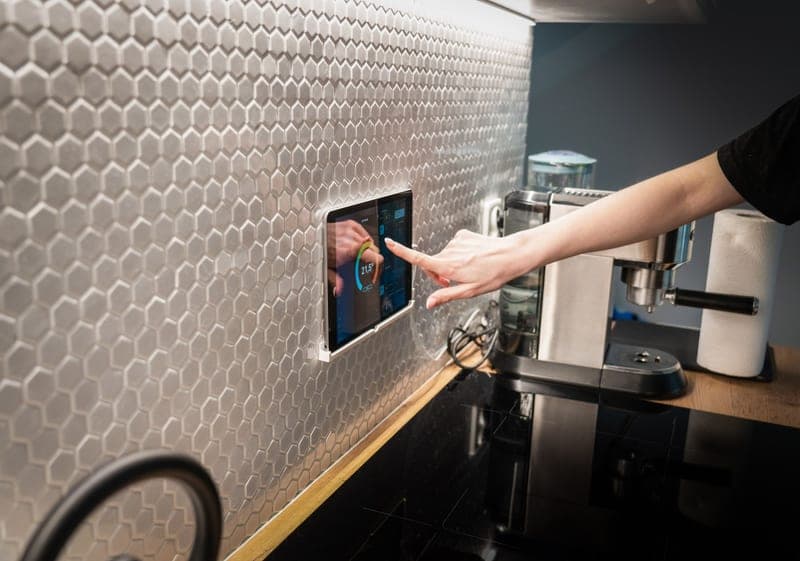
Stock photograph of this product class, not of this specific unit.
#ad We earn a commission · live price shown on Amazon
1. Best screen upgrade for a P1S
BIQU Panda Touch
A 5-inch touchscreen using the printer's own USB power and screen cutout, controlling up to 10 machines.
A 5-inch touchscreen for the P1P and P1S that also interfaces with the X1 and A1 series. It comes with a mounting bracket that fits the P1P/P1S screen cutout and powers from the printer's built-in USB port, and the vendor states that installation does not void your warranty.
The capability that gets overlooked: one unit supports group printing and control for up to ten Bambu printers. That makes it, incidentally, the cheapest print-farm console available.
What it does not do is change print quality in any way.
What it gets right
- This is the feature people buy a P2S for, at a fraction of a new printer
- Powered from the printer's own USB port, with a bracket that fits the P1P/P1S screen cutout
- Controlling up to 10 printers from one screen makes it the cheapest print-farm console there is
What it does not
- It is a control surface, not a capability — it changes nothing about print quality
- Third-party firmware sitting between you and the printer can lag behind a Bambu firmware update
- If you genuinely never wanted a screen, skip it; the app does the same job
| Screen | 5-inch touchscreen |
|---|---|
| Fits | Bambu Lab P1P and P1S; also interfaces with X1 and A1 series |
| Power | The printer's built-in USB port |
| Multi-printer | Controls up to 10 Bambu printers from one unit |
| Warranty | Vendor states installation does not void the printer warranty |
Stock photograph of this product class, not of this specific unit.
#ad We earn a commission · live price shown on Amazon
2. The current generation
BIGTREETECH Panda Touch 5
The newer Panda Touch, which is where firmware attention is going.
The second-generation display in the same line. Same core proposition — a real screen on a screenless machine — on the current hardware.
Worth comparing against the original before buying, since both are on sale, and worth noting that newer means fewer accumulated long-term user reports.
What it gets right
- The current generation, so firmware attention is going here rather than to the original
- Same core proposition as the original Panda Touch: a real screen on a screenless machine
- Worth comparing against the original before buying, since both are on sale
What it does not
- Check the compatibility list against your exact printer before ordering — the Panda line spans several generations
- Still a quality-of-life upgrade, not a print-quality one
- Newer means fewer long-term user reports than the original has accumulated
| Type | Display for Bambu Lab printers |
|---|---|
| Line | Panda Touch, second generation |
Stock photograph of this product class, not of this specific unit.
#ad We earn a commission · live price shown on Amazon
3. If you want the camera fixed too
BIQU Panda Lobe
An integrated 5.5-inch touchscreen plus high-fps camera streaming - two complaints, one part.
Solves the two most-searched P1S complaints with one part: no screen, and a stock camera that is close to useless. An integrated 5.5-inch touchscreen with high-fps camera streaming.
High frame rate is the difference between a timelapse and genuinely being able to watch a print fail. Worth it only if you will look.
What it gets right
- Solves the two most-searched P1S complaints — no screen and a near-useless stock camera — with one part
- High-fps streaming is the difference between a timelapse and actually watching a print fail
- Larger screen than the original Panda Touch
What it does not
- Verify fitment for your exact printer before ordering; the Panda line is model-specific
- A camera stream is only useful if you will actually look at it
- More third-party hardware in the stack is more to troubleshoot after a firmware update
| Screen | Integrated 5.5-inch touchscreen |
|---|---|
| Camera | Enables high-fps camera streaming |
Questions people actually ask
What does the BIQU Panda Touch do?
It gives a P1P or P1S a 5-inch on-machine touchscreen, mounting in the existing screen cutout with a supplied bracket and powering from the printer's own USB port. One unit can control up to ten Bambu printers, including group printing, and it also interfaces with the X1 and A1 series.
Does the Panda Touch void the Bambu warranty?
The vendor states that installation does not void your printer warranty, which is a meaningful claim given that it powers from the existing USB port and uses the existing screen cutout rather than requiring modification. A support conversation is still simpler on a stock machine.
Does the Panda Touch improve print quality?
No, in any way. It is a control surface, not a capability - it changes how the machine feels to use and nothing about speed, accuracy or surface finish. Anyone presenting it as a quality upgrade is describing convenience.
Is the Panda Touch better than buying a P2S?
For the screen specifically, it delivers the same feature for a fraction of a new printer. The P2S also adds a quick-swap nozzle and comes as one coherent machine with one warranty and no third-party firmware in the stack. Which is better depends on whether you value the saving or the coherence.
Can one Panda Touch control multiple printers?
Yes - up to ten Bambu printers, with support for group printing and control. That makes it the cheapest print-farm console available, which is a capability that rarely gets mentioned alongside the screen.
Sources
- BIQU Panda Touch - 5-inch screen, USB power, P1P/P1S bracket, 10-printer support, warranty statement - BIQU product page
- BigTreeTech Panda accessories on Bambu Lab printers - 3DWithUs
- BIQU Panda product range - plates, hotends, fans, extruder parts, storage - with fitment and materials - OpenELAB upgrade guide
Read this next
- Bambu Lab P1S vs P2SThe P2S adds a touchscreen and a quick-swap nozzle and no build volume. When that is worth a new machine and when a far cheaper part does the same job.
- Upgrading the Bambu Lab cameraWhat the stock camera cannot do, which upgrades address it, and the one question that decides whether you should buy one.
- P1S mods worth doingP1S modifications ordered by the problem each solves, with the popular ones that change nothing clearly marked.
- The best Bambu Lab upgradesUpgrades ranked by the problem each one solves, with the popular ones that fix nothing clearly marked as such.
- Printers for a print farm or small businessOne big machine or several cheap ones, what actually matters at volume, and the fleet-control part nobody mentions.