AMS & Color
Bambu Lab AMS 2 Pro
Active drying is the feature, not the four spools. If you print PETG, TPU or anything filled, that distinction is the whole purchase.
By Michael W. · Published October 5, 2026
Some links here are Amazon affiliate links, so a purchase may earn this site a commission at no cost to you. It does not change what gets recommended or the order it appears in — how that works.
Is the AMS 2 Pro worth it?
Yes, if you print anything other than single-color PLA. Active drying is the feature, and it is the difference between this and the original AMS.
It is also the best argument against buying a new printer. If you have been looking at a P2S because of color or filament trouble, this costs a fraction of it and fixes more.
Skip it if you print single-color PLA in a dry room. You would be buying a dryer and a changer and using neither.
Why drying inside the unit beats drying beside it
This is the mechanism and it is worth a paragraph because it is the whole value proposition. A standalone dryer removes moisture from a spool. Then you take the spool out, mount it, and start a print. From that moment the filament is in room air, reabsorbing water, for the entire length of the print.
For PLA over a four-hour print that barely matters. For nylon it can undo a full drying cycle within a day. For PETG and TPU it sits in between — enough to explain why people dry a spool, get a good print, and then get a bad one from the same spool a week later.
Drying inside the unit you feed from closes that window. That is the feature, and it is why the comparison that matters is not "AMS 2 Pro versus AMS" but "drying where you print versus drying nearby".
What RFID logging actually prevents
The most common cause of a ruined multi-color print is not a mechanical failure. It is the wrong material profile — PETG printed with a PLA profile, or a filled material run at a temperature meant for plain PLA. With four spools loaded, the chance of mismatching one goes up considerably.
RFID logging means the unit knows what is loaded where. It is unglamorous and it saves prints.
The honest limits
Purge waste on every color change. Not small on a print with changes on every layer. See the roundup for how to manage it, and manual swapping for when not to bother with an AMS at all.
Space. It goes above or beside the printer, and that space may be the reason you cannot have it.
Not high-temperature drying. It dries actively; it does not reach what nylon and polycarbonate really want. That is the AMS HT's job.
TPU still does not love the path. Active drying does not change the geometry of a long guided filament route. TPU in an AMS.
Enclosed P-series and X-series only. It does not fit an A1.
Who should buy this instead of a printer
Specifically: a P1S or X1C owner whose complaints are "I want more colors" or "my PETG strings and my TPU is brittle". Both of those are AMS 2 Pro problems, not printer problems, and the full version of that argument is on upgrading from a P1S.
What to buy
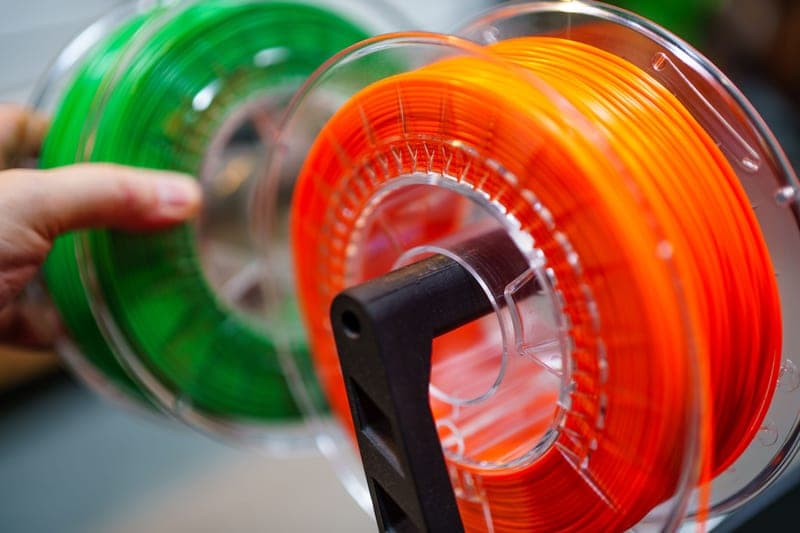
Stock photograph of this product class, not of this specific unit.
#ad We earn a commission · live price shown on Amazon
1. Best value upgrade in the lineup
Bambu Lab AMS 2 Pro
The purchase that stops most P1S owners buying a new printer, and it should.
The successor to the original AMS, adding active filament drying to the four-spool sealed unit, and inheriting its humidity monitoring and RFID logging.
I keep coming back to this as the best-value upgrade for a P-series or X-series owner, because it addresses two completely separate problems with one purchase: it makes multi-color printing practical, and it makes hygroscopic filament reliable. Most upgrades fix one thing.
The honest costs: purge waste on every color change, and the space the unit needs next to or above the printer.
What it gets right
- Active drying means the spool you print from is the spool you dried — no transfer step, no re-absorption window
- Four colors on a machine you already own, for a fraction of a new printer
- RFID logging removes the single most common cause of a ruined multi-color print: the wrong material profile
What it does not
- Four-color printing wastes filament on every tool change; the purge tower is real and it is not small
- If you only print single-color PLA, you are buying a dryer with a filament changer attached
- Needs the space beside or above the printer that your shelf may not have
| Type | Four-spool automatic material system |
|---|---|
| Headline feature | Active filament drying |
| Inherits | Humidity monitoring and RFID logging from the original AMS |
Questions people actually ask
Is the AMS 2 Pro worth it?
If you print anything other than single-color PLA, yes - it is the best-value upgrade available for an enclosed Bambu machine. Active drying means the spool you dried is the spool you print from, and four colors become practical on the printer you already own. For single-color PLA in a dry room, it is two features you will not use.
What is the difference between the AMS and the AMS 2 Pro?
Active filament drying. The original AMS has humidity monitoring, which reports a problem; the 2 Pro dries the filament, which fixes it. Both are sealed four-spool units with RFID logging and both fit the enclosed P-series and X-series machines.
Does the AMS 2 Pro replace a filament dryer?
For PLA, PETG and TPU, effectively yes, and it does the job better because there is no gap between drying and printing. For nylon and polycarbonate you want higher temperatures than a standard-temperature unit provides, which is where the AMS HT or a dedicated high-temperature dryer comes in.
Will the AMS 2 Pro fit my A1?
No. The A1 and A1 mini take the AMS Lite only. The sealed AMS and AMS 2 Pro are for the enclosed P-series and X-series machines.
How long does the AMS 2 Pro take to dry filament?
We do not publish a figure, because measuring it would need a test rig this site does not have. Treat any specific drying time you see quoted without a stated method with caution. What is citable is that the unit dries actively rather than only monitoring humidity.
Sources
Read this next
- AMS 2 Pro vs AMS LiteThe AMS 2 Pro fits enclosed machines and the AMS Lite fits the A-series. What each does, and the gap you have to fill on an A1.
- AMS HT vs a filament dryerThe reabsorption gap explained, and whether it justifies an AMS HT over a standalone high-temperature dryer for your print mix.
- The best Bambu Lab AMS accessoriesWhich AMS to buy for your printer, plus the accessories that fix feeding problems and desk space - ranked by the problem each solves.
- Upgrading from a P1SThe two reasons to replace a P1S and the four cheaper parts that cover everything else, with the arithmetic laid out.
- How to tell if your filament is wetThe three near-conclusive signs of wet filament, the ambiguous ones, and the free test that settles it in one print.