Printers
Bambu Lab H2D vs P1S
The biggest money gap in the lineup buys two specific things: build volume and a second nozzle. If you do not need both, there is a cheaper right answer.
By Michael W. · Published October 11, 2026
Some links here are Amazon affiliate links, so a purchase may earn this site a commission at no cost to you. It does not change what gets recommended or the order it appears in — how that works.
The verdict
Keep the P1S unless you can name the limitation. Makerpoint lists it at a 256 x 256 x 256 mm build volume with an enclosure, and the H2D beats it on exactly two things: print area and a second nozzle. Everything else you dislike about a P1S has a cheap fix.
Buy the H2D if you need both — a reported 350 x 320 x 325 mm bed and a direct-drive dual nozzle for soluble supports or rigid-plus-flexible parts.
Buy the H2S if only the bed is the problem. Same large chassis, one nozzle, a reported 325 x 320 x 325 mm build volume, and considerably less money.
Side by side
| P1S | H2D | |
|---|---|---|
| Released | July 13, 2023 | March 25, 2025 |
| Type | Enclosed CoreXY, single nozzle | Large-format enclosed, direct-drive dual nozzle |
| Build volume | 256 x 256 x 256 mm | Reported 350 x 320 x 325 mm |
| Machine dimensions | 389 x 389 x 458 mm | Not asserted - no fetched source published one |
| Net weight | 12.95 kg | Not asserted |
| Max nozzle | 300 C | Reported 350 C |
| Nozzles | One | Two, independently heated |
| Soluble supports | No | Yes |
| Laser, blade and pen toolheads | No | Laser Edition reported to add them |
| Third-party parts | Deepest catalog in the range | Thin by comparison |
| Hotends to maintain | One | Two |
The two-question test
This is the whole decision and it takes a minute. Look back over six months of printing and answer two things with a number, not a feeling.
How many prints did you split because of size?
Not “could have been bigger” — actually split into pieces and glued or bolted together. If the answer is zero or one, build volume is not your bottleneck and the largest price jump in the lineup is buying you air.
How many times did you want two materials in one part?
A soluble support you could wash away, or a soft gasket on a rigid body. If the answer is never, the dual nozzle is two hotends to maintain. If the answer is often, nothing below the H2D does it at all and the comparison is already over.
If both answers are low, the honest recommendation is to spend a fraction of the difference on an AMS 2 Pro, a dryer and a spare plate, and keep the P1S. Upgrading from a P1S is built around that argument.
What does not change between them
Both are enclosed, so the material range overlaps heavily and ABS and ASA are realistic on either. Both print fast enough that speed is not the differentiator people expect. Both wear nozzles on abrasive filament at the same rate per nozzle, which means the H2D wears two. And neither does cheap many-color printing: both purge at every color transition, which is the specific thing the H2C's hotend-swapping mechanism exists to attack. H2D versus H2C covers that argument in full.
If you buy the H2D, budget for these
Two nozzles means two hardened nozzles once carbon-filled filament is in the house, and hardened steel is the standard answer — the hardened hotend page covers the part and nozzle lifespan the intervals. A larger bed also wants a larger plate, and plates are consumables rather than permanent fittings. Neither is a reason not to buy the machine; both are reasons not to be surprised.
What this page is and is not based on
P1S figures are quoted from the Makerpoint listing cited below, retrieved 11 October 2026. H2D and H2S rows come from this site's product registry, whose spec provenance is documented in the registry file — where a figure could not be attributed, the row is omitted rather than estimated, which is why two cells above read “not asserted”. We have not run an H2D and there is no test lab here. How we review says so in full, and no price appears in this copy.
The two machines, side by side

#ad We earn a commission · price as of October 10, 2026
1. Keep this if your prints fit
Bambu Lab P1S
A 256 mm cube, an enclosure and the deepest accessory catalog in the range. The machine most readers of this page should keep.
Start here, because for most people this is the answer. Makerpoint lists the P1S at a 256 x 256 x 256 mm build volume in a 389 x 389 x 458 mm body, with a 300 C nozzle and a 100 C bed. That covers an enormous proportion of real printing, and the enclosure means ABS and ASA are already on the menu.
The P1S also has something the H2D does not: a mature aftermarket. A screen, a quick-change hotend, better plates, better ducts, an AMS with drying — each one is a small purchase that fixes a specific complaint. Spending a fraction of an H2D on three of those usually removes three irritations, where the H2D removes one limitation you may not actually have.
Where it genuinely stops: parts that do not fit, and two materials in one print. If either describes your last six months, read on. P1S mods is the page for everything else.
What it gets right
- The enclosure plus auxiliary fan is what makes ABS and ASA realistic rather than aspirational
- Still the best-supported machine in the range for third-party upgrades — screens, hotends, plates, ducts
- Fast enough that the P2S's speed gain is not the reason to replace it
What it does not
- No touchscreen as shipped, which is why the Panda Touch exists
- No quick-swap nozzle: a nozzle change is a hotend job, not a 30-second one
- Passive chamber only — it holds heat, it does not make heat
| Released | July 13, 2023 |
|---|---|
| Type | Enclosed CoreXY |
| Over the P1P | Enclosure, auxiliary cooling fan and air filter |
| Multi-color | AMS and AMS 2 Pro (4 spools, expandable) |
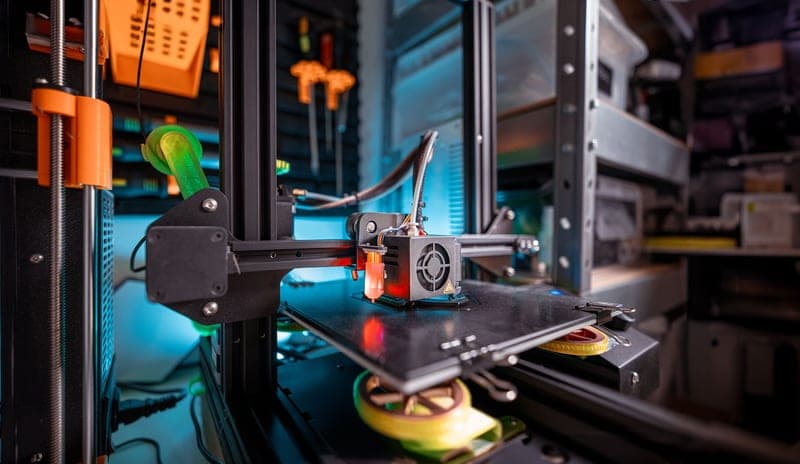
Stock photograph of this product class, not of this specific unit.
#ad We earn a commission · price as of October 10, 2026
2. Buy this if you need volume and two materials
Bambu Lab H2D
A reported 350 x 320 x 325 mm build volume plus a direct-drive dual nozzle. Both are capabilities, and neither is available as an upgrade.
The H2D is a different class of machine rather than a faster version of the one you own, and the registry carries two reasons: a reported 350 x 320 x 325 mm build volume and a direct-drive dual nozzle. The volume is the part no accessory can fake. If you have been splitting models for a year, that is the recurring cost this removes.
The dual nozzle is the subtler win and the more decisive one. Two hotends held hot at the same time means soluble support in a different polymer, or a rigid part with a soft seal, without the purge an AMS color change produces at every transition. For functional printing with dissolvable supports, that is a capability rather than a convenience.
Two honest costs. It is the biggest single jump in money in the lineup, so it has to replace a workflow rather than satisfy a wish. And two nozzles is two of every maintenance task — two things to clear when they clog, two wearing against abrasives. H2D versus H2S is the page if you want the bed but not the second nozzle.
What it gets right
- Direct-drive dual nozzle is a different kind of machine, not a faster version of the one you own
- The largest reported build area of the models an enthusiast realistically buys
- Two hotends means dissolvable or contrast material without an AMS color-change purge every layer
What it does not
- This is the biggest single jump in money in the whole lineup — it has to replace a workflow, not a wish
- Two nozzles is two of every maintenance task
- If multi-color is the actual goal, an AMS 2 Pro on your existing printer gets you most of the way for a fraction of it
| Released | March 25, 2025 |
|---|---|
| Type | Large-format enclosed, direct-drive dual nozzle |
| Build volume (reported) | 350 x 320 x 325 mm |
| Laser Edition (reported) | Adds laser, blade and pen toolheads |
Stock photograph of this product class, not of this specific unit.
#ad We earn a commission · price as of October 10, 2026
3. Buy this if only the bed is the problem
Bambu Lab H2S
The same large-format chassis with one nozzle: a reported 325 x 320 x 325 mm build volume and one hotend to look after.
Most people comparing an H2D with a P1S are motivated by size, and if that is the case the H2D is the wrong half of the H2 family to be looking at. The H2S is the single-nozzle machine on the same chassis, with a reported 325 x 320 x 325 mm build volume, and the money saved is substantial.
One hotend also means one of every maintenance job, which on a machine you intend to run hard is a recurring saving rather than a one-off one. The trade is absolute rather than gradual: no soluble supports, no two-material parts, and multicolor only through an AMS with full purge.
What it gets right
- The large-format build area is the only thing a P1S genuinely cannot give you
- Single nozzle means one hotend to maintain instead of two
- Costs less than the H2D for the same reported footprint and near-identical bed size
What it does not
- No dual nozzle, so no support material in a different polymer and no two-color single-head workflow
- Large-format machines want floor or shelf space, not desk space
- If your prints all fit in 256 mm, you are paying for air
| Released | August 26, 2025 |
|---|---|
| Type | Large-format enclosed, single nozzle |
| Build volume (reported) | 325 x 320 x 325 mm |
Questions people actually ask
Is the Bambu Lab H2D worth it over a P1S?
Only if you need build volume or two materials in one part. Those are the two things an H2D adds that a P1S cannot be upgraded into: a reported 350 x 320 x 325 mm build volume against the P1S's 256 mm cube, and a direct-drive dual nozzle for soluble supports. If neither describes your last six months of printing, the money is better spent on an AMS, a dryer and a spare plate.
How much bigger is the H2D build volume than the P1S?
The P1S is listed at 256 x 256 x 256 mm and the registry carries a reported 350 x 320 x 325 mm for the H2D - wider and deeper, with a similar height. The practical test is not the numbers but how many prints you have actually split into pieces because they did not fit.
Should I buy an H2D or an H2S if I own a P1S?
The H2S if your only complaint is that parts do not fit the bed - it is the same large chassis with one nozzle at a reported 325 x 320 x 325 mm and costs meaningfully less. The H2D only if you also need two materials available at the same moment, which is what soluble supports and rigid-plus-flexible parts require.
Is the H2D faster than the P1S?
We have not timed either machine, so no figure is claimed here. Speed is rarely the reason to make this jump: both print fast enough that the real differences are print area and the second nozzle. Treat any number you read elsewhere as that publisher's measurement, not ours.
Will my P1S accessories fit an H2D?
Mostly not. P1S hotends, plates, ducts and screens are listed for the P1/X1 series, and the H2 family is a different platform with a far thinner third-party catalog. Check fitment per part rather than per brand - that is where money gets wasted on this lineup.
What does the H2D do that no P1S upgrade can?
Two things. It prints parts that do not fit in a 256 mm cube, and it holds two materials hot at the same time, which is what soluble supports and two-material parts need. Everything else people dislike about a P1S - no screen, slow nozzle changes, a hazy door, a weak camera - has a cheap aftermarket fix.
Sources
- P1S build volume (256 x 256 x 256 mm), machine dimensions (389 x 389 x 458 mm), net weight 12.95 kg, 300 C nozzle and 100 C bed - Makerpoint P1S listing, retrieved 2026-10-11
- Bambu Lab model list and release dates - Wikipedia, retrieved 2026-10-11
- Build volumes and feature rows for the X1-Carbon, X2D, H2S, H2D, H2D Pro, H2C and A2L, and for every AMS unit, come from this site's product registry, whose spec provenance is documented in content/products.ts - no figure is asserted that a manufacturer or a cited third party did not publish
Read this next
- Bambu Lab H2D vs H2STwo machines on one chassis. The beds are nearly the same; the difference is one nozzle, and most people will not use the second.
- Upgrading from a P1SThe two reasons to replace a P1S and the four cheaper parts that cover everything else, with the arithmetic laid out.
- Bambu Lab H2D vs H2CTwo nozzles held at once versus hotends swapped on demand. The H2C wins on multi-color waste and time; the H2D wins on soluble supports and flexibles.
- The best Bambu Lab printer for the moneyRanked by capability per dollar rather than by price. The P1S wins because the enclosure is the only jump that changes what you can print.
- Bambu Lab X1C vs H2DThe H2D replaced the X1C as flagship in March 2025: a reported 350 x 320 x 325 mm bed and a dual nozzle against lidar and a hardened nozzle in the box.
- Bambu Lab AMS 2 ProWhy active drying makes the AMS 2 Pro a different product from the original AMS, and the case for buying it instead of a new printer.