AMS & Color
Combo or base printer: is the AMS bundle worth it?
A Combo is not a different printer. It is the same machine with its spool changer in the box - which makes this a pricing question with one hardware trap hidden in it.
By Michael W. · Published October 10, 2026
Some links here are Amazon affiliate links, so a purchase may earn this site a commission at no cost to you. It does not change what gets recommended or the order it appears in — how that works.
The short answer
A Combo is the same printer plus its matching AMS in one box — the A1 Combo is the A1 with the AMS lite, and the P2S Combo is the P2S with the AMS 2 Pro. It is not a different or better machine, and nothing about the printer itself changes.
Buy the Combo if you already know you want multi-color. It is normally bundled below the sum of the parts at list price, it arrives paired, and on an enclosed machine it skips the adapter-and-tubing question entirely.
Buy the base machine if multi-color is a maybe. Both AMS units are sold separately, so nothing is foreclosed. Check the two live prices on the day you order — Bambu discounts printers and accessories on different schedules, and which route is cheaper genuinely flips during sales.
What is actually in a Combo
Worth nailing down first, because the name suggests a variant of the printer and it is not. Across the lineup the pattern is the same: Combo means printer plus the AMS that fits it, and the printer inside is identical to the one sold on its own.
| Printer | Combo contains | AMS type | Drying |
|---|---|---|---|
| A1 mini | A1 mini + AMS lite | 4 spools, open air | No |
| A1 | A1 + AMS lite | 4 spools, open air | No |
| P2S | P2S + AMS 2 Pro | 4 spools, sealed | Yes - active |
| H2 series | Printer + AMS 2 Pro | 4 spools, sealed | Yes - active |
That table contains the most important thing on this page, and it is not a price. The A-series Combo gives you color. The enclosed-machine Combo gives you color and drying, which are two features, one of which fixes a different class of problem entirely. Judging the two bundles by the same standard is the usual mistake.
The fitment rule that decides everything
Before any pricing arithmetic, settle this, because it is absolute and it is where people waste money:
- The AMS lite fits the A1 and A1 mini. Only those. It is an open-frame unit for open-frame machines.
- The AMS lite is not a cheaper AMS 2 Pro. It is a different product solving one of the two problems. On a P1S it does not fit at all.
- The AMS and AMS 2 Pro fit the enclosed P-series and X-series. If you are choosing between those two, the unit comparison is the page.
- The AMS HT is not a Combo component. One spool, high-temperature drying, bought for nylon and polycarbonate rather than for color.
The reason this comes before the money is simple: if you buy a base A1 planning to add “an AMS” later, and the figure in your head is an AMS 2 Pro, you have budgeted your whole plan against a unit that will not fit your printer.
How to work out which way is cheaper, properly
There is a correct method here and it takes about two minutes. It is worth doing because the answer is not stable: a Combo normally sits below the sum of its parts at list price, but printers and accessories go on sale separately and at different depths, so during a promotion the base-plus-accessory route can come out ahead.
1. Price the Combo as listed today
One number, whatever it is on the day. Not the launch price, not the price in an article.
2. Price the base machine plus the AMS it takes, today
Two numbers from the same retailer on the same day, so you are comparing like with like including shipping.
3. On an enclosed machine, add the connecting parts
This is the step everyone skips and it is the one that changes the answer. Adding an AMS 2 Pro to a printer you already own is not just the unit — the upgrade kit page sets out what else is involved. A Combo has none of that because it ships paired.
4. Decide what the convenience is worth to you
If the two routes land within a small margin, buy the Combo. Not because of the money, but because one shipment and one setup is genuinely better than two, and because the second purchase is the one that quietly never happens.
The case for the base machine
Stated properly, because most bundle pages do not bother. There are three real reasons to skip the Combo.
You are not sure you want multi-color. Multi-color printing is slower, wastes filament on every purge, and demands more model preparation. A meaningful number of people buy a four-spool unit, use it for a week of novelty prints and then run single color forever. If you suspect that is you, run the printer bare for a month and find out cheaply.
Your real problem is moisture, not colors. If your symptoms are stringing, popping, brittle filament or poor layer adhesion, a color changer solves none of it — and on the A-series the open-air lite can make storage slightly worse rather than better. Wet filament symptoms is the diagnosis page, and a dryer is roughly a quarter of the problem's usual budget.
Bench space. An AMS unit is not small. On the A-series it sits beside the printer and takes real desk; on the enclosed machines it sits on top and raises the total height past some shelves. Risers and stands exist for a reason, and they are another purchase.
The case for the Combo
And the other side, equally plainly. Three reasons the bundle is usually right for someone who has decided they want color.
It is normally the cheaper route at list price. Not always, which is why step 2 above exists — but usually. Bundling is how manufacturers move accessories.
It arrives paired and calibrated together. No adapter question, no tubing, no second firmware session, no discovering that the part you needed ships from a different warehouse.
The upgrade you defer is often the upgrade you never make. This is not a sales line, it is just observable. The second purchase has to clear a fresh justification at a moment when the printer is already working, and it frequently does not.
If you already own the printer
Then this page is the wrong one, and the Combo is irrelevant — you cannot buy the bundle for a machine you have. The question becomes which unit and what it needs:
- A1 or A1 mini: the AMS lite, and read the AMS lite enclosure question first, because open-air spools are the trade-off.
- P1S, P1P or X1C: the AMS 2 Pro over the original AMS, and the AMS for a P1S page covers fitment.
- Not sure you need one at all: multi-color without an AMS is the honest alternative, and it costs nothing.
What this page is and is not based on
The Combo contents are taken from the retailer and review listings cited below, retrieved on 10 October 2026, and the model and AMS fitment relationships from the lineup source. We have not bought both routes to compare them, and no price, premium or saving figure appears anywhere above — which is deliberate, because on this decision a figure that has gone stale gives the opposite advice rather than slightly worse advice. How we review.
What to buy

#ad We earn a commission · price as of October 10, 2026
1. Where the Combo usually wins
Bambu Lab A1
An A-series machine and its AMS lite are designed as one arrangement, and buying them together avoids a second shipment and a second decision.
The A1 is the machine where the bundle argument is strongest, because the AMS lite is not an afterthought bolted on — it is how the A-series does color, and the combination is what most A1 content and most A1 profiles assume.
The practical case is unglamorous. One order, one box, one setup session, and no second round of deciding whether you can justify it. People who intend to add the AMS lite “soon” often do not, and a four-color printer sitting at one color is the most common version of a wasted upgrade.
Two honest cautions. The AMS lite is an open-air unit, so it changes colors and does nothing whatsoever about moisture — the AMS lite page is blunt about that. And it needs desk space beside the printer, which is the thing people measure last.
What it gets right
- Larger build area than the A1 mini for very little extra money or desk space
- The two-tower gantry is noticeably more rigid than a single-upright bed slinger
- Adding the AMS Lite — separately or by buying the Combo — makes four-color PLA and PETG genuinely practical
What it does not
- Still open-frame — this is the single thing that will eventually make you upgrade
- Bed slinger kinematics mean it will never match a CoreXY machine on tall, fast prints
- No active chamber heating, so ABS and ASA warp without an aftermarket enclosure
| Released | December 14, 2023 |
|---|---|
| Type | Open-frame bed slinger, two-tower gantry |
| Multi-color | AMS Lite capable (4 spools, open air) — sold separately or as the Combo |
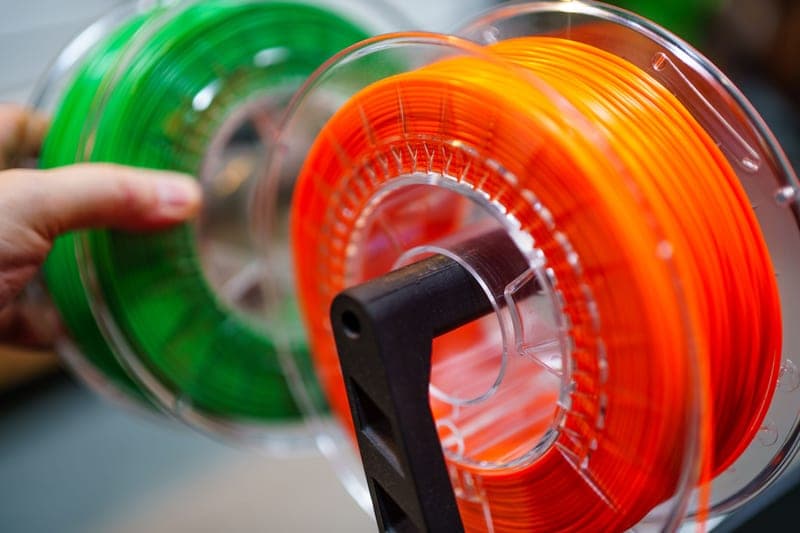
Stock photograph of this product class, not of this specific unit.
#ad We earn a commission · price as of October 10, 2026
2. Why adding it later is a real option
Bambu Lab AMS Lite
The AMS lite is sold on its own, so an A1 or A1 mini bought bare is never a dead end.
This is the fact that makes “base now, color later” a legitimate plan rather than a rationalization. The AMS lite is a separately-sold unit, so buying the bare A1 keeps the door open at a known cost.
Which way round is cheaper is not a fixed answer and that is the whole point of checking rather than assuming. A Combo is usually bundled below the sum of its parts at list price, but Bambu discounts machines and accessories on different schedules, so during a sale the two routes can swap places. Compare the two live prices on the day, not the two list prices you read somewhere.
What the lite does not do is worth repeating before you buy either way: open air, no drying, no humidity control. If your filament problems are moisture rather than colors, this unit is not the fix — a dryer is.
What it gets right
- The only way to get four-color printing on the A-series, and it does it well
- Open-air design makes a jam visible and reachable instead of a teardown
- Cheapest multi-color hardware Bambu sells
What it does not
- Open air means zero moisture protection — in a humid room your filament is exposed between prints
- No active drying and no sealed chamber, so PETG, TPU and nylon all need a separate dryer
- Not compatible with the P-series or X-series
| Type | Compact, open-air four-spool variant |
|---|---|
| Fits | A1 and A1 mini |
| Enclosure | None — spools sit in open air |

#ad We earn a commission · price as of October 10, 2026
3. Where the Combo is the obvious buy
Bambu Lab P2S
An enclosed machine paired with the AMS 2 Pro gets active drying and color in one purchase, which is the pairing worth bundling.
On the enclosed machines the Combo contains the unit that is actually worth having. Retailer listings pair the P2S Combo with the AMS 2 Pro — the four-spool unit that dries as well as switching — and that is a different proposition from the open-air lite.
The reason it is worth bundling is that drying inside the unit you print from closes the gap a standalone dryer leaves open. Dry a spool in a box, mount it, start a twelve-hour print, and it has been reabsorbing room humidity for all twelve hours. The AMS 2 Pro review makes that argument in full.
The caution is the same as everywhere on this page: it is still an accessory you can add later, and a P2S with no AMS is not a crippled printer. If the budget is tight, buy the machine and keep the money.
What it gets right
- Quick-swap nozzle turns a 0.4-to-0.6 change from a maintenance task into a between-prints decision
- A real touchscreen on the machine, so you are not opening an app to start a print
- Same footprint and roughly the same build area as the P1S, so your enclosure and shelf still work
What it does not
- If you have never once wished your P1S had a screen, this is not the upgrade you need
- Reported build volume is a 256 mm cube — the same class as the P1S, so it buys you nothing in size
- Your P1S-specific third-party parts may not carry over; check fitment per part, not per brand
| Released | October 9, 2025 |
|---|---|
| Type | Enclosed CoreXY, P1S successor |
| Over the P1S | Touchscreen and quick-swap nozzle |
| Build volume (reported) | 256 mm cube |
Stock photograph of this product class, not of this specific unit.
#ad We earn a commission · price as of October 10, 2026
4. The reason to check fitment first
Bambu Lab AMS 2 Pro
Adding it afterwards needs the right adapter and tubing as well as the unit, which is the hidden cost in the buy-later plan.
Here is the asymmetry that most Combo-versus-base arguments miss. On an A-series machine, adding the lite later is close to a plug-in job. On an enclosed machine, adding an AMS 2 Pro later means the unit plus the parts that connect it, and if you are replacing an original AMS you will not already own all of them.
That is not a reason to buy the Combo automatically, but it is a reason to price the buy-later route properly — unit plus connecting parts, not unit alone. The AMS 2 Pro upgrade kit page lists exactly what is needed, and it is the page to read before you decide the base machine is the cheaper plan.
The honest flip side: a Combo arrives with the printer and the AMS already paired, so none of that applies. If you know you want four colors with drying, this is the simplest path to it by some distance.
What it gets right
- Active drying means the spool you print from is the spool you dried — no transfer step, no re-absorption window
- Four colors on a machine you already own, for a fraction of a new printer
- RFID logging removes the single most common cause of a ruined multi-color print: the wrong material profile
What it does not
- Four-color printing wastes filament on every tool change; the purge tower is real and it is not small
- If you only print single-color PLA, you are buying a dryer with a filament changer attached
- Needs the space beside or above the printer that your shelf may not have
| Type | Four-spool automatic material system |
|---|---|
| Headline feature | Active filament drying |
| Inherits | Humidity monitoring and RFID logging from the original AMS |
Questions people actually ask
What is the difference between the Bambu Lab A1 and the A1 Combo?
The printer is identical. The Combo adds the AMS lite - a four-spool, open-air automatic material system - in the same box. Nothing about the A1 itself is different or upgraded in the Combo version.
Is the Bambu Lab Combo worth it?
If you already know you want multi-color, usually yes: bundles are normally priced below the sum of the parts at list, the units arrive paired, and on an enclosed machine you skip the adapter and tubing question. If multi-color is a maybe, buy the base printer - both AMS units are sold separately, so nothing is foreclosed.
Can I add an AMS later instead of buying the Combo?
Yes. The AMS lite and the AMS 2 Pro are both sold on their own. On an A-series machine adding the lite later is straightforward. On an enclosed machine, budget for the connecting parts as well as the unit - the AMS 2 Pro upgrade kit page lists what is involved, and leaving it out is what makes the buy-later route look cheaper than it is.
Which AMS comes with the P2S Combo?
The AMS 2 Pro, according to retailer listings - the sealed four-spool unit with active drying, not the open-air AMS lite. That is a meaningfully different bundle from the A-series Combo, because it solves moisture as well as color changes.
Does the AMS lite work on a P1S?
No. The AMS lite fits the A1 and A1 mini and nothing else. The enclosed P-series and X-series machines take the original AMS or the AMS 2 Pro. If you priced a buy-later plan around the wrong unit, that is the most expensive mistake available on this decision.
Is the Combo cheaper than buying the printer and the AMS separately?
Usually at list price, but not reliably during a sale - Bambu discounts printers and accessories on different schedules and by different amounts, so the two routes can swap places. Price the Combo and the base-plus-AMS from the same retailer on the same day, and on an enclosed machine include the connecting parts in the second figure.
Do I need the AMS at all for multi-color printing?
No. You can print multiple colors by pausing and swapping filament manually, which costs nothing and works well for layer-banded designs. An AMS automates it and makes genuinely multi-color models practical. Multi-color without an AMS covers the manual method and its limits honestly.
Sources
- A1 Combo as the A1 bundled with the AMS lite, and the A1 series' four-spool AMS lite support - 3DWithUs A1 Combo review, retrieved 2026-10-10
- P2S Combo listed as the P2S printer bundled with the AMS 2 Pro, against the separately-listed base P2S - Welectron product listings, retrieved 2026-10-10
- Bambu Lab model list, release dates and model descriptions - Wikipedia
Read this next
- AMS 2 Pro vs AMS LiteThe AMS 2 Pro fits enclosed machines and the AMS Lite fits the A-series. What each does, and the gap you have to fill on an A1.
- The AMS 2 Pro upgrade kit, explainedThe published kit contents, the Filament Buffer versus AMS Hub choice, and the switching-adapter requirement that decides whether drying works.
- Bambu Lab AMS LiteWhat the AMS Lite does well on an A1 or A1 mini, the moisture gap it leaves open, and the two things to buy alongside it.
- Bambu Lab AMS 2 ProWhy active drying makes the AMS 2 Pro a different product from the original AMS, and the case for buying it instead of a new printer.
- Multi-color printing without an AMSHow to print two or three colors with no AMS and zero purge waste, and the point at which the manual method stops making sense.
- The best Bambu Lab printer to step up to in 2026One pick per upgrade situation, from the P1S owner who should keep their machine to the owner who genuinely needs the H2 build volume.