Printers
Bambu Lab A1 vs P2S
Identical print area, very different machines. One is an open bed slinger, the other an enclosed CoreXY with a screen - and the deciding question is what you intend to print, not how fast.
By Michael W. · Published October 11, 2026
Some links here are Amazon affiliate links, so a purchase may earn this site a commission at no cost to you. It does not change what gets recommended or the order it appears in — how that works.
The verdict
Buy the A1 if you print PLA and PETG. 3DJake lists both machines at a 256 x 256 x 256 mm build volume, so the P2S buys no extra print area — and those two materials prefer the cooling an open frame gives them.
Buy the P2S if ABS or ASA are on the list, or if you want a touchscreen and a nozzle you can change between prints. The enclosure is a capability the A1 cannot be upgraded into; the screen and quick-swap nozzle are comfort, and they are good.
Do not buy either for the bed size. They are the same. If print area is the problem, the single-nozzle H2S is the cheapest route into the large format, at a reported 325 x 320 x 325 mm.
Side by side
| A1 | P2S | |
|---|---|---|
| Released | December 14, 2023 | October 9, 2025 |
| Type | Open-frame bed slinger, two-tower gantry | Enclosed CoreXY |
| Build volume | 256 x 256 x 256 mm | 256 x 256 x 256 mm |
| Machine dimensions | 465 x 410 x 430 mm | 392 x 406 x 478 mm |
| Net weight | 8.3 kg | 14.9 kg |
| Max nozzle | 300 C | 300 C |
| Max bed | 100 C | 110 C |
| Active chamber heating | No chamber at all | No - listing states no active heater |
| Screen | No touchscreen | Touchscreen |
| Multicolor unit | AMS Lite only (open air, no drying) | AMS and AMS 2 Pro (the 2 Pro dries) |
| ABS and ASA | Not realistically | Yes, with a chamber soak |
The one question that decides it
Write down the materials you printed in the last six months. If the list is PLA, PETG and maybe a silk or a wood-filled PLA, the enclosure on the P2S is a dust cover and the A1 is the better buy by a wide margin. If ABS, ASA, polycarbonate or nylon appear anywhere on that list — or if you wanted them and gave up — the P2S is the machine and the price difference is not really a choice.
Everything else here is a tiebreaker. Speed is not a differentiator at the level most people print. The screen is a convenience you notice daily and would survive without. The footprint cuts both ways: the P2S is narrower but taller, the A1 wider but shorter, and which one fits your shelf is genuinely worth measuring before you order.
Where the A1 is better, not just cheaper
Cooling
An unenclosed machine sheds heat, which is exactly what PLA wants on overhangs and bridges. On an enclosed printer running PLA you end up fighting the chamber you paid for.
Access and repair
Everything on an A1 is reachable. No panels to remove, no working through a door. For a first hotend swap or an extruder inspection, that difference is not small.
Noise character
A bed slinger makes more mechanical noise but has no enclosure resonating with its fans. If the printer lives in the room you work in, the character of the noise matters as much as its level. Noise reduction covers what actually helps on either machine.
Where the P2S is better, and by how much
The enclosure, definitively. Then CoreXY motion, which shows up on tall fast prints as cleaner walls. Then the AMS question: the P2S takes the AMS 2 Pro with active drying and the A1 cannot, which matters if multicolor PETG is the plan. The multicolor page compares those routes directly.
The touchscreen and quick-swap nozzle come last on purpose. They are the features people talk about most and the ones that change the fewest prints — and both are available on an older P1S for the price of two accessories, which is worth knowing if you are deciding between a P2S and keeping what you own. P1S versus P2S has that case, and the value page ranks the whole ladder by what each step actually adds.
What this page is and is not based on
Every figure in the table is quoted from the 3DJake listings cited below, retrieved 11 October 2026, including the note that the P2S chamber has no active heater. We have not run these two machines side by side, there is no test lab here, and nothing above was measured by this site. How we review sets that out in full. No price appears in this copy; the buy buttons carry whatever Amazon is charging today.
The two machines, side by side

#ad We earn a commission · price as of October 10, 2026
1. Best if the list is PLA and PETG
Bambu Lab A1
The same 256 x 256 x 256 mm print area as the P2S, open-frame, and better at cooling the two materials most people actually print.
This comparison usually gets framed as cheap versus good, and the build volumes make that framing wrong. 3DJake lists the A1 at 256 x 256 x 256 mm and the P2S at 256 x 256 x 256 mm. Identical. Whatever you pay extra for on the P2S, it is not print area, and print area is the one thing you cannot add later.
For PLA and PETG the open frame is an advantage rather than a compromise. Both materials want cooling, and a machine with no box around it cools better than one with a box. 3DJake lists the A1 bed at 100 C maximum with a 300 C nozzle, which covers every material an open machine can sensibly run anyway.
The costs are real and not the ones people expect. The A1 is physically wider than the P2S — 465 x 410 x 430 mm against 392 x 406 x 478 mm — because the bed has to travel. And bed-slinger motion produces ringing on tall fast prints that CoreXY does not. A1 versus P1S has the longer version of that trade.
What it gets right
- Larger build area than the A1 mini for very little extra money or desk space
- The two-tower gantry is noticeably more rigid than a single-upright bed slinger
- Adding the AMS Lite — separately or by buying the Combo — makes four-color PLA and PETG genuinely practical
What it does not
- Still open-frame — this is the single thing that will eventually make you upgrade
- Bed slinger kinematics mean it will never match a CoreXY machine on tall, fast prints
- No active chamber heating, so ABS and ASA warp without an aftermarket enclosure
| Released | December 14, 2023 |
|---|---|
| Type | Open-frame bed slinger, two-tower gantry |
| Multi-color | AMS Lite capable (4 spools, open air) — sold separately or as the Combo |

#ad We earn a commission · price as of October 10, 2026
2. Best if ABS, ASA or a screen matter
Bambu Lab P2S
Enclosed CoreXY with a touchscreen and a quick-swap nozzle at the same 256 mm cube. The enclosure is the reason to buy it; the screen is why you will like it.
The P2S earns its place on one argument: the enclosure. An enclosed chamber is what turns ABS and ASA from a warping experiment into a workflow, and that is a capability an A1 cannot be upgraded into. A fabric tent helps with dust, drafts and noise; it does not give you a warm chamber.
CoreXY motion is the second difference and it is subtler. The bed does not move, so a tall part is not being accelerated back and forth while it is being built, and on fast prints that shows up as cleaner vertical walls. Add the touchscreen and the quick-swap nozzle — the two things P1S owners complain about most — and this is the most comfortable desk-sized machine in the range to actually use.
Be clear-eyed about one thing: 3DJake lists the P2S bed at 110 C and explicitly notes there is no active chamber heater, with one reviewer observing that the chamber takes time to warm. ABS is possible, not effortless — you still want a chamber soak before a tall part. Chamber temperature covers how far a passive enclosure gets you.
What it gets right
- Quick-swap nozzle turns a 0.4-to-0.6 change from a maintenance task into a between-prints decision
- A real touchscreen on the machine, so you are not opening an app to start a print
- Same footprint and roughly the same build area as the P1S, so your enclosure and shelf still work
What it does not
- If you have never once wished your P1S had a screen, this is not the upgrade you need
- Reported build volume is a 256 mm cube — the same class as the P1S, so it buys you nothing in size
- Your P1S-specific third-party parts may not carry over; check fitment per part, not per brand
| Released | October 9, 2025 |
|---|---|
| Type | Enclosed CoreXY, P1S successor |
| Over the P1S | Touchscreen and quick-swap nozzle |
| Build volume (reported) | 256 mm cube |
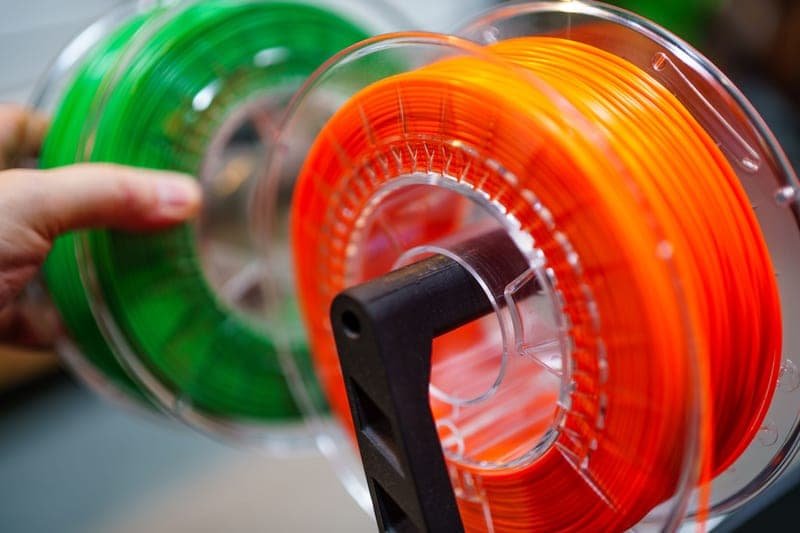
Stock photograph of this product class, not of this specific unit.
#ad We earn a commission · price as of October 10, 2026
3. The upgrade that decides the comparison
Bambu Lab AMS 2 Pro
Four spools with active drying, on the P-series only. If multicolor is why you are shopping, this part does it - not the printer.
This pick is here because it settles the comparison for a lot of people. If multicolor is the actual goal, the two machines are not equivalent: the P2S accepts the AMS 2 Pro with its active drying and RFID logging, and the A1 accepts only the open-air AMS Lite.
That gap matters most for PETG and TPU, which absorb moisture quickly and sit loaded for days in a multicolor workflow. On the A1 route a standalone dryer becomes necessary to cover the same ground, which quietly closes part of the price gap between the machines. 2 Pro versus AMS Lite is the detailed comparison.
What it gets right
- Active drying means the spool you print from is the spool you dried — no transfer step, no re-absorption window
- Four colors on a machine you already own, for a fraction of a new printer
- RFID logging removes the single most common cause of a ruined multi-color print: the wrong material profile
What it does not
- Four-color printing wastes filament on every tool change; the purge tower is real and it is not small
- If you only print single-color PLA, you are buying a dryer with a filament changer attached
- Needs the space beside or above the printer that your shelf may not have
| Type | Four-spool automatic material system |
|---|---|
| Headline feature | Active filament drying |
| Inherits | Humidity monitoring and RFID logging from the original AMS |
Questions people actually ask
What is the difference between the Bambu Lab A1 and the P2S?
The print area is the same - 3DJake lists both at 256 x 256 x 256 mm. The P2S adds an enclosure, CoreXY motion, a touchscreen, a 110 C bed instead of 100 C, and compatibility with the AMS 2 Pro. The A1 is an open-frame bed slinger that takes only the AMS Lite. The enclosure is the only difference that changes what you can print.
Does the P2S have a bigger build volume than the A1?
No. Both are listed at 256 x 256 x 256 mm. If a bigger bed is what you want, the single-nozzle H2S is the cheapest route into the large format, with a reported 325 x 320 x 325 mm build volume.
Can the A1 print ABS if I add an enclosure?
Not realistically. A fabric tent keeps dust and drafts out and cuts some noise, but it does not heat the chamber, and ABS warps because the chamber is cold rather than because the room is dusty. If ABS or ASA matter, buy the enclosed machine.
Is the P2S quieter than the A1?
We have not measured either, so no decibel figure is claimed here. Structurally, a bed slinger makes more mechanical noise while an enclosed machine has panels that resonate with its fans. Which is less annoying depends on your room as much as on the printer.
Which is better for multicolor, the A1 or the P2S?
The P2S, because it accepts the AMS 2 Pro - the only four-spool unit with active drying. The A1 takes only the open-air AMS Lite, which has no enclosure and no drying, so a standalone dryer becomes necessary once PETG or TPU join the rotation.
Is the A1 or the P2S physically smaller?
The P2S has the smaller footprint and the A1 the lower height: 3DJake lists the P2S at 392 x 406 x 478 mm and the A1 at 465 x 410 x 430 mm. The A1 is wider because its bed travels, so it also needs clearance in front and behind that the dimensions alone do not show.
Sources
- A1 build volume (256 x 256 x 256 mm), device dimensions (465 x 410 x 430 mm), net weight 8.3 kg, 100 C bed and 300 C nozzle - 3DJake A1 listing, retrieved 2026-10-11
- P2S build volume (256 x 256 x 256 mm), printer dimensions (392 x 406 x 478 mm), net weight 14.9 kg, 300 C nozzle, 110 C bed and the absence of an active chamber heater - 3DJake P2S listing, retrieved 2026-10-11
- Bambu Lab model list and release dates - Wikipedia, retrieved 2026-10-11
- Build volumes and feature rows for the X1-Carbon, X2D, H2S, H2D, H2D Pro, H2C and A2L, and for every AMS unit, come from this site's product registry, whose spec provenance is documented in content/products.ts - no figure is asserted that a manufacturer or a cited third party did not publish
Read this next
- Bambu Lab A1 vs P1SThe A1 and P1S differ in one way that matters and several that do not. Which materials you print settles it in a sentence.
- Bambu Lab P1S vs P2SThe P2S adds a touchscreen and a quick-swap nozzle and no build volume. When that is worth a new machine and when a far cheaper part does the same job.
- The best Bambu Lab printer for the moneyRanked by capability per dollar rather than by price. The P1S wins because the enclosure is the only jump that changes what you can print.
- The best Bambu Lab printer for multicolorThe printer matters less than the AMS that fits it. The P1S plus AMS 2 Pro is the setup to beat, and the A1 plus AMS Lite is the cheap route in.
- Chamber temperature on a passive enclosureHow passive chamber heating works, the safe ways to raise it, the modifications to avoid, and when an actively heated machine is the real answer.
- Bambu Lab A1 vs A1 miniWhat the A1's larger bed and two-tower gantry buy over the A1 mini, and why neither machine solves the limit that actually matters.