Printers
Bambu Lab A1 vs A1 mini
Same open frame, same AMS Lite, same materials. The difference is bed size and rigidity, which is a smaller difference than it looks.
By Michael W. · Published October 5, 2026
Some links here are Amazon affiliate links, so a purchase may earn this site a commission at no cost to you. It does not change what gets recommended or the order it appears in — how that works.
The verdict
Buy the A1 if you need the bed. That is the only real difference, along with a more rigid two-tower gantry that helps on tall prints.
Buy the A1 mini if you print small things or if desk space and noise matter. It takes the same AMS Lite and prints the same materials.
Neither machine can print ABS or ASA. If that is what you are after, this is the wrong comparison entirely — see A1 vs P1S.
Side by side
| A1 mini | A1 | |
|---|---|---|
| Released | September 2023 | December 2023 |
| Intended for | Small objects | General-purpose open-frame printing |
| Gantry | Single upright | Two-tower |
| Build area | Smallest in the range | Larger |
| Multi-color | AMS Lite | AMS Lite |
| Chamber | None | None |
| ABS / ASA | Not reliably | Not reliably |
What the two-tower gantry fixes
Ringing and wobble on tall prints. A single upright is a cantilever: the higher the toolhead goes, the more the frame flexes under acceleration, and that flex prints as visible ripples on vertical surfaces.
Two towers brace it, so the A1 handles tall parts better than its class normally does. It is still a bed slinger, so tall thin prints at high speed remain harder than on a CoreXY machine — the bed itself is the moving mass and that does not change with frame stiffness.
Why the mini is worth keeping either way
If you own an A1 mini and buy anything else, keep the mini. Two machines printing beats one machine printing faster: a long job on your main printer stops blocking a short one, and small parts do not need the bigger bed. Its resale value is low enough that selling it recovers little and costs you throughput.
It is also the machine to put in a room where someone sleeps, which no enclosed printer can claim.
Choose the A1 mini if
- Your prints are small and fit comfortably
- Desk space is tight
- Noise matters
- You want the cheapest four-color machine Bambu sells
Choose the A1 if
- You split models to fit the mini's bed
- You print tall parts and see ringing
- You want one open-frame machine rather than two
The two machines, side by side
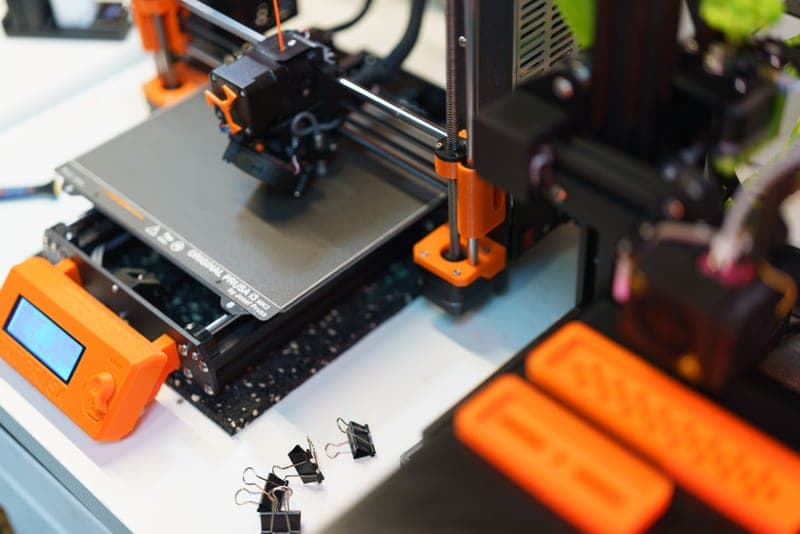
Stock photograph of this product class, not of this specific unit.
#ad We earn a commission · live price shown on Amazon
1. Best if you need the bed
Bambu Lab A1
A larger bed and a more rigid gantry, for very little extra desk space.
The A1 is the larger machine with a two-tower gantry, which is the part worth paying attention to. A single-upright bed slinger flexes at the top of the Z axis and that shows up as ringing on tall prints; two towers largely remove it.
The bed is bigger, which is the headline reason people choose it, and it costs very little additional desk footprint over the mini. If you are regularly splitting models on an A1 mini, this is the fix.
What it gets right
- Larger build area than the A1 mini for very little extra money or desk space
- The two-tower gantry is noticeably more rigid than a single-upright bed slinger
- AMS Lite in the combo makes four-color PLA and PETG genuinely practical
What it does not
- Still open-frame — this is the single thing that will eventually make you upgrade
- Bed slinger kinematics mean it will never match a CoreXY machine on tall, fast prints
- No active chamber heating, so ABS and ASA warp without an aftermarket enclosure
| Released | December 14, 2023 |
|---|---|
| Type | Open-frame bed slinger, two-tower gantry |
| Multi-color | AMS Lite (4 spools, open air) |
Stock photograph of this product class, not of this specific unit.
#ad We earn a commission · live price shown on Amazon
2. Best if you print small
Bambu Lab A1 mini
The quietest machine in the lineup, in the smallest footprint, doing the same four colors.
The A1 mini is aimed at small objects and it is honest about that. What it gives you in exchange is the smallest footprint and the quietest operation of anything Bambu makes — no enclosure to resonate, no chamber fan.
It takes the same AMS Lite, so four-color printing is not a reason to move up. It prints the same materials, so capability is not either. The only question is size.
What it gets right
- The quietest machine in the lineup by a wide margin, because there is no enclosure resonating
- AMS Lite support means four-color printing on the cheapest printer Bambu sells
- Small enough to sit on a desk you also work at
What it does not
- Open frame, so ABS and ASA are off the table without an aftermarket enclosure
- The smallest build area in the range — large single-piece prints need splitting
- No enclosure means no chamber temperature, so warping on anything but PLA and PETG
| Released | September 20, 2023 |
|---|---|
| Type | Open-frame bed slinger |
| Intended use | Printing small objects |
| Multi-color | AMS Lite (4 spools, open air) |
Questions people actually ask
What is the difference between the A1 and the A1 mini?
Bed size and gantry design. The A1 is larger with a two-tower gantry; the A1 mini is smaller with a single upright and is aimed at small objects. Both are open-frame, both use AMS Lite, and both have the same material ceiling - neither can print ABS or ASA reliably.
Is the A1 mini too small to be useful?
Not for small functional parts, prototypes and multi-color trinkets, which is what it is aimed at. It becomes limiting the moment you are regularly splitting models to fit, and that is the signal to move to the A1 or an enclosed machine.
Can both the A1 and A1 mini use the AMS Lite?
Yes, both take the AMS Lite, which is the only AMS that fits the A-series. Neither can use the sealed AMS or AMS 2 Pro, which are for the enclosed P-series and X-series machines.
Should I upgrade from an A1 mini to an A1?
Only if bed size is the limitation you are hitting. The A1 adds a larger bed and a more rigid gantry; it does not add a single material or capability. If the problem is that you want ABS, both machines are the wrong answer and an enclosure or an enclosed printer is the right one.
Sources
Read this next
- Bambu Lab A1What the A1 does well, the open-frame limit that defines every upgrade decision from here, and the two routes past it.
- Bambu Lab A1 miniWhat the A1 mini is genuinely good at, the open-frame limit that eventually pushes owners to upgrade, and why it is worth keeping anyway.
- Bambu Lab A1 vs P1SThe A1 and P1S differ in one way that matters and several that do not. Which materials you print settles it in a sentence.
- Upgrading from an A1 or A1 miniThe A1's one real limit, the two routes past it, and why a bigger open-frame machine is the wrong direction.
- Bambu Lab AMS LiteWhat the AMS Lite does well on an A1 or A1 mini, the moisture gap it leaves open, and the two things to buy alongside it.