Printers
The best Bambu Lab printer for multicolor
Multicolor is not a printer feature on this lineup - it is an attachment, and which attachment fits depends entirely on which machine you own. Start there, not with the printer.
By Michael W. · Published October 11, 2026
Some links here are Amazon affiliate links, so a purchase may earn this site a commission at no cost to you. It does not change what gets recommended or the order it appears in — how that works.
Quick picks
Tap any row to jump to the full write-up. Prices are read from Amazon and dated; stock is always whatever the listing says.
| # | Product | Best for | Price |
|---|---|---|---|
| 1 |  Bambu Lab P1S The enclosed machine that takes the AMS 2 Pro, which is the only four-spool unit that also dries. That combination is the whole recommendation. | Best multicolor setup The machine most people reading this site already own, and the one most of them should keep | $399.00 · View on Amazon #ad We earn a commission · price as of October 10, 2026 |
| 2 | Bambu Lab AMS 2 Pro Four spools, humidity monitoring, RFID logging and active drying. On a printer you already own, this is the cheapest real multicolor there is. | The part that actually does the multicolor The single best upgrade for a P1S or X1C owner who is tempted by a new printer | Check price on Amazon #ad We earn a commission · price as of October 10, 2026 |
| 3 |  Bambu Lab A1 The AMS Lite plus an open-frame machine with the same 256 mm cube of print area. For PLA multicolor, nothing here is better value. | Cheapest route to four colors The owner who wants a bigger bed and four colors without paying for an enclosure they would not use | $299.99 · View on Amazon #ad We earn a commission · price as of October 10, 2026 |
| 4 | 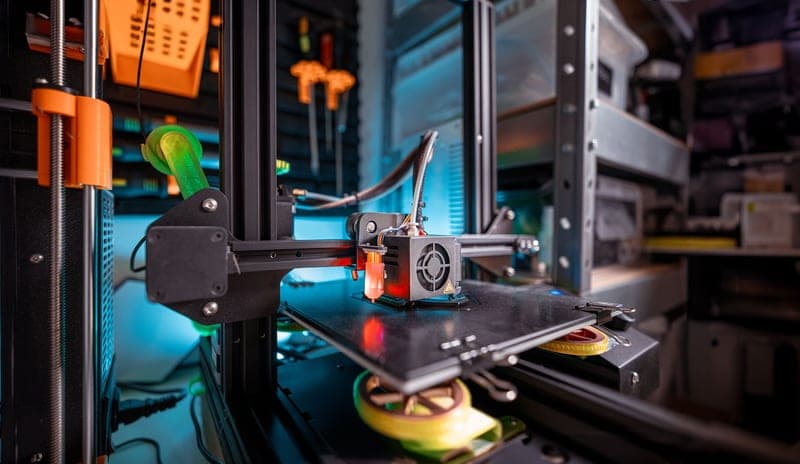 Bambu Lab H2D Two nozzles held hot at once. That is soluble supports and rigid-plus-flexible parts, which no AMS can do at any price. | Best if multicolor means two materials, not four colors The genuine step up — large format plus a direct-drive dual nozzle in one machine | Check price on Amazon #ad We earn a commission · price as of October 10, 2026 |
The short answer
The best multicolor setup is a P1S with an AMS 2 Pro, and the printer is the less interesting half. The 2 Pro is the only four-spool unit in the range that actively dries what it feeds, which matters because multicolor means four spools sitting loaded for days.
If multicolor means four-color PLA, buy an A1 and an AMS Lite. 3DJake lists the A1 at the same 256 x 256 x 256 mm build volume as the P1S, and the AMS Lite is the cheapest multicolor hardware Bambu sells.
If “multicolor” actually means two materials in one part — soluble supports, or a soft seal on a rigid body — no AMS does it. That is a dual-nozzle machine, and the H2D is the one.
Multicolor is an attachment, not a printer feature
Every current Bambu Lab machine prints a single color out of the box, and every one of them prints multiple colors with the right unit bolted on. So “which printer is best for multicolor” is really two questions stacked: which AMS do you want, and which printers accept it.
| Unit | Spools | Dries? | Fits |
|---|---|---|---|
| AMS 2 Pro | 4, expandable | Yes - active drying | P-series and X-series |
| AMS (original) | 4, chainable | No - monitors humidity only | P-series and X-series |
| AMS Lite | 4, open air | No - no enclosure at all | A1 and A1 mini only |
| AMS HT | 1 | Yes - high temperature | Single engineering spool, not a color unit |
That table is the decision. If you own an A-series machine, the AMS Lite is your only option and the choice is made for you. If you own a P-series or X-series machine, the 2 Pro is the one to buy, and the gap between it and the original AMS is smaller than the filament you will throw away learning why drying matters.
The purge is the real cost of multicolor, and nobody mentions it
On a single-nozzle machine every color change flushes the old color out until the new one runs clean. That flushed plastic is pure waste, it happens at every transition on every layer that changes color, and on a tall four-color model it is measured in a visible tower of discarded material rather than in grams you can ignore.
You can reduce it — fewer color changes per layer, darker colors last, flush volumes tuned in the slicer — but you cannot remove it. The only mechanism in the lineup that attacks the cause rather than the symptom is the H2C, which gives each color its own hotend so a transition is a mechanical swap instead of a flush. H2D versus H2C is where that argument lives.
Multicolor without any AMS at all
Worth saying, because it is free. A single-color machine prints multi-color parts if you pause at a layer and swap the filament by hand, and for a two-color sign or a logo inlay that is a perfectly good workflow. It is bad for anything with many transitions and unusable for models that change color on most layers. Multicolor without an AMS walks through the method and its limits before you spend anything.
What goes wrong on multicolor prints, in order
The wrong material profile on one spool
Four spools, four chances to print something at the wrong temperature. This is the most common cause of a failed multicolor print and RFID logging is the reason to pay for a unit that does it.
Wet filament on the spool you forgot about
A spool that has been loaded for three weeks is a spool that has been absorbing moisture for three weeks. Active drying matters more on a multicolor setup than on a single-color one, purely because of dwell time. Drying inside an AMS covers what each unit can and cannot do.
Feed jams at the hub
More paths means more places for filament to stop. Soft materials are the worst offenders, which is why TPU and an AMS argue. Filament not feeding has the fault tree and TPU in an AMS has the material-specific version.
What this page is and is not based on
Build volumes and dimensions come from the third-party listings named in Sources, retrieved 11 October 2026. AMS fitment, capacity and drying rows come from this site's product registry, whose spec provenance is documented in the registry file. Nothing here was measured by this site, no purge weight is quoted because we have not weighed one, and no price appears in this copy — the buy buttons carry whatever Amazon is charging today. How we review explains the standard in full.
Every pick in full
#ad We earn a commission · price as of October 10, 2026
1. Best multicolor setup
Bambu Lab P1S
The enclosed machine that takes the AMS 2 Pro, which is the only four-spool unit that also dries. That combination is the whole recommendation.
The reason a P1S heads a multicolor page is not the printer. It is that the P-series and X-series take the AMS and the AMS 2 Pro, and the 2 Pro is the only four-spool unit in the range that actively dries the filament it is feeding. Multicolor printing means four spools sitting loaded for days at a time, and a spool sitting loaded is a spool absorbing moisture. The 2 Pro closes that loop; the AMS Lite does not even try.
The second reason is material range. Once you are printing multicolor you will eventually want a contrast material that is not PLA — PETG for a wear surface, ABS for something that lives in a car. The enclosure is what makes that possible, and Makerpoint lists the P1S at a 256 x 256 x 256 mm build volume, which is enough area for the kind of flat multicolor panels and signage people actually print in color.
The honest caveat is the purge. Every color transition flushes the old color out of a single nozzle, and across a tall four-color model that is a serious weight of wasted filament in the purge tower. Nothing on this machine fixes that; it is the price of single-nozzle multicolor. The AMS roundup covers which unit to buy, and AMS for a P1S covers fitment.
What it gets right
- The enclosure plus auxiliary fan is what makes ABS and ASA realistic rather than aspirational
- Still the best-supported machine in the range for third-party upgrades — screens, hotends, plates, ducts
- Fast enough that the P2S's speed gain is not the reason to replace it
What it does not
- No touchscreen as shipped, which is why the Panda Touch exists
- No quick-swap nozzle: a nozzle change is a hotend job, not a 30-second one
- Passive chamber only — it holds heat, it does not make heat
| Released | July 13, 2023 |
|---|---|
| Type | Enclosed CoreXY |
| Over the P1P | Enclosure, auxiliary cooling fan and air filter |
| Multi-color | AMS and AMS 2 Pro (4 spools, expandable) |
Stock photograph of this product class, not of this specific unit.
#ad We earn a commission · price as of October 10, 2026
2. The part that actually does the multicolor
Bambu Lab AMS 2 Pro
Four spools, humidity monitoring, RFID logging and active drying. On a printer you already own, this is the cheapest real multicolor there is.
If you already own a P1S, an X1C or a P2S, stop shopping for printers. This is the purchase. It adds four-color printing to the machine on your bench for a fraction of any new machine, and it adds the one thing a new machine would not: active drying of the spool you are about to print from, with no transfer step and no window where a dried spool sits reabsorbing moisture.
The RFID logging matters more than it sounds. The most common way a multicolor print dies is the wrong material profile on one of the four spools — a PETG loaded as PLA, printed 20 C too cool, delaminating on layer 300. Logging removes that failure mode rather than mitigating it.
Space is the real constraint people underestimate. A four-spool unit needs the shelf beside or above the printer, and a lot of benches do not have it. Measure before you order. The AMS 2 Pro page has the full write-up and 2 Pro versus AMS Lite settles the fitment question.
What it gets right
- Active drying means the spool you print from is the spool you dried — no transfer step, no re-absorption window
- Four colors on a machine you already own, for a fraction of a new printer
- RFID logging removes the single most common cause of a ruined multi-color print: the wrong material profile
What it does not
- Four-color printing wastes filament on every tool change; the purge tower is real and it is not small
- If you only print single-color PLA, you are buying a dryer with a filament changer attached
- Needs the space beside or above the printer that your shelf may not have
| Type | Four-spool automatic material system |
|---|---|
| Headline feature | Active filament drying |
| Inherits | Humidity monitoring and RFID logging from the original AMS |
#ad We earn a commission · price as of October 10, 2026
3. Cheapest route to four colors
Bambu Lab A1
The AMS Lite plus an open-frame machine with the same 256 mm cube of print area. For PLA multicolor, nothing here is better value.
For multicolor specifically, the A1 is a stronger pick than its position in the lineup suggests. 3DJake lists the same 256 x 256 x 256 mm build volume as the P1S, and the AMS Lite is the cheapest multicolor hardware Bambu sells. If the plan is four-color PLA — models, signage, toys, display pieces — this is the setup, and the enclosed machines are an upsell you would not feel.
The AMS Lite is also, unexpectedly, the easier unit to live with when something jams. The spools sit in the open where you can see the problem and reach it, instead of behind a sealed lid. On a machine that is going to do thousands of color changes, that is worth something real.
What you give up is moisture control, completely. Open-air spools in a humid room are exposed between prints, which means a standalone dryer stops being optional the moment PETG or TPU joins the rotation. The AMS Lite page covers the unit, and enclosing an AMS Lite is the fix if your room is damp.
What it gets right
- Larger build area than the A1 mini for very little extra money or desk space
- The two-tower gantry is noticeably more rigid than a single-upright bed slinger
- Adding the AMS Lite — separately or by buying the Combo — makes four-color PLA and PETG genuinely practical
What it does not
- Still open-frame — this is the single thing that will eventually make you upgrade
- Bed slinger kinematics mean it will never match a CoreXY machine on tall, fast prints
- No active chamber heating, so ABS and ASA warp without an aftermarket enclosure
| Released | December 14, 2023 |
|---|---|
| Type | Open-frame bed slinger, two-tower gantry |
| Multi-color | AMS Lite capable (4 spools, open air) — sold separately or as the Combo |
Stock photograph of this product class, not of this specific unit.
#ad We earn a commission · price as of October 10, 2026
4. Best if multicolor means two materials, not four colors
Bambu Lab H2D
Two nozzles held hot at once. That is soluble supports and rigid-plus-flexible parts, which no AMS can do at any price.
A lot of people searching for a multicolor printer do not want colors at all. They want a second material in the same part: a soluble support that washes away, or a soft seal on a rigid body. No AMS does that, because an AMS feeds one nozzle in sequence and those jobs need two materials in the same layer at the same moment.
The H2D is the machine for that, and it is the large-format one: the registry carries a reported 350 x 320 x 325 mm build volume with a direct-drive dual nozzle. Direct drive is the part that matters for flexibles, because a long AMS feed path with bends in it is what soft filament handles worst.
It is listed last here because it is the biggest money in this lineup and because it does not solve the color-change purge at all. What a dual nozzle actually does is the page that separates the three mechanisms, and H2D versus H2C is the one to read if cheap many-color printing is the real goal.
What it gets right
- Direct-drive dual nozzle is a different kind of machine, not a faster version of the one you own
- The largest reported build area of the models an enthusiast realistically buys
- Two hotends means dissolvable or contrast material without an AMS color-change purge every layer
What it does not
- This is the biggest single jump in money in the whole lineup — it has to replace a workflow, not a wish
- Two nozzles is two of every maintenance task
- If multi-color is the actual goal, an AMS 2 Pro on your existing printer gets you most of the way for a fraction of it
| Released | March 25, 2025 |
|---|---|
| Type | Large-format enclosed, direct-drive dual nozzle |
| Build volume (reported) | 350 x 320 x 325 mm |
| Laser Edition (reported) | Adds laser, blade and pen toolheads |
Questions people actually ask
Which Bambu Lab printer is best for multicolor printing?
A P1S with an AMS 2 Pro, for most people. The printer matters less than the unit: the 2 Pro is the only four-spool AMS in the range that actively dries the filament it feeds, which matters because multicolor means four spools sitting loaded for days at a time. If the plan is four-color PLA only, an A1 with an AMS Lite does the same job for less.
Can any Bambu Lab printer print multicolor?
Every current model can, with the right attachment - multicolor is an attachment on this lineup, not a built-in printer feature. The constraint is fitment: the A1 and A1 mini take only the AMS Lite, and the P-series and X-series take the AMS or the AMS 2 Pro. No adapter crosses that line.
What is the Bambu Lab multicolor printer attachment called?
The Automatic Material System, or AMS. There are four units: the AMS 2 Pro (four spools with active drying, P-series and X-series), the original AMS (four spools, humidity monitoring but no drying), the AMS Lite (four spools in open air, A1 and A1 mini only) and the AMS HT, which is a single-spool high-temperature unit rather than a color changer.
How much filament does multicolor printing waste?
More than people expect, and we are not going to quote a figure we have not weighed. The mechanism is the purge: a single-nozzle machine flushes the old color out until the new one runs clean, at every transition on every layer that changes color. You can reduce it with slicer flush volumes and fewer changes per layer, but only a machine that gives each color its own hotend removes the cause.
Do I need a new printer for multicolor, or just an AMS?
Just an AMS, if you own a P-series or X-series machine - an AMS 2 Pro adds four colors plus active drying to the printer on your bench for a fraction of a new machine. Buy a new printer only if you own an A-series machine and want the enclosed material range too, or if what you really need is two materials in one part, which requires a dual nozzle.
Can I print multicolor without an AMS?
Yes, by pausing the print at a chosen layer and changing filament by hand. That works well for a two-color sign or a logo inlay and badly for anything with many transitions, because you have to be present for every one. It costs nothing to try before you buy a unit.
Sources
- P1S build volume (256 x 256 x 256 mm), machine dimensions (389 x 389 x 458 mm), net weight 12.95 kg, 300 C nozzle and 100 C bed - Makerpoint P1S listing, retrieved 2026-10-11
- A1 build volume (256 x 256 x 256 mm), device dimensions (465 x 410 x 430 mm), net weight 8.3 kg, 100 C bed and 300 C nozzle - 3DJake A1 listing, retrieved 2026-10-11
- Bambu Lab model list and release dates - Wikipedia, retrieved 2026-10-11
- Build volumes and feature rows for the X1-Carbon, X2D, H2S, H2D, H2D Pro, H2C and A2L, and for every AMS unit, come from this site's product registry, whose spec provenance is documented in content/products.ts - no figure is asserted that a manufacturer or a cited third party did not publish
Read this next
- The best Bambu Lab AMS accessoriesWhich AMS to buy for your printer, plus the accessories that fix feeding problems and desk space - ranked by the problem each solves.
- AMS 2 Pro vs AMS LiteThe AMS 2 Pro fits enclosed machines and the AMS Lite fits the A-series. What each does, and the gap you have to fill on an A1.
- Multi-color printing without an AMSHow to print two or three colors with no AMS and zero purge waste, and the point at which the manual method stops making sense.
- Bambu Lab H2D vs H2CTwo nozzles held at once versus hotends swapped on demand. The H2C wins on multi-color waste and time; the H2D wins on soluble supports and flexibles.
- The best Bambu Lab printer for the moneyRanked by capability per dollar rather than by price. The P1S wins because the enclosure is the only jump that changes what you can print.
- Dual nozzles, AMS and hotend swapping explainedDual nozzle, AMS and automatic hotend swapping compared - what each actually does and which models have which.