Printers
The best enclosed 3D printer
An enclosure is not a cosmetic panel. It is the difference between a machine that prints PLA and PETG and one that can hold ABS, ASA and filled engineering filament to the end of a tall part.
By Michael W. · Published November 22, 2026
Some links here are Amazon affiliate links, so a purchase may earn this site a commission at no cost to you. It does not change what gets recommended or the order it appears in — how that works.
Quick picks
Tap any row to jump to the full write-up. Prices are read from Amazon and dated; stock is always whatever the listing says.
| # | Product | Best for | Price |
|---|---|---|---|
| 1 |  Bambu Lab P1S An enclosed CoreXY with an auxiliary cooling fan and an air filter - the machine that makes ABS and ASA realistic rather than aspirational. | Best overall enclosed printer, and the cheapest live price here The machine most people reading this site already own, and the one most of them should keep | |
| 2 |  Bambu Lab P2S The P1S's successor with a real touchscreen and a quick-swap nozzle, at a published 110 C bed - the same enclosure argument with the two annoyances removed. | Best enclosed printer if you want the screen and quick nozzle swaps The P1S owner whose actual complaint is the nozzle swap and the missing screen | |
| 3 | 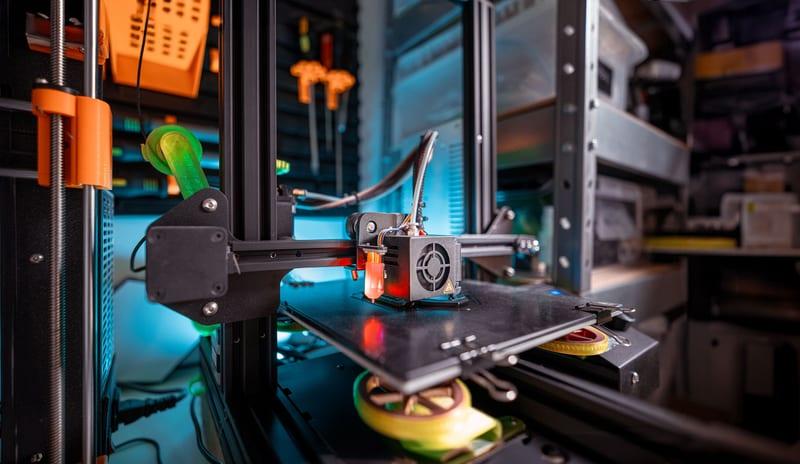 Bambu Lab H2D The only machine here publishing active chamber heating - to a maximum of 65 C - alongside a 120 C bed and a 350 C hardened hotend. | Best enclosed printer with a chamber that makes heat The genuine step up — large format plus a direct-drive dual nozzle in one machine | Check price on Amazon #ad We earn a commission · price as of November 23, 2026 |
| 4 | 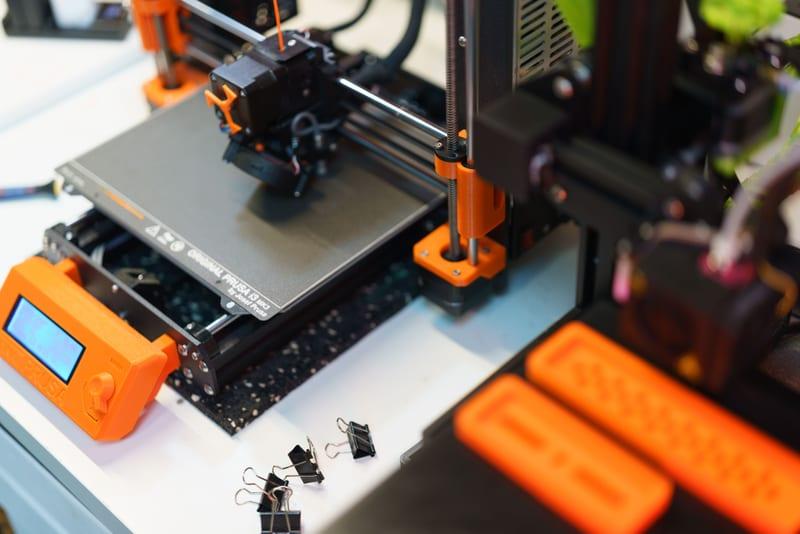 Bambu Lab P1P An open-frame CoreXY with an official Bambu enclosure kit behind it, which makes the cheapest frame in the lineup a documented path to P1S capability. | Budget pick - the cheapest route to an enclosed CoreXY frame A CoreXY frame you intend to enclose yourself, cheaper than buying the enclosed version | Check price on Amazon #ad We earn a commission · price as of November 23, 2026 |
| 5 | Bambu Lab X1-Carbon An aluminum enclosure that holds chamber heat better than the P1S's panels, with lidar bed leveling and a hardened nozzle included - at used prices. | Best used-market enclosed buy The used-market buy, now that it is no longer the flagship it is remembered as | Check price on Amazon #ad We earn a commission · price as of November 23, 2026 |
Buy the Bambu Lab P1S. It is the cheapest machine on this page with a live price, and the enclosure plus auxiliary fan plus air filter is what makes ABS and ASA routine rather than aspirational: a published 256 mm cube, a 300 C nozzle and a 100 C bed. If the two things that annoy P1S owners annoy you too, the P2S adds a touchscreen, a quick-swap nozzle and ten degrees more bed. If you need a chamber that makes heat rather than holds it, only the H2D publishes one, to a maximum of 65 C.
The budget pick is the open-frame P1P plus Bambu's own enclosure kit— the cheapest route to an enclosed CoreXY frame, and a documented upgrade path rather than a modification. That is a project rather than a purchase, which is why it sits at the bottom of the list and not the top.
What the enclosure actually does
Three mechanisms, and they are worth separating because only the first one is about heat.
It keeps the part at an even temperature
High-shrinkage materials warp because the bottom of a tall part has cooled while the top is still being printed. A closed chamber narrows that gradient. This is the reason an enclosure is a capability rather than a comfort, and the arithmetic is on ABS shrinkage.
It contains particles and smell
Which is why the P1S pairs its enclosure with an air filter, and why the H2D publishes G3 plus H12 HEPA plus activated carbon. If the printer shares a room with people, this matters as much as the warping does.
It makes the machine quieter
A panelled frame is audibly quieter than an open one — the Elegoo publishes a rated 45 dB and the FlashForge Creator 5 below 55 dB in silent mode. Where the printer lives in a shared space, noise reduction is the page for it.
Passive, active, or a louvre: the distinction that decides the money
This is the part of the question that price-ranked roundups miss. Almost every enclosed printer has a passive chamber: panels that retain whatever heat the bed and the motors produce. A passive chamber is enough for ABS and ASA on most days and is sensitive to the room it sits in.
An active chamber heats the air itself. In this lineup, Bambu publishes one figure only — the H2D, to a maximum of 65 C — and no P-series machine publishes a chamber figure at all. The Elegoo takes a third route with an automated louvre system that opens or closes vents by material, which is a way of managing chamber air without heating it.
| Machine | Enclosure | Chamber | Nozzle / bed ceiling | Build volume |
|---|---|---|---|---|
| Bambu Lab P1S | Enclosed CoreXY, aux fan, air filter | Passive | 300 C / 100 C | 256 mm cube |
| Bambu Lab P2S | Enclosed CoreXY, touchscreen | Passive | 300 C / 110 C | 256 mm cube (reported) |
| Bambu Lab H2D | Large-format enclosed, HEPA + carbon | Active, to 65 C (published) | 350 C / 120 C | 350 x 320 x 325 mm total |
| Bambu Lab X1-Carbon | Aluminum enclosure, aux fan | Passive, holds heat better than panels | Hardened nozzle included | 256 mm class |
| Bambu Lab P1P + official kit | Open frame, enclosure kit sold separately | Passive once the kit is fitted | P1S class once enclosed | 256 mm class |
If your machine is open-frame, read this before you buy anything
An A1 or A1 mini owner arriving on this page has two options, and the cheaper one is often enough. A fabric enclosure around the machine you own buys a warmer, quieter, dust-free box for a small fraction of a new printer — the enclosure roundup ranks them and the A1 enclosure page is specific to that machine.
What it cannot do is lift the bed ceiling. The A1 mini's published maximum bed temperature is 80 C and ABS asks for 90-100 C, so no box fixes that gap — the honest reading is on the ABS plate page and on upgrading from an A1.
Who should buy what
You want one enclosed machine and the widest upgrade catalogue. The P1S. Add a screen later if it annoys you.
You want the P1S without its two irritations. The P2S, for the touchscreen and the quick-swap nozzle.
You print engineering materials and warping is costing you prints. The H2D, for the only published active chamber figure here.
You are shopping used. The X1-Carbon, for the aluminum enclosure and the included hardened nozzle — not new at flagship money.
You want the cheapest enclosed CoreXY and you do not mind assembling it. A P1P and the official enclosure kit. If you already own the P1P, buy the kit and keep the rest of the money.
What this page is and is not based on
The H2D chamber maximum of 65 C, its 120 C bed, 350 C hotend, filtration stack and build areas are Bambu Lab's own published specification table, retrieved 22 November 2026. The P1S figures are the cited retailer listing retrieved 11 October 2026 and the P2S figures the cited retailer listing of the same date. The Elegoo Centauri Carbon 2 nozzle, bed, speed, louvre, filtration and noise figures — and the statement that delivery to the United States is not possible — are from the cited listing, retrieved 15 November 2026. The Creator 5 noise figure is FlashForge's published specification. The X1-Carbon enclosure material, lidar and included nozzle are its published specification, and its supersession dates are the release dates of the H2D and X2D. The existence of the official P1P-to-P1S enclosure kit is Bambu Lab's own store listing. The 90-100 C ABS and ASA bed range is Bambu's published figure for the textured PEI plate, and the 80 C A1 mini bed ceiling is its published figure from the cited listing. No machine here has been run, measured, timed or compared on a bench by this site. See how we review.
Every pick in full
1. Best overall enclosed printer, and the cheapest live price here
Bambu Lab P1S
An enclosed CoreXY with an auxiliary cooling fan and an air filter - the machine that makes ABS and ASA realistic rather than aspirational.
Most readers of this site already own this machine, and on an enclosure-ranked page it is still the right recommendation. What the P1S adds over the open-frame P1P is exactly the three things an enclosure page cares about: the enclosure itself, an auxiliary cooling fan and an air filter. The published figures around it are a 256 mm cube, a 300 C nozzle and a 100 C bed.
That combination is what turns ABS and ASA from aspiration into routine. Bambu publishes 90-100 C for both materials on the bed, and the P1S's 100 C ceiling clears it; the closed chamber then stops the part cooling unevenly while it is still being built, which is the actual cause of warping. It is also, by a wide margin, the best-supported machine in the range for third-party upgrades — screens, hotends, plates, ducts — which matters more on this site than on most.
Honest cons. There is no touchscreen as shipped, which is the entire reason the Panda Touch exists. A nozzle change is a hotend job rather than a 30-second one. And the chamber is passive: it holds heat, it does not make heat, so a cold room is still a factor. Enclosure temperature is the page for that.
What it gets right
- The enclosure plus auxiliary fan is what makes ABS and ASA realistic rather than aspirational
- Still the best-supported machine in the range for third-party upgrades — screens, hotends, plates, ducts
- Fast enough that the P2S's speed gain is not the reason to replace it
What it does not
- No touchscreen as shipped, which is why the Panda Touch exists
- No quick-swap nozzle: a nozzle change is a hotend job, not a 30-second one
- Passive chamber only — it holds heat, it does not make heat
| Released | July 13, 2023 |
|---|---|
| Type | Enclosed CoreXY |
| Over the P1P | Enclosure, auxiliary cooling fan and air filter |
| Multi-color | AMS and AMS 2 Pro (4 spools, expandable) |
2. Best enclosed printer if you want the screen and quick nozzle swaps
Bambu Lab P2S
The P1S's successor with a real touchscreen and a quick-swap nozzle, at a published 110 C bed - the same enclosure argument with the two annoyances removed.
The P2S is the P1S argument with the two most common complaints answered. It is an enclosed CoreXY at a reported 256 mm cube with a published 300 C nozzle and 110 C bed — ten degrees of bed headroom over the P1S, which puts it comfortably clear of the published 90-100 C ABS and ASA range rather than exactly at its edge.
The quick-swap nozzle is the feature that changes behavior. A 0.4-to-0.6 change stops being a maintenance task and becomes a between-prints decision, which is the single cheapest way to make an enclosed machine more versatile. The touchscreen means you are not opening an app to start a print. Same footprint and roughly the same build area as the P1S, so an existing shelf and any enclosure cabinet still work.
Honest cons. If the P1S has never frustrated you, this is not your upgrade — P1S against P2S is the page that argues it both ways. The reported build volume is the same class as the P1S. And P1S-specific third-party parts may not carry over, so check fitment per part rather than per brand.
What it gets right
- Quick-swap nozzle turns a 0.4-to-0.6 change from a maintenance task into a between-prints decision
- A real touchscreen on the machine, so you are not opening an app to start a print
- Same footprint and roughly the same build area as the P1S, so your enclosure and shelf still work
What it does not
- If you have never once wished your P1S had a screen, this is not the upgrade you need
- Reported build volume is a 256 mm cube — the same class as the P1S, so it buys you nothing in size
- Your P1S-specific third-party parts may not carry over; check fitment per part, not per brand
| Released | October 9, 2025 |
|---|---|
| Type | Enclosed CoreXY, P1S successor |
| Over the P1S | Touchscreen and quick-swap nozzle |
| Build volume (reported) | 256 mm cube |
Stock photograph of this product class, not of this specific unit.
#ad We earn a commission · price as of November 23, 2026
3. Best enclosed printer with a chamber that makes heat
Bambu Lab H2D
The only machine here publishing active chamber heating - to a maximum of 65 C - alongside a 120 C bed and a 350 C hardened hotend.
Everything else on this page has a passive enclosure, and that distinction is the reason this machine is here. Bambu's published specification table lists active chamber heating, supported, to a maximum of 65 C, with a heatbed to 120 C, an all-metal hardened steel hotend to 350 C, G3 plus H12 HEPA plus activated carbon filtration and a total build area of 350 x 320 x 325 mm across its two nozzles.
A chamber that makes heat is a different capability from one that retains it. It is what takes high-shrinkage and engineering materials from “possible with care and a warm room” to “repeatable”, and it is the one thing no enclosure accessory can retrofit onto a P-series machine. The published 350 C nozzle ceiling is the other half of the same story.
Honest cons. It is the biggest money jump in the lineup and has to replace a workflow rather than satisfy a wish. Two nozzles is two of every maintenance task. It is floor-or-shelf furniture at 31 kg. And if your parts all fit in 256 mm you are paying for air — is the H2D worth it makes that case honestly.
What it gets right
- Direct-drive dual nozzle is a different kind of machine, not a faster version of the one you own
- The largest reported build area of the models an enthusiast realistically buys
- Two hotends means dissolvable or contrast material without an AMS color-change purge every layer
What it does not
- This is the biggest single jump in money in the whole lineup — it has to replace a workflow, not a wish
- Two nozzles is two of every maintenance task
- If multi-color is the actual goal, an AMS 2 Pro on your existing printer gets you most of the way for a fraction of it
| Released | March 25, 2025 |
|---|---|
| Type | Large-format enclosed, direct-drive dual nozzle |
| Build volume (reported) | 350 x 320 x 325 mm |
| Laser Edition (reported) | Adds laser, blade and pen toolheads |
Stock photograph of this product class, not of this specific unit.
#ad We earn a commission · price as of November 23, 2026
4. Budget pick - the cheapest route to an enclosed CoreXY frame
Bambu Lab P1P
An open-frame CoreXY with an official Bambu enclosure kit behind it, which makes the cheapest frame in the lineup a documented path to P1S capability.
This is the honest cheap answer on an enclosure page, and it comes with an asterisk: the P1P is not an enclosed printer. It is the CoreXY frame underneath one, and Bambu sells an official P1P-to-P1S enclosure kit for it — a documented upgrade path rather than a modification. Bought together, that is the cheapest route to an enclosed CoreXY in the Bambu lineup.
It earns its place for a second reason too. The panel-less frame is the easiest machine in the range to work on, which matters if you intend to fit the kit yourself, and the finished result is functionally the machine at the top of this page. If you already own a P1P, this is almost certainly your answer and you should stop reading the rest of the list: upgrade kits covers the parts and the P1S enclosure page covers what the box actually does.
Honest cons, and they are the reason it is not higher. No touchscreen and no lidar, so you are running it from the app or from a third-party screen. It is open by default, which makes it a P1S project rather than a P1S. It is increasingly hard to buy new — the P1S and P2S have replaced it on most shelves — and like the other Bambu machines here it sells direct, so its button carries a tagged search rather than a figure. Add the kit price to the frame price before you compare it with anything.
What it gets right
- CoreXY motion in the cheapest frame Bambu has ever shipped it in
- An official enclosure kit exists, so the upgrade to P1S capability is a documented path rather than a mod
- The panel-less frame is the easiest machine in the lineup to work on
What it does not
- No touchscreen and no lidar — you are running it from the app or a third-party screen
- Open by default, so it is a P1S project rather than a P1S
- Increasingly hard to buy new; the P1S and P2S have replaced it on most shelves
| Released | November 18, 2022 |
|---|---|
| Type | Non-enclosed CoreXY |
| Omits | Touchscreen and lidar sensor |
| Upgrade path | Bambu Lab sells a P1P-to-P1S enclosure kit |
Stock photograph of this product class, not of this specific unit.
#ad We earn a commission · price as of November 23, 2026
5. Best used-market enclosed buy
Bambu Lab X1-Carbon
An aluminum enclosure that holds chamber heat better than the P1S's panels, with lidar bed leveling and a hardened nozzle included - at used prices.
On a page ranked by enclosure, the X1-Carbon earns its place for a physical reason: the aluminum enclosure holds chamber heat better than the P1S's panels. On a passive machine, that is the whole mechanism. It also ships with a hardened steel nozzle, so abrasive filament is a day-one capability rather than a purchase, and it has lidar bed leveling and first-layer inspection that the P-series does not.
The reason it is last rather than first is the market, not the machine. It was superseded by the H2D in March 2025 and the X2D in April 2026, which makes it the sensible used buy and a poor new one. Bought second-hand, it is arguably the most enclosure per dollar in this whole category.
Honest cons. Buying it new at flagship money is a mistake, and resale value is on a downward path now that two machines sit above it. It is single-nozzle, where the top of the range is dual. Like the other Bambu machines here it sells direct rather than on Amazon, so its button carries a tagged search instead of a figure. X1C against P1S is the comparison most readers want next.
What it gets right
- Ships with a hardened steel nozzle, so abrasive filament is a day-one capability rather than a purchase
- Lidar bed leveling and first-layer inspection, which the P-series does not have
- An aluminum enclosure holds chamber heat better than the P1S's panels
What it does not
- It is not the current flagship and has not been since March 2025 — buying it new at flagship money is a mistake
- The H2D and X2D both exceed it, so resale value is on a downward path
- Single nozzle, where the current top of the range is dual
| Series | X1, released May 24, 2022 |
|---|---|
| Type | Enclosed CoreXY with lidar-based bed leveling |
| X1-Carbon spec | Aluminum enclosure, hardened steel nozzle, auxiliary cooling fan |
| Screen | 5-inch touchscreen |
| Superseded by | H2D (March 2025) and X2D (April 2026) |
Questions people actually ask
What is the best enclosed 3D printer?
The Bambu Lab P1S for most people. Its enclosure, auxiliary cooling fan and air filter are what make ABS and ASA routine rather than aspirational, it has the deepest third-party upgrade catalogue in the category, and it is the cheapest machine on this page with a live price. The P2S is the same argument with a touchscreen, a quick-swap nozzle and ten degrees more bed.
Why does an enclosed printer matter?
Three reasons. It keeps the part at an even temperature, which is what stops high-shrinkage materials like ABS and ASA from warping as a tall part cools. It contains particles and smell, which matters when the printer shares a room. And it is audibly quieter than an open frame.
Which enclosed printers have a heated chamber?
In this lineup, only the Bambu Lab H2D publishes one - active chamber heating to a maximum of 65 C, from Bambu's own specification table. No P-series machine publishes a chamber figure at all; their enclosures are passive, meaning they hold heat rather than make it. The Elegoo Centauri Carbon 2 takes a third approach with an automated louvre system that opens or closes vents by material.
What is the cheapest way to get an enclosed 3D printer?
The open-frame P1P plus Bambu's own P1P-to-P1S enclosure kit, which is a documented upgrade path rather than a modification. The caveats are that the P1P is increasingly hard to buy new and that it omits the touchscreen and lidar sensor. If you already own a P1P, this is almost certainly the right answer.
Can I just put my open-frame printer in an enclosure?
Partly. A fabric enclosure gives an A1 or A1 mini a warmer, quieter, dust-free box for a small fraction of a new printer, and that is a genuinely good purchase. What it cannot do is raise the bed ceiling: the A1 mini's published maximum bed temperature is 80 C and ABS asks for 90-100 C, so no box closes that gap.
Is the P1S or the P2S the better enclosed printer?
The P1S if nothing about it currently frustrates you, because the P2S's reported build volume is the same 256 mm class and buys nothing in size. The P2S if you want a touchscreen on the machine and a nozzle change that takes seconds, and its published 110 C bed sits comfortably clear of the 90-100 C ABS range rather than at its edge.
Is a non-Bambu enclosed printer worth considering?
The Elegoo Centauri Carbon 2 clears a ceiling the P-series does not, with a published 350 C hardened nozzle against the P1S's 300 C at the same 256 mm build volume, plus an automated louvre system that vents the chamber by material. It is not a pick on this page for one reason: the listing this site checks states that delivery to the United States is not possible, so there is nothing honest to point a buy button at.
Should I buy a used X1-Carbon?
As a used buy it is strong on the terms this page cares about: an aluminum enclosure that holds chamber heat better than the P1S's panels, a hardened steel nozzle included, and lidar bed leveling. As a new buy at flagship money it is a mistake - it stopped being the flagship in March 2025, and both the H2D and X2D now sit above it.
Does an enclosure make a printer safer?
It contains particles and smell, and the machines here that pair an enclosure with filtration - the P1S's air filter, the H2D's G3 plus H12 HEPA plus activated carbon, the Elegoo's HEPA plus activated carbon - are addressing exactly that. Treat the filtration as the feature rather than the panels, and never leave a printer running unattended on the assumption that a box has solved the problem.
Sources
- P1S build volume (256 x 256 x 256 mm), 300 C nozzle and 100 C bed - Makerpoint P1S listing, retrieved 2026-10-11
- P2S build volume (256 x 256 x 256 mm), 300 C nozzle and 110 C bed - 3DJake P2S listing, retrieved 2026-10-11
- Bambu Lab H2D published specification table: 350 x 320 x 325 mm total build area across two nozzles (325 x 320 x 325 mm single, 300 x 320 x 325 mm dual), all-metal hotend with hardened steel nozzle to 350 C, 0.4 mm included with 0.2 / 0.4 / 0.6 / 0.8 mm supported, heatbed to 120 C, active chamber heating supported to a maximum of 65 C, 1000 mm/s and 20,000 mm/s2, G3 + H12 HEPA + activated carbon filtration, 492 x 514 x 626 mm and 31 kg, supported plates textured PEI and smooth PEI; maximum hotend flow 40 mm3/s standard against 65 mm3/s with the optional high-flow hotend, both the manufacturer's own measurement on a 250 mm single-wall model in Bambu ABS at 280 C. Every variant returned schema.org/InStock - Bambu Lab US store H2D page, retrieved 2026-11-22
- Elegoo Centauri Carbon 2: 256 mm cube, 350 C hardened steel nozzle, 110 C bed, 500 mm/s and 20,000 mm/s2, automated louvre venting, HEPA plus activated carbon filtration, 5-inch screen, 45 dB rated. The listing shows the machine in stock but states "Delivery to United States is not possible", which is why it carries no buy row anywhere on this site - 3DJake Centauri Carbon 2 listing, retrieved 2026-11-15
- FlashForge Creator 5 published specification: 256 x 256 x 256 mm build volume, four independent toolheads, 320 C maximum nozzle, 120 C maximum bed, up to 300 mm/s printing and up to 600 mm/s travel, up to 30,000 mm/s2, 436 x 432 x 480 mm without accessories and 520 x 443 x 710 mm with, 14 kg, 4-inch 800 x 480 touchscreen, built-in 1280 x 720 at 30 fps camera, below 55 dB in silent mode, PVA and BVOH soluble supports among the recommended materials, and no active chamber heating - the 65 C heated chamber is the Creator 5 Pro - FlashForge Creator 5 product page, retrieved 2026-10-24. Creator 5 and Creator 5 Pro both returned as available products on FlashForge's own US store search index when re-checked on 2026-11-22
- P1P enclosure kit / P1P-to-P1S upgrade kit, sold by Bambu Lab as the official upgrade for the P1P - Bambu Lab store listing. The P1P's omissions (no touchscreen, no lidar sensor) are held in this site's registry - see content/products.ts
- Release dates, machine types, nozzle and bed ceilings, build volumes, toolhead counts and chamber figures for every machine on this page come from this site's product registry, whose spec provenance is documented in content/products.ts - each figure is the manufacturer's own published number or one attributable to a cited third party, reported figures are labeled as reported, and no figure is asserted that nobody published
- Every price shown on a buy button on this page is the live Amazon figure for that listing, refreshed daily and stamped with the date it was checked; a machine Bambu Lab sells direct has no Amazon listing to read, so its button renders "Check price on Amazon" against a tagged search rather than a number. No price is typed into this copy - see lib/prices.ts
Read this next
- The best Bambu Lab printer to step up to in 2026One pick per upgrade situation, from the P1S owner who should keep their machine to the owner who genuinely needs the H2 build volume.
- The best dual-nozzle 3D printerFour dual-toolhead machines, ranked by the problem each one actually solves: the H2D for most people, the X2D for a desk, the H2C for nozzle diameters, the Creator 5 for purge waste. Plus the honest case for buying one nozzle instead.
- The best Bambu Lab enclosuresOne pick per reason - ABS capability, noise, dust, or fixing a hazy P1S door - because a box that is good at one is mediocre at the others.
- Bambu Lab P1S vs P2SThe P2S adds a touchscreen and a quick-swap nozzle and no build volume. When that is worth a new machine and when a far cheaper part does the same job.
- The best Bambu Lab printer for ASAWhich machines handle ASA and ABS, why passive and active chambers differ, and the free technique to try before buying.
- Chamber temperature on a passive enclosureHow passive chamber heating works, the safe ways to raise it, the modifications to avoid, and when an actively heated machine is the real answer.