Printers
The best dual-nozzle 3D printer
Two nozzles is not a faster version of the machine you own. It is a different machine that can print a second material - support, soluble, contrast - without purging anything through a shared hotend.
By Michael W. · Published November 22, 2026
Some links here are Amazon affiliate links, so a purchase may earn this site a commission at no cost to you. It does not change what gets recommended or the order it appears in — how that works.
Quick picks
Tap any row to jump to the full write-up. Prices are read from Amazon and dated; stock is always whatever the listing says.
| # | Product | Best for | Price |
|---|---|---|---|
| 1 | Bambu Lab H2D Direct-drive dual nozzle plus the largest reported build area of the machines an enthusiast actually buys, and the only one here publishing an active chamber figure. | Best overall dual-nozzle printer The genuine step up — large format plus a direct-drive dual nozzle in one machine | Check price on Amazon #ad We earn a commission · price as of November 23, 2026 |
| 2 | 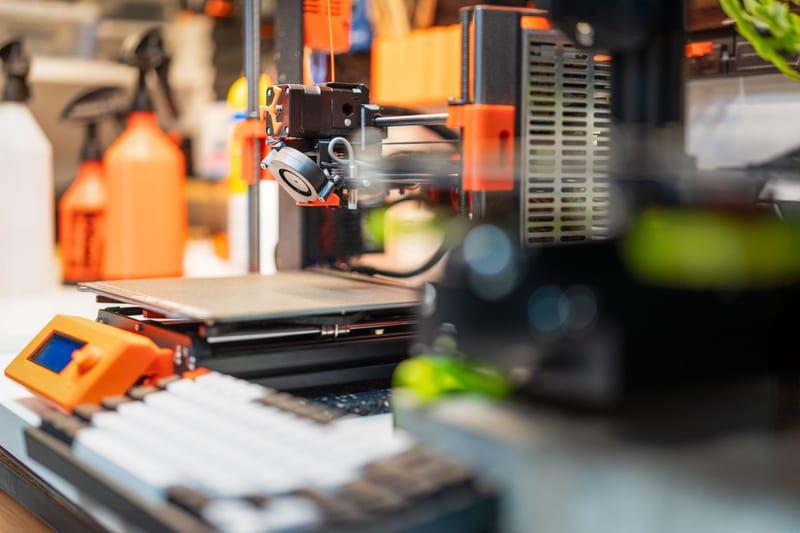 Bambu Lab X2D Two nozzles and a reported 65 C heated chamber in the 256 mm form factor, for anyone who wants two materials more than a big bed. | Best dual nozzle that still fits on a desk Dual-nozzle printing at the smaller build volume, if you want two materials more than you want a big bed | Check price on Amazon #ad We earn a commission · price as of November 23, 2026 |
| 3 | Bambu Lab H2C Automatic hotend swapping in the large-format H2 chassis - the one machine that makes a 0.2 mm detail nozzle a per-job decision. | Best if you want two nozzle diameters, not two materials Running two nozzle diameters in one job without touching the machine | Check price on Amazon #ad We earn a commission · price as of November 23, 2026 |
| 4 | 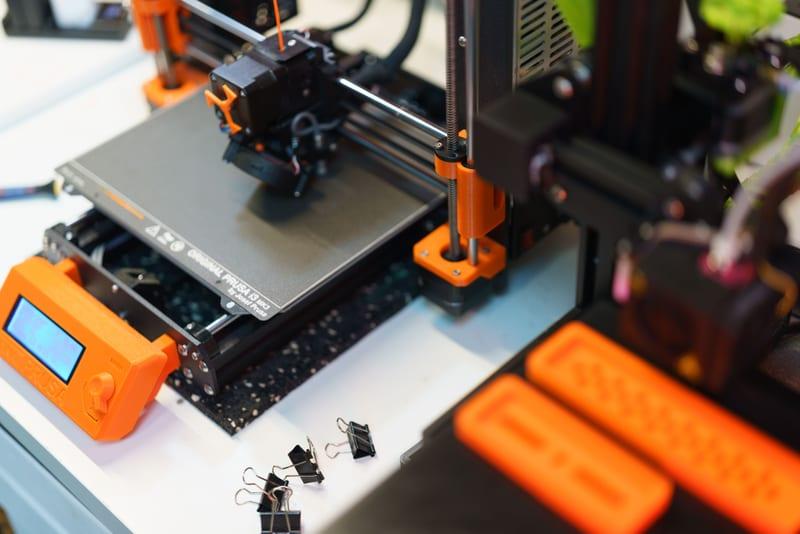 FlashForge Creator 5 Four independent toolheads instead of two, so a material change does not push the previous material through a shared nozzle at all. | Best if purge waste is your actual complaint Multi-material printing where purge waste is the actual complaint - four independent toolheads instead of one shared nozzle | Check price on Amazon #ad We earn a commission · price as of November 23, 2026 |
| 5 |  Bambu Lab P2S A single-nozzle enclosed CoreXY with a quick-swap nozzle and a screen, at the only live price on this page. | The cheapest machine on this page - and the one to buy if you do not need two nozzles The P1S owner whose actual complaint is the nozzle swap and the missing screen |
Buy the Bambu Lab H2D. It is the only machine here that pairs a direct-drive dual nozzle with a large build area and a published active chamber figure — 350 x 320 x 325 mm across two nozzles, a 350 C hardened hotend, a 120 C bed and chamber heating to a maximum of 65 C — which makes it the dual-nozzle machine for a reader who wants one printer to do everything. If you want two nozzles but not the footprint, the X2D puts them in the 256 mm form factor. If your complaint is purge waste rather than materials, the FlashForge Creator 5's four independent toolheads are the architecture that actually fixes it.
The cheapest machine on this page is the single-nozzle P2S, and it is the honest recommendation for a good share of people searching this term: if what you want is fast nozzle-diameter changes, or several colors, a dual nozzle is not what you are looking for. There is no budget dual-nozzle machine in this site's registry and none has been invented to fill the slot.
What a second nozzle actually buys you
Worth being precise, because the term is used for three different things and only one of them needs two hotends.
A second material - this is the real one
Soluble support that washes away instead of being cut off. A flexible gasket printed into a rigid part. A high-temperature engineering polymer with a cheap support material underneath. None of that is possible through one nozzle, at any price, with any accessory. If this is what you want, you want two nozzles.
Several colors - this does not need two nozzles
Four-spool units feed one hotend and swap filament between layers. That is what an AMS does, and it is a fraction of the cost of a new machine. The multicolor roundup ranks that route, and AMS 2 Pro compatibility says which printers take one.
Two nozzle diameters - this needs a swap, not a second hotend
Detail at 0.2 mm and bulk at 0.6 mm is a diameter problem. The H2C automates the swap; the P2S makes it quick by hand; a quick-change hotend does it on a P1S. The nozzle roundup covers that hardware.
The full mechanism, including how purge towers and prime towers differ between the two architectures, is on dual nozzle printing explained.
The machines, side by side
| Machine | Toolheads | Build volume | Chamber | Buy it for |
|---|---|---|---|---|
| Bambu Lab H2D | Two, direct drive | 350 x 320 x 325 mm total; 300 x 320 x 325 mm dual | Active heating to 65 C (published) | One machine that does everything |
| Bambu Lab X2D | Two | 256 mm cube (reported) | Heated to 65 C (reported) | Two nozzles on a desk, not a floor |
| Bambu Lab H2C | Automatic hotend swapping | H2 large format | Not published | Two nozzle diameters in one job |
| FlashForge Creator 5 | Four independent | 256 mm cube | None; the Creator 5 Pro adds 65 C | Material changes with no purge |
| Bambu Lab P2S | One, quick-swap | 256 mm cube (reported) | Passive enclosure | The cheapest machine here, if one nozzle is enough |
Two nozzles is two of everything
The running cost nobody mentions in a spec table. Every maintenance task on a dual-nozzle machine happens twice: two hotends to clear, two nozzles to replace when abrasive filament wears them, two flow calibrations, two sets of temperature behavior to learn. If you print carbon-fiber-filled material, that doubling lands on the most expensive consumable in the category — see how long a nozzle lasts and the carbon fiber nozzle roundup.
There is also a practical argument for the H2D Pro in one narrow case. Its published nozzle is tungsten carbide at HRA 90 against hardened steel's HRA 74, which changes abrasive-filament maintenance intervals outright, and it adds enterprise networking that starts mattering past two machines. For a single hobby machine it is overkill, and H2D against H2D Pro says so.
Who should buy what
You want one printer that can do everything. The H2D. Budget for the high-flow hotend if throughput matters, because the standard figure is 40 mm3/s against 65.
You have shelf space, not floor space. The X2D, accepting the thin third-party ecosystem for now.
You switch nozzle diameters mid-project. The H2C, if you really do; the P2S if you want the cheap version of the same convenience.
Your complaint is the purge pile. The FlashForge Creator 5, accepting that nothing from your Bambu shelf transfers and that ABS is not its material.
You run abrasive filament most days across several machines. The H2D Pro, for the carbide nozzle and the networking.
You actually want colors. Buy none of these. An AMS on the printer you own is the cheaper and better answer, and the multicolor roundup ranks that route.
What this page is and is not based on
The H2D build volumes, nozzle and bed ceilings, 65 C chamber maximum, flow figures, dimensions and weight are Bambu Lab's own published specification table, retrieved 22 November 2026; the flow numbers are the manufacturer's measurement on its own test model, not ours. The Creator 5 figures and its availability are FlashForge's own published specification and store index, checked 22 November 2026. The X2D and H2C figures are the reported specifications held in this site's registry and are labeled as reported. The P2S nozzle and bed ceilings are the cited retailer listing, retrieved 11 October 2026. The H2D Pro nozzle hardness comparison is its published figure. No machine on this page has been run, timed, measured or compared on a bench by this site, and there is no test lab here. See how we review.
Every pick in full
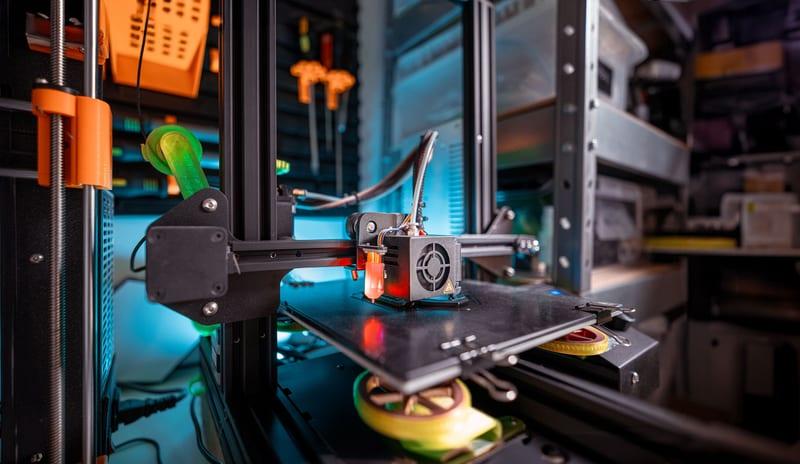
Stock photograph of this product class, not of this specific unit.
#ad We earn a commission · price as of November 23, 2026
1. Best overall dual-nozzle printer
Bambu Lab H2D
Direct-drive dual nozzle plus the largest reported build area of the machines an enthusiast actually buys, and the only one here publishing an active chamber figure.
The H2D is the machine this page exists to recommend, and the reason is not the headline feature by itself. It is a direct-drive dual nozzle in a large-format enclosed chassis whose published specification table reads like a list of ceilings nothing else here clears at once: 350 x 320 x 325 mm total build area across the two nozzles (325 x 320 x 325 mm with one, 300 x 320 x 325 mm with both), a hardened steel all-metal hotend to 350 C, a heatbed to 120 C, and active chamber heating to a maximum of 65 C.
That chamber figure is worth pausing on, because it is the one specification that most often gets stated wrongly about Bambu's large machines. Bambu publishes it; no P-series machine publishes a chamber figure at all. Combine it with the dual nozzle and you get the two capabilities a P1S owner cannot buy as an upgrade: a second material in a second hotend, and air temperature the printer controls rather than merely retains.
On flow, Bambu's own figures are honest about where the limit sits: 40 mm3/s with the standard hotend against 65 mm3/s with the optional high-flow one, both measured by the manufacturer on a 250 mm single-wall model in its own ABS at 280 C. So the fast configuration is a purchase, not a default.
Honest cons. This is the biggest single jump in money in the whole lineup, and it has to replace a workflow rather than satisfy a wish. Two nozzles is two of every maintenance task. At 492 x 514 x 626 mm and 31 kg it is furniture, not a desk accessory. And if multi-color is really the goal, an AMS 2 Pro is the cheaper answer and this site says so plainly on is the H2D worth it.
What it gets right
- Direct-drive dual nozzle is a different kind of machine, not a faster version of the one you own
- The largest reported build area of the models an enthusiast realistically buys
- Two hotends means dissolvable or contrast material without an AMS color-change purge every layer
What it does not
- This is the biggest single jump in money in the whole lineup — it has to replace a workflow, not a wish
- Two nozzles is two of every maintenance task
- If multi-color is the actual goal, an AMS 2 Pro on your existing printer gets you most of the way for a fraction of it
| Released | March 25, 2025 |
|---|---|
| Type | Large-format enclosed, direct-drive dual nozzle |
| Build volume (reported) | 350 x 320 x 325 mm |
| Laser Edition (reported) | Adds laser, blade and pen toolheads |
Stock photograph of this product class, not of this specific unit.
#ad We earn a commission · price as of November 23, 2026
2. Best dual nozzle that still fits on a desk
Bambu Lab X2D
Two nozzles and a reported 65 C heated chamber in the 256 mm form factor, for anyone who wants two materials more than a big bed.
The X2D is the answer to the most common objection to the H2D, which is the footprint. It is an enclosed dual-nozzle CoreXY at a reported 256 mm cube — the same build volume as the P1S most readers of this site already own — with a reported 65 C heated chamber and the newest filtration and thermal hardware Bambu has shipped in the smaller form factor.
For a specific reader this is the better buy than the H2D: you have a shelf, not a floor; your parts all fit inside 256 mm; and what you actually want is soluble support or a second material. The X2D delivers exactly that and nothing you are paying to ignore.
Honest cons, and one of them is temporal. It was released in April 2026, so third-party part support is thin compared with the P1S — the screens, ducts, plates and hotends that make the P-series so modifiable mostly do not exist for it yet, which matters on a site about upgrades. Its reported build volume is the same as a P1S, so this is a capability upgrade and not a size one. And nothing on this site about the X2D is observation: it is published specification and reasoning. See how we review.
What it gets right
- Dual nozzle without stepping up to the H2 footprint — two materials on a desk-sized machine
- A reported 65 C heated chamber is a real capability jump over any passive P-series enclosure
- Newest filtration and thermal hardware in the smaller form factor
What it does not
- Released April 2026, so third-party part support is thin compared with the P1S
- Same reported 256 mm build volume as a P1S — this is a capability upgrade, not a size one
- I have not run one. What follows anywhere on this site about the X2D is specification and reasoning, not observation
| Released | April 14, 2026 |
|---|---|
| Type | Enclosed CoreXY, dual nozzle |
| Improvements cited | Air filtration, thermal management and speed |
| Build volume (reported) | 256 mm cube |
| Chamber (reported) | Heated to 65 C |
Stock photograph of this product class, not of this specific unit.
#ad We earn a commission · price as of November 23, 2026
3. Best if you want two nozzle diameters, not two materials
Bambu Lab H2C
Automatic hotend swapping in the large-format H2 chassis - the one machine that makes a 0.2 mm detail nozzle a per-job decision.
The H2C is a different reading of the same hardware idea, and it is the most interesting engineering in the current lineup. Its headline feature is automatic hotend swapping on the large-format H2 chassis: the machine changes hotend rather than asking you to. That removes the single manual step that stops almost everyone from using a 0.2 mm nozzle for the detailed part of a job and a wide bore for the bulk of it.
If your work genuinely mixes fine detail and volume — miniatures with bases, functional parts with lettering, anything where you have ever wished you could re-slice half a plate at a different diameter — this is the machine that matches the workflow. The resolution-versus-throughput trade it automates is explained on nozzle sizes.
Honest cons. A newer, more complex mechanism means more to go wrong and a thinner service history behind it; it was released in November 2025 and third-party accessory support is minimal. And the honest test is behavioral rather than technical: most owners do not swap nozzle diameters often, and if you do not, this buys you a mechanism you will watch rather than use. X1C against H2C has the comparison from the other direction.
What it gets right
- Automatic hotend swapping removes the one manual step that stops people using a 0.2 mm nozzle for detail
- Large-format H2 chassis, so build area is not the compromise
- The most interesting engineering in the current lineup if your prints mix fine detail and bulk
What it does not
- A newer, more complex mechanism means more to go wrong and a thinner service history
- Released November 2025 — third-party accessory support is minimal
- Only pays off if you genuinely swap nozzle sizes often; most owners do not
| Released | November 13, 2025 |
|---|---|
| Headline feature | Automatic hotend swapping |
| Series | H2 large format |
Stock photograph of this product class, not of this specific unit.
#ad We earn a commission · price as of November 23, 2026
4. Best if purge waste is your actual complaint
FlashForge Creator 5
Four independent toolheads instead of two, so a material change does not push the previous material through a shared nozzle at all.
This is on the page because it answers the dual-nozzle question more completely than the dual-nozzle machines do. FlashForge publishes four independent toolheads at a 256 mm cube, a 0.4 mm nozzle to 320 C, a bed to 120 C, up to 300 mm/s printing and 600 mm/s travel, 436 x 432 x 480 mm without accessories and 14 kg, rated below 55 dB in silent mode.
Independent toolheads change the arithmetic of multi-material printing. With one shared nozzle, every change costs a purge; with four, a material change costs nothing because the previous material never passed through the same hotend. If your complaint about multi-color printing is the waste pile rather than the colors, this is the architecture that fixes it — and soluble support in a second material becomes a capability an AMS machine cannot match at all.
Honest cons. It publishes no active chamber heating (the Creator 5 Pro adds a 65 C chamber), so the 320 C nozzle is further ahead of the rest of the machine than it looks and ABS is not its job. It is a separate ecosystem: different slicer, different profiles, and nothing from your Bambu shelf carries over. Availability was checked — both Creator 5 and Creator 5 Pro returned available on FlashForge's own US store index on 22 November 2026 — but no price claim is made here. And nobody at this site has run one. Bambu against FlashForge has the broader comparison.
What it gets right
- Four independent toolheads change material without purging the previous one through a shared nozzle
- Soluble support in a second material is a genuine capability a single-nozzle AMS machine cannot match
- The same 256 mm cube as a P1S, so parts that fit your current machine fit this one
What it does not
- Open frame with no active chamber heating, so the 320 C nozzle is further ahead of the enclosure than it looks
- Four toolheads is four of everything to calibrate, clean and eventually replace
- Separate ecosystem: nothing from a Bambu shelf fits it and no AMS attaches
- I have not run one; everything on this site about it is published specification and reasoning, not observation
| Build volume | 256 x 256 x 256 mm |
|---|---|
| Toolheads | Four independent |
| Nozzle | 0.4 mm standard, to 320 C |
| Bed | To 120 C |
| Speed | Up to 300 mm/s printing, up to 600 mm/s travel |
| Acceleration | Up to 30,000 mm/s2 |
| Machine dimensions | 436 x 432 x 480 mm without accessories; 520 x 443 x 710 mm with |
| Net weight | 14 kg |
| Screen | 4-inch 800 x 480 color touchscreen |
| Camera | Built-in, 1280 x 720 at 30 fps |
| Rated noise | Below 55 dB in silent mode |
| Chamber | No active heating; the Creator 5 Pro adds a 65 C heated chamber |
5. The cheapest machine on this page - and the one to buy if you do not need two nozzles
Bambu Lab P2S
A single-nozzle enclosed CoreXY with a quick-swap nozzle and a screen, at the only live price on this page.
There is no budget dual-nozzle machine in this site's registry, and inventing one to fill the slot is not an option. So this is the honest bottom of the page: the cheapest machine here, and the one a lot of readers arriving on a dual-nozzle search should buy instead.
The P2S is an enclosed CoreXY at a reported 256 mm cube with a published 300 C nozzle and 110 C bed, a real touchscreen, and a quick-swap nozzle that turns a 0.4-to-0.6 change from a maintenance task into a between-prints decision. Read the dual-nozzle wish honestly and it is often one of two simpler wishes: changing diameter quickly, which this does, or printing several colors, which an AMS 2 Pro does.
Honest cons, stated plainly because this pick is a redirection. One nozzle means no soluble support, no second polymer and no contrast material without a color-change purge. Its reported build volume is the same class as a P1S, so it buys nothing in size. And if you already own a P1S and have never wished it had a screen, this is not your upgrade — P1S against P2S is the page for that.
What it gets right
- Quick-swap nozzle turns a 0.4-to-0.6 change from a maintenance task into a between-prints decision
- A real touchscreen on the machine, so you are not opening an app to start a print
- Same footprint and roughly the same build area as the P1S, so your enclosure and shelf still work
What it does not
- If you have never once wished your P1S had a screen, this is not the upgrade you need
- Reported build volume is a 256 mm cube — the same class as the P1S, so it buys you nothing in size
- Your P1S-specific third-party parts may not carry over; check fitment per part, not per brand
| Released | October 9, 2025 |
|---|---|
| Type | Enclosed CoreXY, P1S successor |
| Over the P1S | Touchscreen and quick-swap nozzle |
| Build volume (reported) | 256 mm cube |
Questions people actually ask
What is the best dual-nozzle 3D printer?
The Bambu Lab H2D, for most people who genuinely need two nozzles. It is the only machine in this group that pairs a direct-drive dual nozzle with a large build area and a published active chamber figure - 350 x 320 x 325 mm across the two nozzles, a 350 C hardened hotend, a 120 C bed and chamber heating to a maximum of 65 C.
Do I need a dual-nozzle printer for multi-color printing?
No. Multi-color is a filament-swapping problem that four-spool units like the AMS solve through a single hotend, at a fraction of the cost of a new machine. A second nozzle is for a second material - soluble support, a flexible insert, a different polymer - which no accessory can add to a single-nozzle printer.
What is the cheapest dual-nozzle 3D printer?
This site does not have one to recommend: there is no budget dual-nozzle machine in its product registry, and no product has been invented to fill the slot. The cheapest machine on this page is the single-nozzle P2S, which is also the honest recommendation if what you want is quick nozzle-diameter changes rather than two materials.
Is the X2D or the H2D the better dual nozzle?
The H2D if you need the build volume or want the most capable single machine; the X2D if you want two nozzles in the 256 mm form factor and have shelf space rather than floor space. The X2D's main cost is timing - released April 2026, so third-party parts for it are still scarce.
What does the FlashForge Creator 5 do that a dual nozzle does not?
Four independent toolheads instead of two, which means a material change never pushes the previous material through a shared nozzle. If your objection to multi-material printing is the purge waste rather than the capability, that architecture removes it. The trade is no active chamber heating on the standard model and a separate ecosystem from your Bambu parts.
Does the H2D have a heated chamber?
Yes. Bambu's own published specification table for the H2D lists active chamber heating as supported to a maximum of 65 C. That is worth stating because it is often reported the other way round; what has no published chamber figure at all is the P series.
Can I upgrade my P1S to dual nozzle?
No. There is no accessory that adds a second hotend to a single-nozzle machine, which makes this one of the few genuine reasons to replace a printer rather than modify it. If the goal is colors rather than materials, an AMS on the machine you own is the cheaper route.
Is dual-nozzle maintenance twice the work?
Effectively, yes. Two hotends to clear, two nozzles to replace as abrasive filament wears them, two flow calibrations and two sets of thermal behavior to learn. It matters most if you print fiber-filled material, where the nozzle is the expensive consumable.
Is the H2D Pro worth it over the H2D?
Only in a narrow case. Its published tungsten carbide nozzle at HRA 90 against hardened steel's HRA 74 changes abrasive-filament maintenance intervals outright, and the enterprise networking starts to matter once you run more than two machines. For a single hobby printer it is features you will not configure.
Sources
- Bambu Lab H2D published specification table: 350 x 320 x 325 mm total build area across two nozzles (325 x 320 x 325 mm single, 300 x 320 x 325 mm dual), all-metal hotend with hardened steel nozzle to 350 C, 0.4 mm included with 0.2 / 0.4 / 0.6 / 0.8 mm supported, heatbed to 120 C, active chamber heating supported to a maximum of 65 C, 1000 mm/s and 20,000 mm/s2, G3 + H12 HEPA + activated carbon filtration, 492 x 514 x 626 mm and 31 kg, supported plates textured PEI and smooth PEI; maximum hotend flow 40 mm3/s standard against 65 mm3/s with the optional high-flow hotend, both the manufacturer's own measurement on a 250 mm single-wall model in Bambu ABS at 280 C. Every variant returned schema.org/InStock - Bambu Lab US store H2D page, retrieved 2026-11-22
- Bambu Lab H2S page states a build volume of 340 x 320 x 340 mm and calls it "the largest print space among all Bambu Lab printers", with a claimed 120% larger volume than an X1 Carbon; every variant returned schema.org/InStock. The figure reported at launch and carried in this site's registry is 325 x 320 x 325 mm, and the discrepancy is recorded rather than resolved - Bambu Lab US store H2S page, retrieved 2026-11-22
- FlashForge Creator 5 published specification: 256 x 256 x 256 mm build volume, four independent toolheads, 320 C maximum nozzle, 120 C maximum bed, up to 300 mm/s printing and up to 600 mm/s travel, up to 30,000 mm/s2, 436 x 432 x 480 mm without accessories and 520 x 443 x 710 mm with, 14 kg, 4-inch 800 x 480 touchscreen, built-in 1280 x 720 at 30 fps camera, below 55 dB in silent mode, PVA and BVOH soluble supports among the recommended materials, and no active chamber heating - the 65 C heated chamber is the Creator 5 Pro - FlashForge Creator 5 product page, retrieved 2026-10-24. Creator 5 and Creator 5 Pro both returned as available products on FlashForge's own US store search index when re-checked on 2026-11-22
- P2S build volume (256 x 256 x 256 mm), 300 C nozzle and 110 C bed - 3DJake P2S listing, retrieved 2026-10-11
- Release dates, machine types, nozzle and bed ceilings, build volumes, toolhead counts and chamber figures for every machine on this page come from this site's product registry, whose spec provenance is documented in content/products.ts - each figure is the manufacturer's own published number or one attributable to a cited third party, reported figures are labeled as reported, and no figure is asserted that nobody published
- Every price shown on a buy button on this page is the live Amazon figure for that listing, refreshed daily and stamped with the date it was checked; a machine Bambu Lab sells direct has no Amazon listing to read, so its button renders "Check price on Amazon" against a tagged search rather than a number. No price is typed into this copy - see lib/prices.ts
Read this next
- Dual nozzles, AMS and hotend swapping explainedDual nozzle, AMS and automatic hotend swapping compared - what each actually does and which models have which.
- The best enclosed 3D printerRanked on what the chamber lets you print, not on price. The P1S for most people, the P2S for the screen and quick nozzle swaps, the H2D for the only published active chamber figure, and the Elegoo for a 350 C nozzle.
- Bambu Lab H2D vs P1SBuild volume and a dual nozzle are the only two things an H2D adds that a P1S cannot be upgraded into. Count how often you actually needed them.
- Bambu Lab X1C vs H2CThe H2C automates hotend swapping on the large H2 chassis. The X1C gives lidar, aluminum and a hardened nozzle in a 256 mm box. Different jobs entirely.
- The best Bambu Lab printer for multicolorThe printer matters less than the AMS that fits it. The P1S plus AMS 2 Pro is the setup to beat, and the A1 plus AMS Lite is the cheap route in.
- Is the Bambu Lab H2D worth it?Worth it for two things only: a 350 x 320 x 325 mm bed and a direct-drive dual nozzle. Four tests tell you whether either is your problem, before the money leaves.