AMS & Color
Which AMS works with an A1 mini
One unit fits, and it is the open-air one. That single fact decides your whole multi-color setup on the A-series - including a dryer you did not plan to buy.
By Michael W. · Published October 17, 2026
Some links here are Amazon affiliate links, so a purchase may earn this site a commission at no cost to you. It does not change what gets recommended or the order it appears in — how that works.
The short answer
The A1 mini takes the AMS Lite, and that is the only AMS that fits it. The registry lists the AMS Lite as the compact open-air four-spool variant for the A1 and A1 mini, and records that the AMS, AMS 2 Pro and AMS HT are not compatible with the A-series. No adapter or kit variant changes that.
Open air is the whole trade. You get four colors on the cheapest multi-color hardware Bambu sells, with jams visible and reachable. You get no moisture protection at all, which the registry states directly.
Budget for a dryer and a rack, not just the unit. PETG, TPU and nylon all need separate drying on this setup, and four open-air spools beside the smallest printer in the lineup will take your desk. Those are foreseeable costs, not surprises.
Why only one unit fits
The A-series is a different machine architecture from the P-series and X-series, and the AMS units follow the machine rather than the brand. The registry records the incompatibility from both directions: the original AMS entry notes it is not compatible with the A1 series, which uses AMS Lite instead, and the AMS Lite entry notes it is not compatible with the P-series or X-series.
That is worth stating clearly because the AMS 2 Pro is the unit people want — it is the one with active drying. On an A1 or A1 mini it is not an option at any price, and the energy is better spent on the two things that genuinely improve an AMS Lite setup: a dryer and somewhere to put the spools.
| Unit | Fits an A1 mini? | Drying |
|---|---|---|
| AMS Lite | Yes — the A1 and A1 mini are its listed fitment | None, and no enclosure either |
| AMS (original) | No — P-series and X-series only | None. Humidity monitoring only |
| AMS 2 Pro | No — P-series and X-series only | Active drying |
| AMS HT | No | High-temperature active drying, single spool |
What open air actually costs you
“No moisture protection” sounds abstract until you see what it does to a print. A spool sitting in room air absorbs water, and wet filament prints with surface fuzz, popping and stringing, weaker layer bonding and, on PETG and TPU especially, visible bubbling.
The specific problem with a multi-color setup is dwell time. In single-color printing you load a spool, print, and put it away. In an AMS Lite workflow four spools sit loaded for days or weeks between uses, because that is the point of having four of them. The exposure window is not one print, it is the whole period they are mounted.
Which materials care varies enormously. PLA is forgiving. PETG and TPU are not, and the registry flags both specifically for the AMS Lite. How to tell if your filament is wet covers the symptoms, and what the A1 and A1 mini can actually print covers which materials the machine itself supports.
Setting it up so it works
Get the spools off the desk, vertically
Four spools, an AMS Lite and an A1 mini on one desk is unworkable in practice rather than in theory. Going vertical is the only approach that recovers the bench, and anything carrying four loaded spools above a printer should be rigid rather than printed.
Dry before you load, not after it fails
The workflow that actually works on an open-air unit is to dry a spool before it goes on, and to keep the spools you are not using sealed. That is the opposite of how most people arrive at drying, which is after a print fails.
Keep the tube paths short and unkinked
An open-air unit makes a jam visible, which is its advantage, but the filament path is still where multi-color setups fail. A tube with a tight bend or a spool that binds on its holder produces feed faults that look like unit faults. AMS not loading filament is the triage page and replacing an AMS PTFE tube is the fix for a tube that has had enough.
Is it worth it on an A1 mini specifically?
The A1 mini is the smallest machine in the range — 3DJake lists its build volume at 180 x 180 x 180 mm with an 80 C maximum bed. Four-color printing on a 180 mm bed is a genuine capability, but the purge tower eats into a small bed proportionally more than it does on a 256 mm one, and purge waste is a fixed cost per tool change regardless of part size.
So the honest position is this: for decorative multi-color prints, signs, keyrings, and figures with distinct color regions, it works well and it is cheap. For functional single-color work it adds waste and desk clutter for nothing. If you mostly print one color and the appeal is really having four materials loaded and ready, consider a dryer and a spool rack instead — that is the same convenience without the purge. Multi-color printing without an AMS covers the alternatives honestly, and combo or base printer is the page if you have not bought the machine yet.
What this page is and is not based on
AMS fitment, enclosure behavior, drying capability and the per-material cautions are registry spec rows whose provenance is documented in content/products.ts. A1 mini build volume, device dimensions, net weight and the 80 C bed ceiling come from the 3DJake A1 mini listing retrieved 11 October 2026. The hands-on description of the open-air spool arrangement comes from the cited 3DWithUs A1 Combo review. Nothing on this page was measured here, no purge-waste or humidity figure is asserted, and how we review says what this site is and is not. No price appears in prose.
What to buy
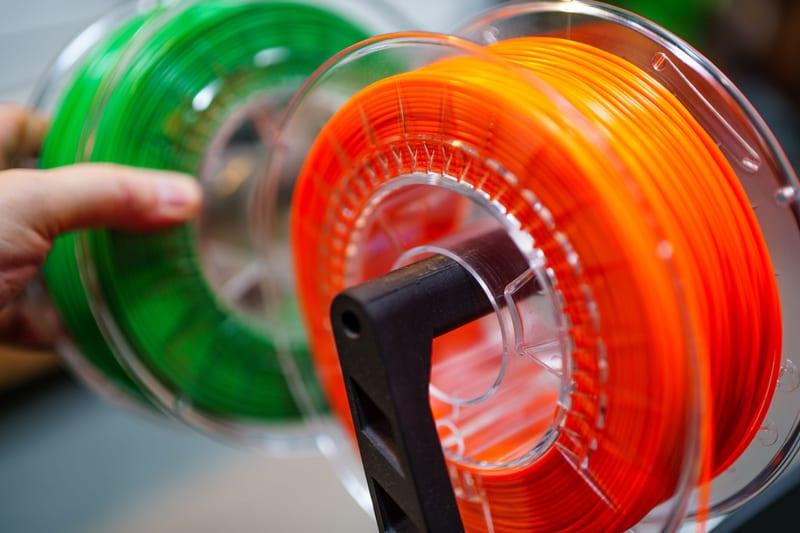
Stock photograph of this product class, not of this specific unit.
#ad We earn a commission · price as of November 20, 2026
1. The only AMS that fits
Bambu Lab AMS Lite
The compact open-air four-spool variant, listed for the A1 and A1 mini. It is the cheapest multi-color hardware Bambu sells and the only option on this machine.
There is no choice to make on the unit, which simplifies things. The registry lists the AMS Lite as a compact, open-air four-spool variant fitting the A1 and A1 mini, with no enclosure — spools sit in open air — and explicitly not compatible with the P-series or X-series.
What it does well is real. It is the only way to get four-color printing on the A-series and the registry says it does that job well, it is the cheapest multi-color hardware Bambu sells, and the open-air design makes a jam visible and reachable instead of a teardown — which, if you have ever cleared a jam inside a sealed unit, is a genuine advantage rather than a consolation.
The cost is moisture, stated bluntly in the registry: zero protection, filament exposed between prints, and no active drying or sealed chamber, so PETG, TPU and nylon all need a separate dryer. Budget for that at the same time rather than discovering it. AMS 2 Pro versus AMS Lite is the comparison if you are also choosing a printer.
What it gets right
- The only way to get four-color printing on the A-series, and it does it well
- Open-air design makes a jam visible and reachable instead of a teardown
- Cheapest multi-color hardware Bambu sells
What it does not
- Open air means zero moisture protection — in a humid room your filament is exposed between prints
- No active drying and no sealed chamber, so PETG, TPU and nylon all need a separate dryer
- Not compatible with the P-series or X-series
| Type | Compact, open-air four-spool variant |
|---|---|
| Fits | A1 and A1 mini |
| Enclosure | None — spools sit in open air |

#ad We earn a commission · price as of November 20, 2026
2. Where the spools actually go
BIQU Panda Stack
An aluminum multi-layer rack listed for the A1 and A1 mini that supports a dual AMS setup. The A-series desk problem has one real fix and this is it.
An A1 mini is the smallest machine in the lineup — 3DJake lists it at 347 x 315 x 365 mm and 5.5 kg — and bolting four open-air spools beside it undoes most of that advantage. The registry puts the problem plainly: an A1 with AMS Lite takes over a desk, and a vertical rack is the only real fix.
This one is listed for the A1 and A1 mini specifically, in aluminum alloy, supporting a dual AMS and ViViD setup. The material choice is the point: it does not flex under four loaded spools the way a printed frame does, and that flex is sitting directly over your printer.
Keep expectations correct. This is organization, not capability, and the registry is explicit that it improves nothing about a print. The AMS mods worth buying puts it in context with the rest.
What it gets right
- An A1 with AMS Lite takes over a desk; a vertical rack is the only real fix
- Aluminum alloy, so it does not flex under four loaded spools the way a printed frame does
- Supports a dual setup, which is where the desk problem becomes genuinely unmanageable
What it does not
- Pure organization — it will not improve a single print
- A1 and A1 mini only
- A printed riser costs you filament and an evening instead of money
| Type | Aluminum alloy multi-layer rack |
|---|---|
| Fits | Bambu Lab A1 and A1 mini |
| Supports | Dual AMS and ViViD setup |

3. The dryer the AMS Lite makes necessary
SUNLU FilaDryer S4
Four spools dried at once, which matches the four spools an AMS Lite holds in open air. On the A-series this is part of the setup, not an accessory.
On a P-series machine with an AMS 2 Pro, drying is built in. On an A1 mini with an AMS Lite it is not, and the registry does not pretend otherwise: no active drying and no sealed chamber means PETG, TPU and nylon all need a separate dryer.
A four-spool unit is the shape that matches the problem, because the spools you need dry are the four loaded in the AMS Lite. The registry positions this one for multi-color and multi-printer owners — four spools dried at once — which is exactly the A1-plus-AMS-Lite situation.
Where it runs out is engineering filament: the registry routes nylon, PA6-CF and polycarbonate to a high-temperature unit instead. The dryer roundup ranks the options, and printing while drying covers the workflow that removes the re-absorption window.
What it gets right
- Four spools at once is the only capacity that matches a four-color workflow
- Dries the whole set you are about to print with, rather than one spool at a time while three re-absorb
- Cheaper per spool than any single-spool dryer
What it does not
- It is a big box; four-spool dryers need shelf space you may not have next to the printer
- Standard-temperature drying is not enough for nylon or PC — that needs a high-temp unit
- Four spools heat more slowly than one, so cycles are long
| Capacity | Four spools |
|---|---|
| Positioning (cited) | Best for multi-color and multiple printers |
Questions people actually ask
Which AMS works with a Bambu Lab A1 mini?
The AMS Lite, and only the AMS Lite. The registry lists it as the compact open-air four-spool variant whose fitment is the A1 and A1 mini, and records that the original AMS, the AMS 2 Pro and the AMS HT are P-series and X-series units. No adapter changes that.
Can I use an AMS 2 Pro on an A1 mini?
No. The registry records the incompatibility from both sides: the P/X-series AMS units are not compatible with the A1 series, and the AMS Lite is not compatible with the P-series or X-series. If active drying is what you want on an A-series machine, it has to come from a separate dryer rather than the AMS.
Does the AMS Lite protect filament from moisture?
Not at all, and the registry says so directly - the AMS Lite has no enclosure, so spools sit in open air with zero moisture protection between prints. The practical consequence is that PETG, TPU and nylon need a separate dryer on this setup, and that is a cost to budget for alongside the unit.
Is an AMS Lite worth it on an A1 mini?
For decorative multi-color work on a 180 x 180 x 180 mm bed, yes - it is the cheapest multi-color hardware Bambu sells and the only option on the machine. For functional single-color printing it adds purge waste and desk clutter for nothing. If the appeal is really having several materials loaded and ready, a dryer plus a spool rack gets you that without the purge.
What else do I need to buy with an AMS Lite?
Two things people do not plan for. A filament dryer, because the unit offers no moisture protection and PETG and TPU both care. And something rigid and vertical to hold the spools, because four open-air spools beside the smallest printer in the lineup will take the desk - the registry notes that a printed frame flexes under four loaded spools where an aluminum rack does not.
Sources
- A1 mini build volume (180 x 180 x 180 mm), device dimensions (347 x 315 x 365 mm), net weight 5.5 kg and 80 C maximum bed temperature - 3DJake A1 mini listing, retrieved 2026-10-11
- A1 Combo and AMS Lite hands-on behavior, including the open-air spool arrangement - 3DWithUs A1 Combo review
- AMS, AMS Lite, AMS 2 Pro and AMS HT descriptions and capabilities - Wikipedia, retrieved 2026-10-17
- AMS unit capabilities, dryer specifications and third-party fitment rows come from this site's product registry, whose spec provenance is documented in content/products.ts - no figure is asserted that a manufacturer or a cited third party did not publish
Read this next
- Bambu Lab AMS LiteWhat the AMS Lite does well on an A1 or A1 mini, the moisture gap it leaves open, and the two things to buy alongside it.
- AMS 2 Pro vs AMS LiteThe AMS 2 Pro fits enclosed machines and the AMS Lite fits the A-series. What each does, and the gap you have to fill on an A1.
- The AMS Lite enclosure problemWhy the AMS Lite's open-air design costs you prints in a humid room, and the three fixes ranked by what they actually cost.
- Multi-color printing without an AMSHow to print two or three colors with no AMS and zero purge waste, and the point at which the manual method stops making sense.
- What the A1 and A1 mini can actually printPLA, PETG and TPU are the A-series' home ground. ABS and ASA fight the open frame, and the A1 mini's 80 C bed closes off more than the A1's 100 C one.
- The AMS mods worth buyingThe faults worth paying to fix are moisture and desk sprawl. Everything else on the AMS mod lists is a printed bracket and should stay one.