Filament Drying
Drying filament in the printer
Bambu's published heatbed settings run 60 C to 100 C. Your bed ceiling decides which of them you can actually use, and on an A1 mini that rules out most of the list.
By Michael W. · Published October 17, 2026
Some links here are Amazon affiliate links, so a purchase may earn this site a commission at no cost to you. It does not change what gets recommended or the order it appears in — how that works.
The short answer
Bambu Lab publishes heatbed drying settings, and they are X1-series figures. PLA Basic is 60-70 C for 12 hours. PETG HF is 75-85 C. TPU 95A HF is 80-90 C. ABS, ASA and PA6-CF are 90-100 C, and PC is 100 C, all for 12 hours.
Your machine's bed ceiling decides which of those you can use. Makerpoint lists the P1S bed at 100 C and 3DJake lists the P2S at 110 C and the A1 at 100 C — but the A1 mini at 80 C. An A1 mini physically cannot reach the published figure for ABS, ASA, PA6-CF or PC.
It costs you the printer for twelve hours. That is the real price of this method, and it is why a dryer pays for itself faster than people expect. If you own an AMS 2 Pro or an AMS HT, the manufacturer publishes a 55 C / 8 h setting for PLA in those units instead.
Published heatbed settings, against what your bed can reach
| Material | Published heatbed setting | Reachable on an A1 mini (80 C bed)? |
|---|---|---|
| PLA Basic | 60-70 C, 12 h | Yes |
| PLA Wood | 65-75 C, 12 h | Yes |
| PETG HF | 75-85 C, 12 h | Partly — only the bottom of the range |
| TPU 95A HF | 80-90 C, 12 h | Only the very bottom of the range |
| ABS | 90-100 C, 12 h | No |
| ASA | 90-100 C, 12 h | No |
| PA6-CF | 90-100 C, 12 h | No |
| PC | 100 C, 12 h | No |
Where the spool actually goes
There are two versions of this method and they are not equally good.
Spool on the bed, chamber closed
On an enclosed machine — a P1S, P2S or X1C — you can put the spool on the plate, set the bed, and close the door. The enclosure holds the warm air, which is the part that makes it work at all. It also means the printer is unavailable, the plate is occupied, and the moisture you drive off is in the chamber with your electronics.
Spool on the external holder, chamber heated
This is the version people assume exists and it mostly does not. A spool on the external holder of a P1S or an A1 is in room air, not in the chamber, so bed heat does essentially nothing for it. If the spool is not inside the heated volume, you are heating your bed for no reason.
On an open-frame machine — the A1 and A1 mini — there is no enclosed volume at all, which is the deeper problem with this method on the A-series. A spool sitting on an open bed loses the warm air immediately. Enclosures for the A1 and A1 mini is the page if you want to change that, and what the A1 and A1 mini can actually print covers the materials side.
The real costs, named
Three of them, and none appears in a settings table.
Twelve hours of printer. Every published heatbed figure is a 12-hour one, against 8 hours for the same material in an oven or a dryer. A standalone unit dries while the machine prints; this method does not.
Moisture inside the machine. Drying works by driving water out of the filament and into the air. In a closed chamber that water has nowhere to go but onto the inside of the printer, including electronics and linear surfaces. Venting it means opening the door, which defeats the heat retention.
Re-absorption on the way back. The spool has to come off the bed, cool, and be mounted before it prints. That window is exactly what drying inside an AMS or printing directly from a dryer is designed to remove — printing while drying covers that workflow.
When it is genuinely the right call
Three cases. You own no dryer and a print is due, and the material is PLA or PETG whose published figures your bed can reach. You want to confirm that moisture is the problem before spending money, in which case one cycle is a diagnostic rather than a routine. Or you are drying one spool, once, on an enclosed machine you were not going to use today anyway.
What it is not is a filament workflow. If you print PETG, TPU or anything engineering-grade regularly, the published figures put you at 75 C to 100 C for 12 hours at a time, repeatedly, on the appliance you bought to print with. Is a filament dryer worth it runs that arithmetic, and drying filament in an oven covers the other improvised route and its published settings.
What this page is and is not based on
Every drying temperature and time is a manufacturer-published setting reproduced verbatim from the Bambu Lab filament guide and the Bambu Lab TPU 95A HF product page, both retrieved 17 October 2026; all heatbed figures in that guide are X1-series figures and are labelled as such. Bed and nozzle ceilings come from the Makerpoint P1S listing and the 3DJake A1, A1 mini and P2S listings retrieved 11 October 2026; machines for which no source we fetched published a ceiling are named rather than estimated. AMS and dryer capabilities are registry spec rows whose provenance is documented in content/products.ts. We have not dried filament on a bed and measured the result; there is no test lab here and how we review says so.
What to buy
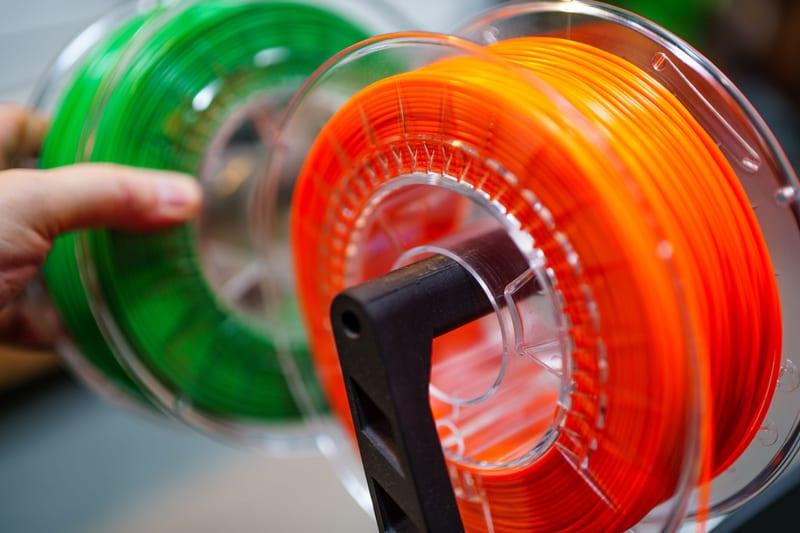
Stock photograph of this product class, not of this specific unit.
#ad We earn a commission · price as of November 20, 2026
1. The version of this that is designed to work
Bambu Lab AMS 2 Pro
Active drying inside the unit that feeds the printer, with a manufacturer-published setting of 55 C for 8 hours for PLA Basic. No spool sitting on a bed.
Bed drying is a workaround for not having drying hardware, and the AMS 2 Pro is the hardware. The registry lists it as a four-spool automatic material system whose headline feature is active filament drying, and Bambu's own filament guide publishes a setting for it: PLA Basic at 55 C for 8 hours in an AMS 2 Pro or AMS HT.
The reason it beats a bed is not temperature, it is that the spool is in the place it will be used from. A spool dried on a bed has to be moved and mounted, and it starts absorbing moisture the moment it comes off the heat.
Costs, from the registry: purge waste on every tool change with a purge tower that is real and not small, and it needs the space beside or above the printer. AMS 2 Pro compatibility and the filament buffer covers which printers take it and which kit you need.
What it gets right
- Active drying means the spool you print from is the spool you dried — no transfer step, no re-absorption window
- Four colors on a machine you already own, for a fraction of a new printer
- RFID logging removes the single most common cause of a ruined multi-color print: the wrong material profile
What it does not
- Four-color printing wastes filament on every tool change; the purge tower is real and it is not small
- If you only print single-color PLA, you are buying a dryer with a filament changer attached
- Needs the space beside or above the printer that your shelf may not have
| Type | Four-spool automatic material system |
|---|---|
| Headline feature | Active filament drying |
| Inherits | Humidity monitoring and RFID logging from the original AMS |
Stock photograph of this product class, not of this specific unit.
#ad We earn a commission · price as of November 20, 2026
2. If your materials want the top of the range
Bambu Lab AMS HT
High-temperature active drying on a single spool, printed straight from the unit. The engineering-filament answer, with a published 55 C / 8 h setting for PLA too.
The published heatbed figures for the hard materials — 90-100 C for ABS, ASA and PA6-CF, 100 C for PC — are at or above what most Bambu beds can reach. That is precisely the gap this unit exists to fill.
The registry lists it as a single-spool system whose headline feature is high-temperature active drying, drying hotter than the AMS 2 Pro, which is what nylon and PC actually need, and printing directly from the dryer so there is no window where a dried spool re-absorbs moisture.
The trade is written into the shape of it: one spool. The registry notes it costs real money for a capability a standalone high-temperature dryer also delivers, and is only worth it if you print materials that genuinely need the extra heat. AMS HT versus a filament dryer is the comparison.
What it gets right
- Dries at a higher temperature than the AMS 2 Pro, which is what nylon and PC actually need
- Prints directly from the dryer, so there is no window where a dried spool sits absorbing moisture again
- Single spool is the right shape for engineering filament, which you rarely want four of
What it does not
- One spool. If multi-color is the goal, this is the wrong unit entirely
- Costs real money for a capability a standalone high-temp dryer also delivers
- Only worth it if you print materials that genuinely need the extra heat
| Type | Single-spool material system |
|---|---|
| Headline feature | High-temperature active drying |

3. The standalone answer, four spools at a time
SUNLU FilaDryer S4
Four spools dried at once, at a set temperature, without occupying the printer. The point is that the machine can keep printing while the drying happens.
The real cost of bed drying is the printer. Twelve hours of drying is twelve hours the machine is not printing, and that is a worse trade than most people price in when they are avoiding buying a dryer.
The registry positions this unit for multi-color and multi-printer owners — four spools dried at once — which also means one appliance covers a whole AMS load. The printer goes back to printing.
It is a standard-temperature unit, so engineering filament goes elsewhere. Filament dryer cabinets and four-spool units covers this class properly.
What it gets right
- Four spools at once is the only capacity that matches a four-color workflow
- Dries the whole set you are about to print with, rather than one spool at a time while three re-absorb
- Cheaper per spool than any single-spool dryer
What it does not
- It is a big box; four-spool dryers need shelf space you may not have next to the printer
- Standard-temperature drying is not enough for nylon or PC — that needs a high-temp unit
- Four spools heat more slowly than one, so cycles are long
| Capacity | Four spools |
|---|---|
| Positioning (cited) | Best for multi-color and multiple printers |
Questions people actually ask
How do I dry filament in a P1S?
Put the spool on the plate, close the door so the enclosure holds the warm air, and set the bed to the manufacturer's published heatbed figure for that material - 60-70 C for PLA Basic, 75-85 C for PETG HF, up to 100 C for PC, all for 12 hours. Makerpoint lists the P1S bed ceiling at 100 C, so every published figure is reachable. The costs are twelve hours of printer time and moisture released inside the machine.
What temperature should the bed be to dry filament?
Bambu Lab's filament guide publishes X1-series heatbed settings of 60-70 C for PLA Basic, 65-75 C for PLA Wood, 75-85 C for PETG HF, 80-90 C for TPU 95A HF, 90-100 C for ABS, ASA and PA6-CF, and 100 C for PC - all for 12 hours. Use the figure for your material rather than a single number for everything.
Can I dry filament on an A1 or A1 mini?
Partly, and less well than on an enclosed machine. 3DJake lists the A1 mini's maximum bed temperature at 80 C, which is below the published heatbed figures for ABS, ASA, PA6-CF and PC, and only reaches the bottom of the PETG and TPU ranges. The A1 is listed at 100 C. The bigger problem on both is the open frame: with no enclosed volume, warm air around the spool disperses immediately.
Does drying filament on the print bed actually work?
Inside a closed chamber, to a degree - the enclosure holds the warm air, which is the mechanism. On the external spool holder it does almost nothing, because the spool is in room air rather than the heated volume. And it occupies the printer for the full 12 hours the published settings call for.
Is it bad to dry filament inside the printer?
It has a real downside people skip past: drying releases water vapour, and in a closed chamber that vapour condenses on the inside of the machine, electronics included. Venting it means opening the door, which loses the heat retention the method depends on. It is acceptable occasionally and a poor routine.
Is an AMS better than the print bed for drying?
Yes, and the manufacturer publishes a setting for it: PLA Basic at 55 C for 8 hours in an AMS 2 Pro or AMS HT. The advantage is not the temperature, it is that the spool is already mounted where it will be used - so there is no window between drying and printing for it to re-absorb moisture, and the printer is free the whole time.
Sources
- Published drying settings reproduced verbatim: PLA Basic blast drying oven 50 C / 8 h, AMS 2 Pro and AMS HT 55 C / 8 h, X1 series heatbed 60-70 C / 12 h; PLA Wood oven 55 C / 8 h, heatbed 65-75 C / 12 h; PETG HF oven 65 C / 8 h, X1 heatbed 75-85 C / 12 h; ABS and ASA oven 80 C / 8 h, X1 heatbed 90-100 C / 12 h; PA6-CF oven 80 C / 8-12 h, X1 heatbed 90-100 C / 12 h; PC oven 80 C / 8 h, heatbed 100 C / 12 h - Bambu Lab filament guide, retrieved 2026-10-17
- TPU 95A HF drying settings - blast drying oven 70 C / 8 h and X1 series heatbed 80-90 C / 12 h - and the note that the material is highly sensitive to humidity - Bambu Lab TPU 95A HF product page, retrieved 2026-10-17
- P1S build volume (256 x 256 x 256 mm), machine dimensions (389 x 389 x 458 mm), net weight 12.95 kg, 300 C nozzle and 100 C bed - Makerpoint P1S listing, retrieved 2026-10-11
- A1 mini build volume (180 x 180 x 180 mm), device dimensions (347 x 315 x 365 mm), net weight 5.5 kg and 80 C maximum bed temperature - 3DJake A1 mini listing, retrieved 2026-10-11
- A1 build volume (256 x 256 x 256 mm), device dimensions (465 x 410 x 430 mm), net weight 8.3 kg, 100 C bed and 300 C nozzle - 3DJake A1 listing, retrieved 2026-10-11
- P2S build volume (256 x 256 x 256 mm), 300 C nozzle, 110 C bed and the absence of an active chamber heater - 3DJake P2S listing, retrieved 2026-10-11
- Dryer capabilities, hotend fitment and AMS behavior rows come from this site's product registry, whose spec provenance is documented in content/products.ts - no figure is asserted that a manufacturer or a cited third party did not publish
Read this next
- How to dry filament in an ovenBambu's published oven settings run 50 C for PLA to 80 C for ABS, ASA, PA6-CF and PC - but they specify a forced-air oven, which a kitchen oven is not.
- Drying filament in an AMSWhich AMS units actually dry, what that gets you over a standalone dryer, and the material ceiling that still applies.
- How to dry filamentFour drying methods compared, the temperature each material wants, and the one method that does not work despite being widely suggested.
- Printing while dryingWhat the reabsorption gap costs per material, which units let you print from them, and when closing the gap is worth paying for.
- The best filament dryers in 2026Dryer picks split by temperature range and capacity, because a 70 C unit and a 110 C unit are different products for different materials.
- AMS HT vs a filament dryerThe reabsorption gap explained, and whether it justifies an AMS HT over a standalone high-temperature dryer for your print mix.