Filament Drying
SUNLU FilaDryer S4
This is the dryer that matches a multi-color workflow instead of fighting it. The limit is one number, it is published on every listing, and it is the reason some owners should buy something else.
By Michael W. · Published October 31, 2026
Some links here are Amazon affiliate links, so a purchase may earn this site a commission at no cost to you. It does not change what gets recommended or the order it appears in — how that works.
The verdict
Buy the S4 if you print multi-color. Both listings publish four 1 kg spools at a 70 C maximum, with filament fed out through PTFE tubes to as many as four printers. No single-spool dryer matches a four-color workflow.
Do not buy it for nylon, PC or carbon-filled nylon. Bambu publishes 80 C drying for ABS, ASA, PC and PA6-CF, and the PA6-CF listing specifies 80 C for 8-12 hours. A 70 C ceiling is under all of it.
It is a workshop appliance. The independent review cited below puts the fans at around 60 dB in operation and notes a confirmation beep on every button press that cannot be disabled.
Two sources disagree on two specs. Rated power is given as 300 W, 320 W and 330 W depending on where you look, and the external dimensions differ between the two retailers. Both sets are printed below and neither is preferred.
Published specifications
| MatterHackers listing | 3DJake listing | |
|---|---|---|
| Maximum temperature | 70 C | 70 C |
| Heat-up time | Not published | 30 min for 25-50 C; 50 min for 25-70 C |
| Rated power | 320 W in the spec table; 300 W and 330 W elsewhere on the page | 320 W in the spec table; a 330 W PTC element in the description |
| Heating | PTC with three fans | PTC |
| Temperature balance | Within +/-3 C of the set temperature | Not published |
| Capacity | Four standard 1 kg spools | 4 x 1 kg spools |
| Maximum spool size | Not published | 75 x 206 mm |
| Internal size | Not published | 450 x 210 x 211 mm |
| External size | 516 x 278 x 350 mm (20.32 x 10.95 x 13.78 in) | 458 x 218 x 312 mm |
| Weight | 4.8 kg product; 5.5 kg packaged | 5.5 kg |
| Humidity control | Automatic, between 25% and 50% | Starts at a preset 30-50%, stops at 25% |
| Display | LED status display and touch screen | Touch screen and LED ring light |
| Filament diameters | Not published | 1.75, 2.85 and 3.0 mm |
| Input | Not published | AC 110-240 V, 50-60 Hz |
| Stated materials | Not published as a list | PLA, ABS, PETG, TPU, PA, PC |
| Feeds printers while drying | Up to four 3D printers | Four devices simultaneously |
The 70 C ceiling is the whole review
Every other specification on this unit is a detail. The question that decides whether it is the right purchase is whether 70 C is enough for the filament in your workshop, and the answer is published rather than a matter of opinion.
What 70 C covers comfortably
PLA, PETG and TPU, which between them are the overwhelming majority of what gets printed on a Bambu machine. Bambu's own drying settings put PLA Basic at the bottom of the scale at a 50 C blast-oven figure, and the materials people actually load four at a time are all in that neighborhood. For a four-color PLA workflow, a 70 C unit has headroom it will never use.
3DJake also lists PA and PC among the supported materials, and this is worth reading carefully: “supported” there means the unit will accept the spool, not that 70 C satisfies the published drying requirement for those polymers. That distinction is where disappointed buyers come from.
What it does not reach
Bambu's published figures put ABS, ASA, PC and PA6-CF at 80 C, and the MatterHackers PA6-CF listing specifies 80 C for 8-12 hours. Those are not approximate targets you can get close to — nylon in particular holds water tenaciously, and a cycle 10 C short removes less of it rather than removing it more slowly.
So if your bench carries PA6-CF, PAHT-CF, PC or ASA, this is the wrong unit and no setting changes that. The nylon dryer roundup names the units that do reach the published figures, and the carbon fiber printer page works through the whole set of requirements those materials bring, drying included.
Four spools is the actual feature
A multi-color print loads four spools and every one of them is in play. Dry one and the other three are reabsorbing water from the room while you wait, which is the quiet reason single-spool dryers frustrate people who print in color. The S4 treats the whole set.
3DJake's maximum spool size of 75 x 206 mm is the specification to check before buying, because it is the one that will catch you out. Standard 1 kg spools fit; oversized 2 kg and 3 kg rolls do not, and the four-slot layout is what makes that constraint tighter than on a single-spool box. The internal volume is published as 450 x 210 x 211 mm.
The cost of mass is cycle time. 3DJake publishes 30 minutes from room temperature to 50 C and 50 minutes to 70 C, which is a slower ramp than a single-spool unit with the same heater would manage. Treat the S4 as something you run overnight, not something you run between prints.
Printing from it
Both listings describe feeding filament out of the unit while it dries — MatterHackers states up to four 3D printers, 3DJake four devices simultaneously — and the 3DPrinterly review describes the PTFE routing, with two 100 cm and four 8 cm tubes in the box.
This matters more than it sounds. The window between a finished drying cycle and the start of a print is where a dried spool quietly undoes the work, and feeding straight from the chamber closes it. It is also the capability that puts a bench dryer in the same conversation as an AMS 2 Pro rather than a tier below it. Printing while drying is the page on that approach, including when it is a bad idea.
What the independent review flags
These are another reviewer's observations, published at 3DPrinterly and attributed here rather than claimed as ours. They are the kind of thing no specification table mentions.
Noise. The reviewer lists fan noise of around 60 dB in operation as a downside. For an appliance that runs for hours, in a room you may also work in, that is worth knowing before it arrives.
The beep. A confirmation tone on every button press, which the reviewer says cannot be turned off.
Both compartments are always powered. The reviewer notes there is no way to run one side only, so drying two spools costs the same energy as drying four.
No venting. The reviewer points out there are no vents to release the moisture driven out of the filament, which is a real design criticism of sealed dryers generally — water leaving the spool has to leave the box too, or it is simply circulating.
How it compares with the alternatives on this site
Against the SUNLU E2
Opposite units. The E2 is published at a 110 C maximum with capacity for one 3 kg or two 1 kg spools; the S4 is 70 C with four. If your difficult material is nylon, the E2. If your difficult problem is four colors, the S4. Owning both is not absurd if you print both ways, and most people only need one.
Against the AMS 2 Pro
The AMS is the better buy for one Bambu machine and a multi-color ambition, because it dries four spools and changes between them automatically. The S4 is the better buy if you feed more than one printer, or if the filament changer is not something you want. Neither reaches the published 80 C figures, and the AMS HT is the in-family unit that does.
Against a dryer cabinet
If the real complaint is storage rather than active drying, the shape of the answer changes entirely. Dryer cabinets and dryer boxes cover keeping a dozen spools dry rather than treating four, which is a different job with different hardware.
Against doing nothing
Worth stating, because for some readers it is the right answer. If you print PLA from sealed bags in a dry climate and have never seen a symptom, a dryer fixes a problem you do not have. Wet filament symptoms is the honest test — popping, stringing, rough surfaces, weak layer adhesion. No symptoms, no purchase.
What this page is and is not based on
Specification rows come from the MatterHackers SUNLU FilaDryer S4 listing and the 3DJake listing, both retrieved 31 October 2026, and where the two disagree — rated power and external dimensions — both figures are printed above and neither is preferred. The availability check behind this page is those same two listings, plus the live Amazon figure the buy button reads for this unit. The noise, beeping, compartment and venting observations are 3DPrinterly's, published in that reviewer's hands-on S4 review and attributed as theirs. The 80 C drying requirement comes from Bambu Lab's own published per-material settings and from the MatterHackers PA6-CF listing. Positioning rows for the E2, S2, AMS 2 Pro and AMS HT are registry entries whose provenance is documented in content/products.ts. I have not run an S4: nothing on this page was measured here, there is no test lab behind this site and no decibel meter, which is why every figure carries a source and the rows nobody published are marked as such. See how we review. No price appears in prose.
What to buy

1. The reason to buy it
SUNLU FilaDryer S4
Four 1 kg spools dried together at a published 70 C, with PTFE outputs so the printer feeds from inside the box. The only capacity here that matches a four-color job.
The case for the S4 is capacity, and it is a better case than it first looks. Both listings publish four 1 kg spools and a 70 C maximum. MatterHackers adds PTC heating with three fans, an interior balance within ±3 C of the set temperature, automatic humidity control between 25% and 50%, a touch screen and the ability to feed filament to up to four printers at once. 3DJake adds the heating times — 30 minutes from room temperature to 50 C and 50 minutes to 70 C — a maximum spool size of 75 x 206 mm and an internal volume of 450 x 210 x 211 mm.
Four spools is not a bigger version of one spool. If you print multi-color, the spools that matter are the four currently loaded, and a single-spool dryer means three of them sit on the shelf reabsorbing moisture while the fourth is treated. Whether a filament dryer is worth it makes that argument from first principles.
The honest limits are the ceiling and the noise class. 70 C is below Bambu's own published 80 C drying figure for ABS, ASA, PC and PA6-CF, and the independent review cited below puts the fans at around 60 dB with a confirmation beep that cannot be turned off. This is a workshop appliance, not a bedroom one.
What it gets right
- Four spools at once is the only capacity that matches a four-color workflow
- Dries the whole set you are about to print with, rather than one spool at a time while three re-absorb
- Cheaper per spool than any single-spool dryer
What it does not
- It is a big box; four-spool dryers need shelf space you may not have next to the printer
- Standard-temperature drying is not enough for nylon or PC — that needs a high-temp unit
- Four spools heat more slowly than one, so cycles are long
| Capacity | Four spools |
|---|---|
| Positioning (cited) | Best for multi-color and multiple printers |
2. If engineering filament is the job
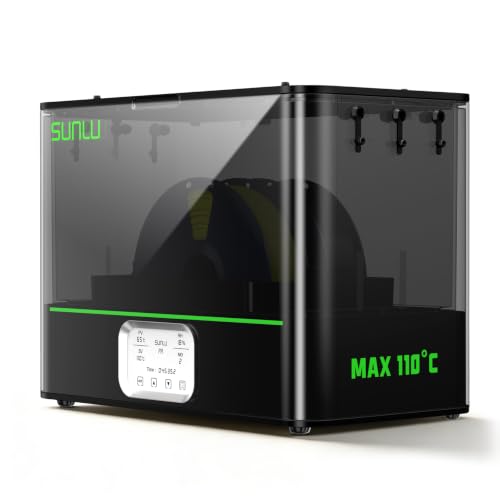
SUNLU E2 FilaDryer
The 110 C unit in the same family. It reaches the published drying temperatures the S4 cannot, at one or two spools instead of four.
These two units are not competitors, they are opposite answers. The E2 is published at a 110 C maximum and holds one 3 kg or two 1 kg spools; the S4 is published at 70 C and holds four. Pick by material, not by brand.
The dividing line is published and it is sharp. Bambu's own drying settings put ABS, ASA, PC and PA6-CF at 80 C, and the MatterHackers PA6-CF listing specifies 80 C for 8-12 hours. A 70 C ceiling does not reach that. A 110 C ceiling does, with room to spare. The E2 review is the full page on that unit.
What the E2 gives up is the thing the S4 is built for. One or two spools is the wrong shape for color work, and it costs meaningfully more per spool dried.
What it gets right
- 110 C is the first number on this page that is genuinely enough for nylon and PC
- A 500 W PTC heater gets to temperature fast instead of creeping there over an hour
- Doubles as an annealing oven, which is a second real use rather than a marketing bullet
What it does not
- Overkill and over-priced if PLA and PETG are all you print
- A 500 W heater is not a quiet, low-draw appliance
- Annealing shrinks and distorts parts — it is a technique to learn, not a button to press
| Temperature range (cited) | 35-110 C |
|---|---|
| Heater (cited) | 500 W PTC |
| Second function | Annealing as well as drying |
| Materials cited | PA6-CF, PA12-CF, PC, ABS, ASA |
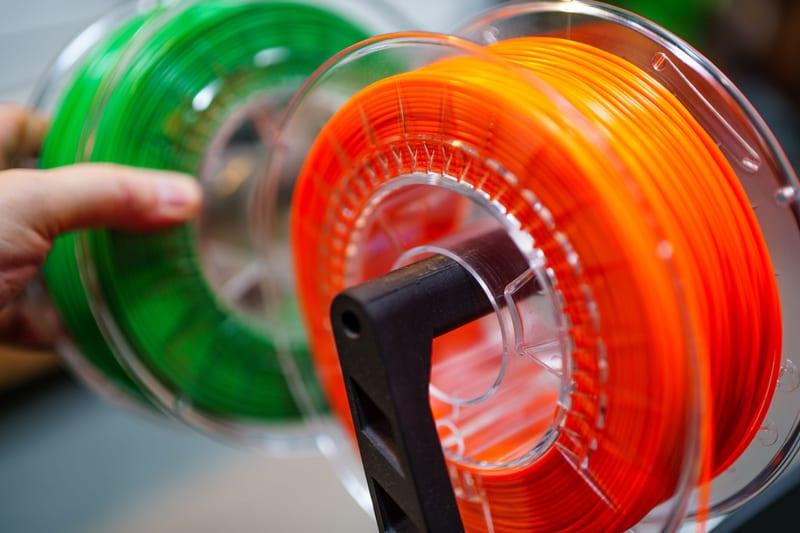
Stock photograph of this product class, not of this specific unit.
#ad We earn a commission · price as of November 20, 2026
3. The in-family four-spool alternative
Bambu Lab AMS 2 Pro
Four spools, active drying and automatic color change on the printer you already own. It replaces the dryer and the filament changer in one unit.
This is the comparison most Bambu owners should actually make, because an AMS 2 Pro is a four-spool dryer with a filament changer attached. The registry records it as a four-spool automatic material system with active filament drying, humidity monitoring and RFID logging inherited from the original AMS.
What tips it either way is how many printers you feed. One machine and a wish for multi-color makes the AMS the better buy, because it solves two problems at once. Two or three machines, or a single-color workflow with wet filament, and a bench dryer that feeds whichever printer you like is the more useful box. The AMS 2 Pro review and drying filament in an AMS are the two pages that work through it.
Neither unit solves nylon. For the materials with a published 80 C requirement the in-family answer is the AMS HT, which AMS HT versus a dryer compares honestly.
What it gets right
- Active drying means the spool you print from is the spool you dried — no transfer step, no re-absorption window
- Four colors on a machine you already own, for a fraction of a new printer
- RFID logging removes the single most common cause of a ruined multi-color print: the wrong material profile
What it does not
- Four-color printing wastes filament on every tool change; the purge tower is real and it is not small
- If you only print single-color PLA, you are buying a dryer with a filament changer attached
- Needs the space beside or above the printer that your shelf may not have
| Type | Four-spool automatic material system |
|---|---|
| Headline feature | Active filament drying |
| Inherits | Humidity monitoring and RFID logging from the original AMS |

4. If one spool at a time is genuinely enough
SUNLU FilaDryer S2
The single-spool unit in the same family, at a fraction of the footprint and the cost. The right starting point for a single-color PLA and PETG workflow.
Most people who think they need four spools dried do not, and this is the cheaper honest answer. If you print one color at a time from one machine, a single-spool unit treats the spool you are about to use and takes up a fraction of the shelf.
The S4's own specifications make the trade-off clear: 3DJake publishes heating times of 30 minutes to 50 C and 50 minutes to 70 C for the four-spool box. More mass in the chamber means longer cycles, so a big dryer is slower per spool as well as larger.
Where the S2 runs out is obvious and it is the same place: standard-temperature drying does not reach the published figures for nylon, PC or carbon-filled nylon. The dryer roundup ranks the whole set by what each one is actually for.
What it gets right
- 35-70 C covers PLA, PETG and TPU, which is most of what actually goes wet in a hobby workshop
- Quiet enough to run overnight in a room you sleep in
- The cheapest entry point that is still a real dryer rather than a warm box
What it does not
- 70 C ceiling means nylon, PC and PA-CF are out of range
- One spool at a time, which does not fit a four-color job
- No printing from the unit, so a dried spool starts re-absorbing the moment it comes out
| Temperature range (cited) | 35-70 C |
|---|---|
| Capacity | One spool |
| Diameters | Supports all common filament diameters |
| Noted | Quiet enough for overnight drying |
Questions people actually ask
How hot does the SUNLU FilaDryer S4 get?
70 C, published identically on the MatterHackers and 3DJake listings. 3DJake also publishes the ramp: 30 minutes from room temperature to 50 C and 50 minutes to 70 C. That ceiling covers PLA, PETG and TPU comfortably and falls below Bambu's published 80 C drying figure for ABS, ASA, PC and PA6-CF.
Can the SUNLU S4 dry nylon?
Not to the published requirement. Bambu's own drying settings put PA6-CF at 80 C, and the MatterHackers PA6-CF listing specifies 80 C for 8-12 hours, against this unit's 70 C maximum. 3DJake does list PA and PC among the supported materials, but that means the unit accepts the spool rather than that it reaches the temperature those polymers are specified at. For nylon, a 110 C-class unit or the AMS HT is the right tool.
How many spools does the SUNLU S4 hold?
Four 1 kg spools, on both listings. 3DJake publishes a maximum spool size of 75 x 206 mm and an internal volume of 450 x 210 x 211 mm, so standard 1 kg spools fit and oversized 2 kg or 3 kg rolls do not. Check your spool diameter against that figure before buying - it is the specification most likely to surprise you.
Can you print directly from the SUNLU S4?
Yes. MatterHackers states it can feed filament to up to four 3D printers and 3DJake describes four devices simultaneously; the 3DPrinterly review describes the PTFE routing and says two 100 cm and four 8 cm tubes are included. Feeding from inside the chamber removes the window where a freshly dried spool sits out reabsorbing moisture before the print starts.
Is the SUNLU S4 loud?
The 3DPrinterly reviewer lists fan noise of around 60 dB in operation as a downside, and notes a confirmation beep on every button press that cannot be disabled. We have not measured it and do not assert a figure of our own. Plan on it being a workshop appliance rather than a bedroom one.
SUNLU S4 or AMS 2 Pro?
It depends on how many printers you feed. The AMS 2 Pro dries four spools and changes between them automatically on the Bambu machine it is attached to, so for one printer and a multi-color ambition it solves two problems at once. The S4 is a bench appliance that can feed several printers and does not care which brand they are. Neither reaches the 80 C figures published for nylon and PC.
What is the difference between the SUNLU S4 and the E2?
Capacity against temperature. The S4 is published at 70 C with four 1 kg spools; the E2 is published at a 110 C maximum with one 3 kg or two 1 kg spools. Multi-color work wants the S4. Engineering filament with a published 80 C or higher drying setting wants the E2. They are complements, not competitors.
Why do the specs for the S4 differ between retailers?
Because the published figures genuinely disagree, and we would rather say so than pick one. Rated power appears as 300 W, 320 W and 330 W across the two listings - sometimes within the same page - and the external dimensions are given as 516 x 278 x 350 mm by MatterHackers and 458 x 218 x 312 mm by 3DJake, which is likely a packaged-versus-device difference but is not stated as one. Both sets are printed on this page and neither is treated as authoritative.
Sources
- SUNLU FilaDryer S4 heating temperature 70 C, rated power 320 W in the technical specifications with 300 W and 330 W given elsewhere in the same page copy, PTC heating with three fans, interior temperature balance within +/-3 C of the set temperature, capacity of four standard 1 kg spools, external dimensions 516 x 278 x 350 mm (20.32 x 10.95 x 13.78 in), 4.8 kg product and 5.5 kg package weight, automatic humidity control between 25% and 50%, LED status display, touch screen, and the ability to feed filament to up to four 3D printers - MatterHackers SUNLU FilaDryer S4 listing, retrieved 2026-10-31
- SUNLU FilaDryer S4 maximum heating temperature 70 C, heating time 30 minutes for 25-50 C and 50 minutes for 25-70 C, rated power 320 W in the specification table against a 330 W PTC heating element in the description, capacity 4 x 1 kg spools with a maximum spool size of 75 x 206 mm, device dimensions 458 x 218 x 312 mm, internal size 450 x 210 x 211 mm, 5.5 kg weight, automatic humidity control that starts drying at a preset 30-50% and stops at 25%, stated material support for PLA, ABS, PETG, TPU, PA and PC, filament diameters 1.75, 2.85 and 3.0 mm, input AC 110-240 V at 50-60 Hz, touch screen and LED ring light, and a stock status of 479 units in the warehouse together with the statement that delivery to the United States is not possible - 3DJake SUNLU FilaDryer S4 listing, retrieved 2026-10-31
- Third-party hands-on review of the SUNLU FilaDryer S4: fan noise given at around 60 dB in operation as a stated downside, a confirmation beep on every button press that cannot be disabled, both drying compartments always powered with no way to control them separately, no vents to release moisture absorbed inside the enclosure, and filament fed out through the unit's holes and PTFE tubes while drying with two 100 cm and four 8 cm tubes in the box - 3DPrinterly SUNLU S4 review, retrieved 2026-10-31. These are the reviewer's observations and claims, not measurements made by this site
- Bambu Lab's own published per-material drying settings - PLA Basic at a 50 C blast drying oven setting at the bottom of the scale against ABS, ASA, PC and PA6-CF at 80 C - reproduced in full on this site's drying pages. Bambu Lab filament guide, retrieved 2026-10-17
- Bambu Lab PA6-CF published drying setting of 80 C for 8-12 hours, alongside the 260-290 C nozzle range and the hardened-nozzle instruction - MatterHackers Bambu Lab PA6-CF 1 kg listing, retrieved 2026-10-31
- Positioning and feature rows for the SUNLU E2 and S2, the AMS 2 Pro and the AMS HT come from this site's product registry, whose spec provenance is documented in content/products.ts - no figure is asserted that a manufacturer or a cited third party did not publish
Read this next
- SUNLU FilaDryer E2The only 110 C unit in this site's registry. Published range, capacity, timer and heat-up figures - plus the two specs the maker and the retailer disagree on.
- The best filament dryers in 2026Dryer picks split by temperature range and capacity, because a 70 C unit and a 110 C unit are different products for different materials.
- Filament dryer cabinets and four-spool unitsWhen capacity matters more than temperature, what long heat-up cycles mean day to day, and the cheaper hybrid of one dryer plus sealed tubs.
- Printing while dryingWhat the reabsorption gap costs per material, which units let you print from them, and when closing the gap is worth paying for.
- AMS HT vs a filament dryerThe reabsorption gap explained, and whether it justifies an AMS HT over a standalone high-temperature dryer for your print mix.
- The best Bambu Lab printer for carbon fiberPA6-CF and PAHT-CF are published at 260-290 C with a hardened 0.6 mm nozzle, an enclosed printer and 80 C drying. Which machine clears all three, and the part that matters more than the machine.