Printers
The best Bambu Lab printer for miniatures
Nozzle diameter decides this, not the printer. Here is the model that gets a 0.2 mm nozzle onto a stable frame for the least money, and the honest line where resin takes over.
By Michael W. · Published October 17, 2026
Some links here are Amazon affiliate links, so a purchase may earn this site a commission at no cost to you. It does not change what gets recommended or the order it appears in — how that works.
Quick picks
Tap any row to jump to the full write-up. Prices are read from Amazon and dated; stock is always whatever the listing says.
| # | Product | Best for | Price |
|---|---|---|---|
| 1 |  Bambu Lab P1S An enclosed CoreXY frame is what a 0.2 mm nozzle needs: no bed-slinging ringing, no draft across a 15 mm part. The machine most readers here already own is also the right one. | Best overall for miniatures The machine most people reading this site already own, and the one most of them should keep | |
| 2 | 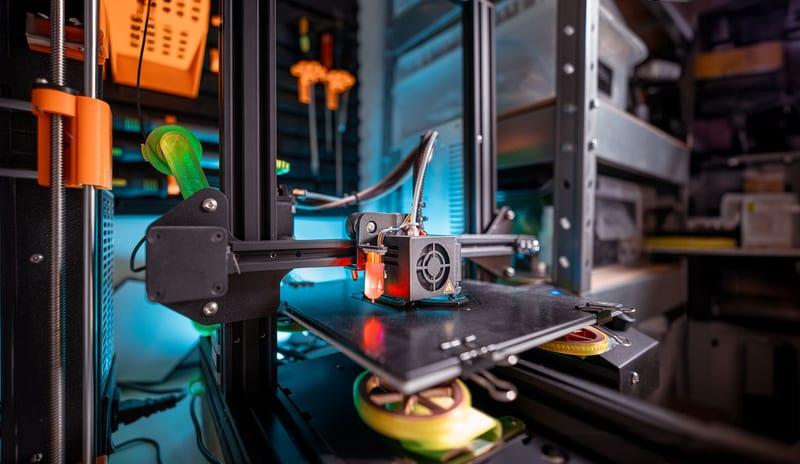 Bambu Lab H2C Automatic hotend swapping is the only feature in the lineup aimed squarely at this workflow: 0.2 mm for the figure, a bigger nozzle for the bulk, without touching the machine. | Best if you print minis and their bases in one job Running two nozzle diameters in one job without touching the machine | Check price on Amazon #ad We earn a commission · price as of November 20, 2026 |
| 3 |  Bambu Lab A1 mini A 180 mm bed is not a limitation for miniatures, and a dedicated small machine means the 0.2 mm nozzle stays fitted instead of being swapped in and out. | Best cheap route, and the best second machine The smallest footprint in the lineup, and the one you keep as a second machine rather than replace | |
| 4 |  Bambu Lab Dual-Texture PEI Build Plate A textured plate stamps its pattern into the base of every figure. The smooth side gives a flat, clean underside that sits properly on a painting handle. | The plate that fixes a miniature's worst surface Owning one plate instead of two when some prints need a smooth bottom face | Check price on Amazon #ad We earn a commission · price as of November 20, 2026 |
The short answer
The P1S is the best Bambu Lab printer for miniatures, and the reason is frame and chamber rather than resolution. A fine nozzle needs a rigid CoreXY motion system and still air around a slowly-cooling part — an enclosed P1S supplies both, and it is also the machine most people reading this already own.
The nozzle does more than the printer does. Fit a 0.2 mm nozzle before you consider a different machine. Moving from 0.4 mm to 0.2 mm changes a miniature far more than moving from a P1S to anything above it.
Resin still wins on display pieces. For 28 mm tabletop figures that get primed and painted, FDM at 0.2 mm is genuinely good now. For a display bust where skin texture and fabric weave are the point, a resin printer is a different class of tool and no Bambu Lab machine closes that gap.
Why the printer matters less than you think
Every Bambu Lab machine in the current range shares the same basic extrusion hardware and the same slicer. Point them all at the same 28 mm figure with the same nozzle and the same profile, and the differences that remain are motion rigidity, chamber stability and how long you are prepared to wait — not some per-model resolution figure.
That is why this roundup ranks on frame and workflow rather than on specifications. The two things that visibly change a miniature are the nozzle diameter and whether the part is being shaken or drafted while it cools. Everything else is noise at this scale.
Nozzle diameter, and what each one costs you
A 0.2 mm nozzle is the single change that makes FDM miniatures viable, and it is not free. Extrusion width shrinks, so wall count goes up to reach the same thickness; layer height drops, so layer count goes up; flow rate falls, so every one of those layers takes longer. A figure that prints in ninety minutes at 0.4 mm can take most of a day at 0.2 mm.
It is also the nozzle most likely to clog, because the margin between the orifice and a speck of contamination is tiny. Dry filament and a clean nozzle stop being good practice and become the difference between a print and a failure. Clearing a clogged nozzle is the page to have bookmarked before you start.
| Nozzle | What it is for | The cost |
|---|---|---|
| 0.2 mm | Faces, hands, cloak edges, chainmail — anything where the feature is under a millimetre | Much longer prints and the highest clog risk in the range |
| 0.4 mm | Bases, terrain, vehicles, and 28 mm figures you will paint rather than inspect | Fine detail rounds off; the nozzle cannot resolve what it cannot fit inside |
| 0.6 mm high flow | Bulk terrain and batch work where throughput is the point | Wrong nozzle for figures entirely — this is the opposite job |
| Hardened steel, any size | Required if your miniature filament is filled — glow-in-the-dark and marble PLA both are | No downside for this work beyond the price of the hotend |
If any of your filament is filled — glow-in-the-dark, marble, wood, carbon — the nozzle question becomes a material question too. Do I need a hardened nozzle for this filament answers it per material, and the answer for glow-in-the-dark surprises people.
Where resin still wins, said plainly
A site that sells FDM upgrades has an obvious incentive to tell you FDM has caught up. It has, for one specific job, and not for the other.
FDM at 0.2 mm is genuinely enough for tabletop
A 28 mm figure that gets primed, painted and seen from across a table does not reward resolution beyond what a 0.2 mm nozzle delivers. Priming fills the finest layer lines, and paint does the rest. Printing a warband on a machine you already own, in PLA, with no resin, no IPA bath and no cure station, is a real and sensible answer.
Display busts are a different tool’s job
For a 75 mm display piece where skin pores, fabric weave and hair strands are the entire reason you printed it, layer geometry works against FDM. That is a resin printer's job, it always was, and no amount of profile tuning on a Bambu Lab changes it. If display pieces are most of your output, buy the right tool and keep your Bambu for everything else.
Settings that matter more than hardware
Before you spend anything, three free changes do more for a miniature than a new machine. Slow the outer perimeter down hard — small parts have almost no cooling time between layers, and speed is what turns a fine feature into a blob. Second, dry the filament; moisture shows up as surface fuzz at exactly this scale even when a large print looks fine. Third, print the figure vertically where the geometry allows, so overhangs become walls.
How to tell if your filament is wet covers the second one, and print quality triage is the page for figures that come out furred, stringy or soft-edged for reasons that are not the printer.
What this page is and is not based on
Build volumes, bed and nozzle ceilings, machine dimensions and release dates come from the cited listings and from this site's product registry, whose spec provenance is documented in content/products.ts. The reasoning about nozzle diameter, frame rigidity and chamber stability is engineering argument from those published figures, not measurement: there is no test lab here, nothing on this page was printed and compared on a bench, and how we review says exactly that. No print time, surface-finish figure or resolution number is asserted anywhere above, because no source we fetched published one for this comparison.
Every pick in full
1. Best overall for miniatures
Bambu Lab P1S
An enclosed CoreXY frame is what a 0.2 mm nozzle needs: no bed-slinging ringing, no draft across a 15 mm part. The machine most readers here already own is also the right one.
Miniature printing is a nozzle problem that becomes a motion problem. Fine features want the smallest nozzle you can feed, and a small nozzle means thin walls, slow perimeters and long print times — which is exactly the situation where frame rigidity stops being an abstraction. A CoreXY machine keeps the part still and moves the toolhead; a bed slinger accelerates a 28 mm figure back and forth for four hours. On a chunky functional bracket that difference is invisible. On a cloak edge it is not.
The enclosure does the second half of the work, and not for the reason people assume. You do not need a hot chamber to print PLA miniatures. You need a still one. A small part cooling unevenly because a room draft crosses it mid-layer is one of the commonest causes of a mini that looks fine on one side and furred on the other. The P1S box removes that variable for free. Makerpoint lists the P1S at a 256 x 256 x 256 mm build volume with a 300 C nozzle and a 100 C bed, which is more capability than miniature work ever asks for — the point is the frame and the box, not the ceiling.
Buy the 0.2 mm nozzle with it and treat that as part of the purchase rather than an upgrade. Nozzle sizes explained covers what each diameter actually changes, and the cosplay roundup is the page for the opposite problem — large props rather than small figures.
What it gets right
- The enclosure plus auxiliary fan is what makes ABS and ASA realistic rather than aspirational
- Still the best-supported machine in the range for third-party upgrades — screens, hotends, plates, ducts
- Fast enough that the P2S's speed gain is not the reason to replace it
What it does not
- No touchscreen as shipped, which is why the Panda Touch exists
- No quick-swap nozzle: a nozzle change is a hotend job, not a 30-second one
- Passive chamber only — it holds heat, it does not make heat
| Released | July 13, 2023 |
|---|---|
| Type | Enclosed CoreXY |
| Over the P1P | Enclosure, auxiliary cooling fan and air filter |
| Multi-color | AMS and AMS 2 Pro (4 spools, expandable) |
Stock photograph of this product class, not of this specific unit.
#ad We earn a commission · price as of November 20, 2026
2. Best if you print minis and their bases in one job
Bambu Lab H2C
Automatic hotend swapping is the only feature in the lineup aimed squarely at this workflow: 0.2 mm for the figure, a bigger nozzle for the bulk, without touching the machine.
The reason most people never use a 0.2 mm nozzle is not that they do not own one. It is that swapping to it, calibrating, printing, and swapping back is four interruptions for one print. The registry lists automatic hotend swapping as the H2C's headline feature, released November 13, 2025, on the large-format H2 chassis — and that is the one feature in this lineup built for the mixed-detail job.
The workflow it unlocks is specific and genuinely good: fine nozzle for the figure, coarse nozzle for the base, the terrain and the supports, in a single file. If your output is a warband plus the board it stands on, that is hours saved per batch rather than a nicety.
Be honest about whether it is your workflow, though. The registry also records the costs plainly — a newer, more complex mechanism with a thinner service history, and minimal third-party accessory support because of how recent it is. Most owners do not change nozzle diameters often, and if you are one of them this is a large amount of money for a mechanism that will not move. X1C versus H2C works that trade through against a machine many readers already have.
What it gets right
- Automatic hotend swapping removes the one manual step that stops people using a 0.2 mm nozzle for detail
- Large-format H2 chassis, so build area is not the compromise
- The most interesting engineering in the current lineup if your prints mix fine detail and bulk
What it does not
- A newer, more complex mechanism means more to go wrong and a thinner service history
- Released November 2025 — third-party accessory support is minimal
- Only pays off if you genuinely swap nozzle sizes often; most owners do not
| Released | November 13, 2025 |
|---|---|
| Headline feature | Automatic hotend swapping |
| Series | H2 large format |
3. Best cheap route, and the best second machine
Bambu Lab A1 mini
A 180 mm bed is not a limitation for miniatures, and a dedicated small machine means the 0.2 mm nozzle stays fitted instead of being swapped in and out.
The underrated argument for the A1 mini here is not price, it is dedication. A second machine that lives with a 0.2 mm nozzle and a fine-detail profile permanently fitted removes the swap friction that stops people printing minis properly in the first place. Your main printer keeps its 0.4 mm nozzle and its normal queue.
Build volume is a non-issue for this specific job. 3DJake lists the A1 mini at 180 x 180 x 180 mm with device dimensions of 347 x 315 x 365 mm and a net weight of 5.5 kg — a bed that holds more 28 mm figures than you will paint in a month, in a footprint that fits a shelf.
The compromises are real and both come from the open frame. 3DJake lists the maximum bed temperature at 80 C, which rules out the warm-bed materials, and there is no box to keep room air off a cooling part. For PLA miniatures printed somewhere without a draft, neither matters much. What the A1 and A1 mini can actually print is the full materials picture.
What it gets right
- The quietest machine in the lineup by a wide margin, because there is no enclosure resonating
- AMS Lite support means four-color printing is available on the cheapest printer Bambu sells
- Small enough to sit on a desk you also work at
What it does not
- Open frame, so ABS and ASA are off the table without an aftermarket enclosure
- The smallest build area in the range — large single-piece prints need splitting
- No enclosure means no chamber temperature, so warping on anything but PLA and PETG
| Released | September 20, 2023 |
|---|---|
| Type | Open-frame bed slinger |
| Intended use | Printing small objects |
| Multi-color | AMS Lite capable (4 spools, open air) — sold separately or as the Combo |
Stock photograph of this product class, not of this specific unit.
#ad We earn a commission · price as of November 20, 2026
4. The plate that fixes a miniature's worst surface
Bambu Lab Dual-Texture PEI Build Plate
A textured plate stamps its pattern into the base of every figure. The smooth side gives a flat, clean underside that sits properly on a painting handle.
This is the cheapest meaningful improvement to a printed miniature and almost nobody mentions it. A 28 mm figure has a tiny contact patch, and a textured plate presses its powder-coat pattern into all of it. On a functional part that is invisible. On a model base it is the surface a painter looks at while they work.
The registry lists this plate as textured PEI on one face and smooth PEI on the other, over a 0.5 mm magnetic stainless steel backing, which means one plate covers both jobs — the normal queue on the textured side and figures on the smooth side.
The catch is honest and worth stating: smooth PEI needs a cleaner plate and a more accurate Z offset than textured, and small footprints are exactly where adhesion is marginal. Expect a glue stick on tall thin figures. Textured versus smooth is the detailed comparison, and build plate sizes confirms which plate class your machine takes.
What it gets right
- Two surfaces on one plate — flip it rather than buy and store a second
- The smooth side gives a glossy bottom face that textured PEI cannot produce
- Same 0.5 mm steel backing and magnetic grip as the single-sided plate
What it does not
- Smooth PEI is much less forgiving about Z offset and bed cleanliness than textured
- Flipping means twice the handling, and fingerprints are what kills PEI adhesion
- If 95% of your prints are functional, the textured-only plate is the cheaper right answer
| Surfaces | Textured PEI one side, smooth PEI the other |
|---|---|
| Base | 0.5 mm magnetic stainless steel backing |
| Stated benefit | Enhanced magnetic adhesion, resists warping |
Questions people actually ask
Which Bambu Lab printer is best for miniatures?
The P1S. A fine nozzle needs a rigid CoreXY frame so a small part is not shaken while it prints, and an enclosed chamber so room drafts do not cool one side of it unevenly. The P1S is the cheapest machine in the lineup that gives you both, and it is the model most people reading this site already own.
Do I need a 0.2 mm nozzle for miniatures?
It is the single change that matters most, far more than which Bambu Lab printer you use. A 0.2 mm nozzle resolves features a 0.4 mm nozzle physically cannot fit inside. The costs are real: prints take much longer, and the clog risk is the highest in the range, so dry filament and a clean nozzle stop being optional.
Can an A1 mini print miniatures?
Yes, and a 180 x 180 x 180 mm bed holds more 28 mm figures than most people paint in a month. The two compromises both come from the open frame: 3DJake lists an 80 C maximum bed, and there is no enclosure to keep room air off a slowly-cooling part. For PLA figures in a draft-free room it works well, and a dedicated second machine that keeps a 0.2 mm nozzle fitted permanently is a genuinely good setup.
Is resin still better than FDM for miniatures?
For display pieces, yes, and it is not close. A 75 mm bust whose skin texture and fabric weave are the point is a resin printer's job. For 28 mm tabletop figures that get primed and painted, an FDM machine at 0.2 mm is genuinely enough now - priming fills the finest layer lines and paint does the rest.
Does the build plate affect printed miniatures?
More than people expect, because a 28 mm figure has a tiny contact patch and a textured plate presses its pattern into all of it. A smooth PEI surface gives a flat, clean underside. The trade is that smooth PEI needs a cleaner plate and a more accurate Z offset than textured, and small footprints are exactly where adhesion is marginal.
Is the H2C worth it for miniature printing?
Only if you print figures and their bases or terrain in the same job. Automatic hotend swapping means a fine nozzle for the figure and a coarse one for the bulk without touching the machine, which is hours saved per batch. If you print trays of identical 28 mm figures, the nozzle never changes and a P1S does the same work for much less.
Sources
- P1S build volume (256 x 256 x 256 mm), machine dimensions (389 x 389 x 458 mm), net weight 12.95 kg, 300 C nozzle and 100 C bed - Makerpoint P1S listing, retrieved 2026-10-11
- A1 mini build volume (180 x 180 x 180 mm), device dimensions (347 x 315 x 365 mm), net weight 5.5 kg and 80 C maximum bed temperature - 3DJake A1 mini listing, retrieved 2026-10-11
- Bambu Lab model list and release dates - Wikipedia, retrieved 2026-10-11
- Build volumes and feature rows for the X1-Carbon, X2D, H2S, H2D, H2D Pro, H2C and A2L, and for every AMS unit, come from this site's product registry, whose spec provenance is documented in content/products.ts - no figure is asserted that a manufacturer or a cited third party did not publish
Read this next
- The best Bambu Lab printer for cosplay and propsWhy cosplay is a build-volume decision rather than a print-quality one, and the one machine that removes the most glue seams per dollar.
- Bambu Lab nozzle sizes explainedWhat 0.2, 0.4, 0.6 and 0.8 mm nozzles are each for, what changing costs in re-slicing, and why friction stops most people switching.
- Textured PEI vs smooth PEITextured for grip and forgiveness, smooth for a glossy bottom face. Which to use per print, and the dual-texture middle ground.
- Bambu Lab X1C vs H2CThe H2C automates hotend swapping on the large H2 chassis. The X1C gives lidar, aluminum and a hardened nozzle in a 256 mm box. Different jobs entirely.
- Do I need a hardened nozzle for this filament?The one rule that answers this for every filament, plus a per-material table covering PETG, ABS, CF, silk, wood, marble and glow.
- The best Bambu Lab printer for the moneyRanked by capability per dollar rather than by price. The P1S wins because the enclosure is the only jump that changes what you can print.